
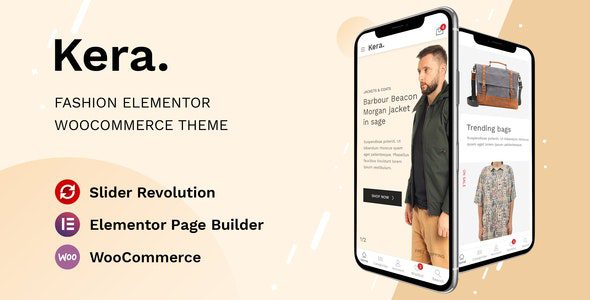
Kera WordPress Theme: A WooCommerce Solution Built for Fashion E-Commerce
Kera WordPress Theme is a WooCommerce theme designed specifically for fashion designers, clothing brands, and online stores. Whether you're an independent designer or an established business owner, Kera helps you quickly build a clean, modern, and highly attractive e-commerce website. The theme is deeply optimized for the Elementor page builder, making website creation easier than ever. Its outstanding mobile design ensures customers enjoy a smooth browsing experience on their phones, effectively boosting conversion rates.
Core Features and Advantages of the Kera Theme
Kera v1.2.37 further optimizes performance and compatibility on top of previous versions. As a WooCommerce theme, it natively supports core e-commerce features such as product displays, shopping carts, and checkout processes. The theme comes with multiple fashion-style demo templates that you can import with one click and quickly replace with your own brand content. Elementor's visual editing lets you adjust layouts, colors, and fonts without writing any code, delivering a true WYSIWYG experience.
Why Choose the Kera WordPress Theme?
Compared to other e-commerce themes on the market, Kera leans more toward the high-end fashion sector in terms of visual design and user experience. Its typography is clean and sharp, with spacious image display areas ideal for highlighting clothing details and brand identity. The theme is also optimized for loading speed, ensuring fast performance even on mobile networks. If you're looking for a WooCommerce theme that combines aesthetics with practicality, Kera is worth considering. For more WordPress themes and plugin resources, visit BobohHello Resource Site.
Installation and Use Cases for the Kera Theme
Kera is suitable for all kinds of fashion e-commerce scenarios, including clothing stores, footwear brands, accessory shops, and beauty product stores. The installation process is the same as with other WordPress themes: upload the theme package under Appearance > Themes in your dashboard and activate it, then install the recommended plugins (such as Elementor and WooCommerce). After importing the demo content, you can gradually replace it with your own products and brand information. The theme settings panel offers a wealth of options for customizing your header, footer, product listing styles, and more.
If you need more detailed installation steps or feature specifications, we recommend referring to the documentation on the official Kera page.
Frequently Asked Questions
What plugins does the Kera theme require?
The Kera theme primarily relies on the Elementor page builder and the WooCommerce e-commerce plugin. After installing the theme, the system will prompt you to install the recommended plugins—just follow the instructions. For details, please refer to the official documentation.
Is the Kera theme compatible with the latest version of WordPress?
Kera v1.2.37 has been tested and optimized for newer WordPress versions and generally maintains compatibility. However, it's recommended to back up your website before updating the WordPress core, and check the theme changelog to confirm compatibility.
Does the Kera theme support responsive mobile design?
Yes, the Kera theme includes built-in responsive design with specific optimizations for phones and tablets. Its mobile menu, product displays, and checkout process have all been carefully refined to ensure customers can shop smoothly on mobile devices.
How often is the Kera theme updated?
The Kera theme is continuously maintained by the official team, with new versions released regularly based on WordPress and WooCommerce updates as well as user feedback. For specific update frequency, please refer to the official documentation or the theme changelog.


Comments (0)