
Institutions Directory Plugin In-Depth Review
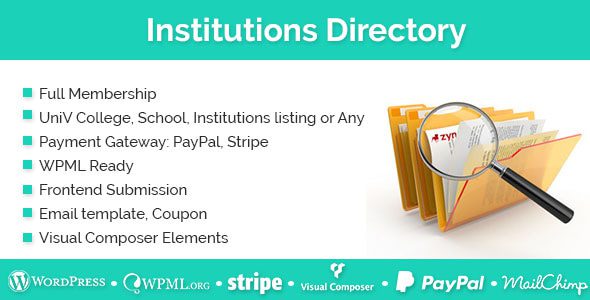
Institutions Directory is a professional WordPress institutions directory plugin released by e-plugins on CodeCanyon. It is designed specifically for university, college, school, and training institution directory sites, and is also suitable for industry organization directories and educational resource platforms. The plugin package includes plugin files, demo data, language files, and detailed documentation to help you quickly build a fully featured institution directory website.
Directory Structure and Field Design of Institutions Directory
Each institution record is a custom post type containing rich fields such as name, description, campus address, city and country, postal code, categories and tags, contact information, official website, social links, awards, featured programs, videos, and image galleries. The listing page displays entries as cards and supports filtering by city, country, category, tag, and postal code, as well as finding nearby institutions by radius (50 km by default). The top offers a Show All option and subject category switching: Arts & Humanities, Engineering & Technology, Natural Sciences, and Social Sciences, making it easy for users to quickly locate target institutions.
Map and Search Functionality Experience
The search page provides both map and list views. Markers are placed precisely on the map by latitude and longitude; clicking a marker opens a popup with an institution summary and a link to details, and marker icons can be customized and replaced by category. The search box features autocomplete, intelligently suggesting terms as users type an institution name or city. In addition, a standalone search shortcode can be configured to search only one specific post type, allowing you to flexibly embed the search box on any page. For more similar tools, see the plugin recommendations on WordPress Resource Site.
Membership System and Pricing Models
The plugin includes a powerful membership system supporting free accounts, one-time payments, recurring subscriptions, free trials, paid trials, and variable pricing packages. For payments, it integrates PayPal and Stripe, and is also compatible with WooCommerce payment gateways and subscription plugins. Pricing tables, registration, and login pages all come with prebuilt templates, and packages can be configured with registration coupon codes, usage limits, and expiration dates. Users receive different publishing permissions based on their package, and renewals, upgrades, downgrades, and cancellations are all handled on the account page.
Frontend Submission and User Panel
Institutions can submit listings from the frontend, with fields displayed according to backend configuration, and images and videos uploaded locally. The user panel lists the entries they have published and supports editing, deleting, viewing status, and expiration dates; administrators can set new submissions to publish directly or require approval. Additional modules include favorites, who is interested in me, claim listing, contact listing owner, and public profile pages; claims and contact requests are handled through in-site email templates.
Email, Multilingual Support, and Data Import
Email templates cover welcome messages, password recovery, user orders, admin orders, listing contact, claims, and subscription reminders, and the copy can be freely modified in the backend. Mailchimp is used to store the email addresses of new registrants. For multilingual support, it is compatible with WPML, and the language directory includes more than ten language files. Import supports CSV format for bulk loading of institution data; the page editor provides visual elements to easily embed directory blocks into pages.
Institutions Directory Specifications at a Glance
| Item | Description |
|---|---|
| Resource Type | WordPress plugin for institution and organization directories |
| File Contents | Plugin files, demo data, language files, documentation |
| Requirements | WordPress, WooCommerce, or PayPal and Stripe accounts |
| Use Cases | Institution directories, education and training directories, industry organization yellow pages |
Usage Notes and Best Practices
- Institution information is submitted by users, so an approval process and correction entry point should be set up to prevent outdated addresses from remaining long term.
- Paid packages involve subscription charges, so cancellation and refund rules must be clearly stated on the pricing page.
- Map markers depend on latitude and longitude; during bulk import, entries missing coordinates will not be displayed on the map.
- After modifying email templates, it is recommended to use a real email address to test the three flows: registration, claim, and subscription reminder.
Frequently Asked Questions
How do I install the Institutions Directory plugin?
In the WordPress backend, go to "Plugins" -> "Add New" -> "Upload Plugin," select the plugin ZIP file, upload it, and activate it. For detailed steps, please refer to the official documentation.
Does the plugin support multilingual sites?
Yes, Institutions Directory is compatible with the WPML multilingual plugin and comes with more than ten language files, making it easy to build a multilingual directory site.
Can it be integrated with WooCommerce?
Yes, the plugin supports WooCommerce payment gateways and subscription plugins, enabling more flexible pricing models.
How do I import institution data?
The plugin provides CSV import functionality, allowing you to bulk import institution information in the backend. Be sure to ensure latitude and longitude coordinates are complete so entries display on the map.
How often is the plugin updated?
Update frequency depends on the developer. It is recommended to follow the official release channels for the latest version information.


Comments (0)