
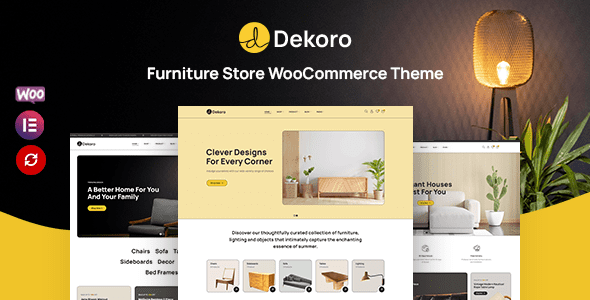
Dekoro Theme: A Professional WooCommerce Solution for Furniture Stores
Dekoro is a beautiful, modern, and responsive Elementor WooCommerce WordPress theme designed specifically for furniture stores, home stores, accessory stores, decoration stores, and multi-vendor furniture marketplaces. The theme is deeply optimized to help you quickly build an ultra-fast online store with an excellent user experience. Whether you are a small furniture retailer or a large home brand, Dekoro offers powerful features and flexible customization options to help your website stand out in a highly competitive market.
Core Features and Advantages of the Dekoro Theme
The Dekoro theme offers more than 3 pre-built homepages, each carefully designed to suit different types of furniture stores. You can easily enable various powerful tools through the theme options and customize Google Fonts without writing any code to achieve a consistent brand style. The theme is fully responsive, ensuring content displays perfectly on both desktop and mobile devices. Additionally, Dekoro integrates seamlessly with the Elementor page builder, allowing you to quickly create unique page layouts through drag-and-drop. For WooCommerce stores, Dekoro optimizes product display, shopping cart, and checkout processes to boost conversion rates.
Use Cases and Compatibility of the Dekoro Theme
Dekoro is not only suitable for traditional furniture stores but also ideal for home decoration, accessory stores, and multi-vendor marketplaces. The theme remains compatible with the latest versions of WordPress and WooCommerce and is regularly updated to ensure security and performance. If you are looking for more high-quality WordPress resources, you can visit bobohello.com to access more themes and plugins. Dekoro's code structure is clean and follows best practices, making it easy for developers to extend and customize. Meanwhile, the theme includes a rich set of shortcodes and widgets to help you quickly build complex page elements.
How to Install and Configure the Dekoro Theme
Installing the Dekoro theme is very simple. First, go to "Appearance" -> "Themes" -> "Add New Theme" in the WordPress admin panel, upload the theme zip file, and activate it. Then, install and activate the required plugins, such as Elementor and WooCommerce. Next, import the demo content (if provided) or manually configure the theme options. You can adjust colors, fonts, and layouts through the customizer without writing any code. Dekoro also provides detailed documentation to guide you through each step of the setup. For advanced users, deeper customization is possible through a child theme. For specific steps, please refer to the official documentation.
Frequently Asked Questions
What plugins does the Dekoro theme require?
The Dekoro theme primarily relies on the Elementor page builder and the WooCommerce plugin for page design and e-commerce functionality. Additionally, some auxiliary plugins may be needed; please refer to the official documentation for details.
Does the Dekoro theme support multilingual sites?
Yes, the Dekoro theme supports multilingual functionality and is compatible with popular multilingual plugins such as WPML and Polylang, making it easy to create a multilingual website. For specific configuration methods, please refer to the official documentation.
How often is the Dekoro theme updated?
The Dekoro theme is regularly updated by the official team to maintain compatibility with the latest versions of WordPress and WooCommerce and to fix known issues. The update frequency depends on the development team's release schedule; please refer to the official documentation for details.
Does the Dekoro theme provide technical support?
Yes, users who purchase a legitimate copy of the Dekoro theme can enjoy official technical support. You can get help through the ThemeForest page or official channels. For specific support scope, please refer to the official documentation.


Comments (0)