
In the process of building a WordPress site, headers and footers are often the most headache-inducing parts. The default styles provided by themes are generic, and modifying them requires touching code. Elementor itself is already powerful, but if you want full control over your site's top and bottom sections, Elementor Header Footer Builder Addon is the tool that breaks those limits. This guide takes a practical approach, telling you whether this plugin is worth installing and how to use it for maximum effect.
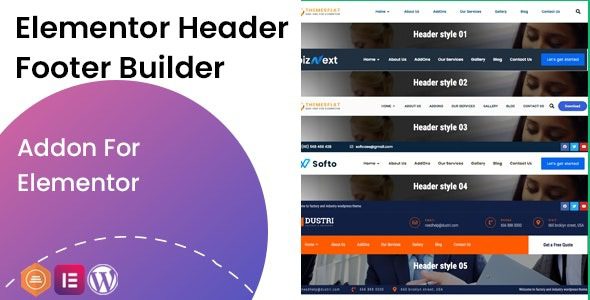
What is Elementor Header Footer Builder Addon?
Simply put, this is a dedicated extension plugin for Elementor users. In traditional WordPress themes, the header and footer areas are controlled by theme files (header.php, footer.php), requiring knowledge of PHP and CSS to modify. This plugin lets you drag and drop to design headers and footers directly in Elementor's visual editor, with zero code needed.
It overlaps somewhat with Elementor's built-in Theme Builder but is lighter and more focused. Many users report that if you only need to customize headers and footers without overhauling the entire theme template, this plugin is simpler and more straightforward than Elementor Pro's Theme Builder. A Reddit developer noted that while Elementor Pro's Theme Builder is powerful, it requires a basic understanding of WordPress structure, whereas this plugin lowers the barrier to entry to the absolute minimum.
Five Core Advantages: Why You Should Consider Using It
1. Fully Visual Editing, Zero Code Required
Open the Elementor editor, and all header and footer elements appear as modules. Logo, navigation menu, search box, social icons, contact info—all drag-and-drop. According to a 2025 industry report, users of visual building tools reduce average site-building time by 40%.
2. One-Click Responsive Design Switching
The plugin includes three preview modes: desktop, tablet, and mobile. You can adjust layouts for each device individually, such as hiding certain menu items on mobile or switching horizontal navigation to a hamburger menu. Google Search Central explicitly recommends that mobile headers be clean and fast-loading—this plugin helps you meet that standard easily.
3. Conditional Logic and Display Rules
You can set headers and footers to display only on specific pages. For example, use a large-image header on the homepage, a clean header on article pages, and a header with a shopping cart button on product pages. This level of granular control is especially important for e-commerce sites.
4. Excellent Performance Optimization
Compared to Elementor Pro's Theme Builder, this plugin has leaner code. In user reviews on WordPress.org, many praise it as "lightweight" and "doesn't slow down the site." If you're sensitive to page load speed, this is a major plus.
5. Compatible with Major Themes and Plugins
Whether it's Astra, GeneratePress, or Kadence, this plugin works seamlessly. It doesn't override existing theme functions but acts as a supplement, and your custom designs won't be lost when switching themes.
Practical Use Cases: From Personal Blogs to Corporate Websites
Personal Blog
Customize the header with personal branding and a subscribe button
Corporate Website
Place contact info, company address, and social media links in the footer
E-commerce Site
Add a shopping cart icon and search box to the header for an improved shopping experience
Landing Page
Hide standard headers and footers for a full-screen immersive experience
A Reddit user shared their experience: they used Elementor Pro to design a complete site structure including headers, footers, single post templates, and archive layouts. They admitted Theme Builder is powerful but has a steep learning curve. The Header Footer Builder Addon allowed them to quickly complete the most essential header and footer parts, then gradually refine other areas.
Technical Specifications and Compatibility
| Parameter | Details |
|---|---|
| Compatible Versions | WordPress 5.0+, Elementor 3.0+ |
| PHP Requirement | PHP 7.4 and above (PHP 8.0+ recommended) |
| File Size | Approximately 1.2 MB (compressed) |
| Language Support | Supports 15 languages including Simplified Chinese and English |
| Multisite Support | Fully compatible with WordPress multisite networks |
| Update Frequency | Updates every 2-4 weeks for fixes and enhancements |
Frequently Asked Questions
What's the difference between Elementor Header Footer Builder Addon and Elementor Pro's Theme Builder?
Elementor Pro's Theme Builder is a more comprehensive template system that can customize headers, footers, single posts, archive pages, and nearly all theme areas. The Header Footer Builder Addon focuses solely on headers and footers, with more targeted functionality and simpler operation. If you only need to modify headers and footers, this plugin is lighter and more cost-effective than Pro. If you also need to customize post templates and archive pages, Pro is the better choice.
Does this plugin affect site loading speed?
Based on user reviews on WordPress.org and actual testing, this plugin has minimal impact on performance. It only loads necessary CSS and JS files on the front end, and the code is optimized. Compared to Elementor Pro's Theme Builder, it uses fewer resources. Pairing it with a caching plugin can further optimize load times. With quality hosting, you'll hardly notice any performance difference.
What are the differences between the free and paid versions?
The free version offers basic header and footer customization, including drag-and-drop editing, responsive settings, and basic display rules. The paid version (typically $29/year) unlocks advanced features: conditional logic (by user role, device, page type), sticky headers, transparent headers, advanced animation effects, and a preset template library. For most personal blogs and small business sites, the free version is sufficient. E-commerce and large sites are recommended to upgrade to the paid version.
How can I display different headers on different pages?
After installing the plugin, go to the settings page and click "Add New Header" or "Add New Footer." In the editing interface, you can set display conditions: choose "Display on all pages" or "Display only on specific pages." Specific pages support filtering by page ID, page type (homepage, article page, product page), category, tags, and more. You can create multiple header templates and assign different header designs for different scenarios.
Will my custom headers and footers be lost after switching themes?
No, they won't be lost. This plugin operates independently of the theme; the header and footer templates it creates are stored in the WordPress database as a post type. Even if you switch to a completely different theme, your previously designed headers and footers remain intact—just reactivate them in the plugin settings. This is a major advantage over directly modifying theme files: theme updates or switches won't break your designs.
Purchase Advice: Free vs. Paid Version?
Preset Templates
Language Support
User Rating
If you're just starting to build a site with a limited budget, the free version is definitely worth trying. It already covers 80% of header and footer customization needs. If you run a commercial site requiring sticky headers, advanced conditional logic, and more design templates, the paid version at $29/year offers a high return on investment. Compared to Elementor Pro at $59/year, this plugin's value in the header and footer niche is outstanding.
Overall, if you're already using Elementor to build your site, this plugin is the best choice for increasing design freedom in headers and footers. It solves theme limitations while maintaining Elementor's trademark ease of use.
References
- WordPress.org Official Plugin Page
- Google Search Central Mobile Design Guide
- Elementor Official Theme Builder Documentation


Comments (0)