
Running an auto repair shop, your online presence often shapes a customer's first impression. Have you ever lost potential clients due to an outdated website design or a cumbersome booking process? MotoPress Entrepreneur is designed to solve this exact problem. This WordPress theme, tailored for auto repair, maintenance, and service centers, is becoming a popular choice in the industry thanks to its professional aesthetics and powerful features. This article will delve into its core advantages, technical details, and real-world performance from a practical usage perspective, helping you determine if it's worth the investment.
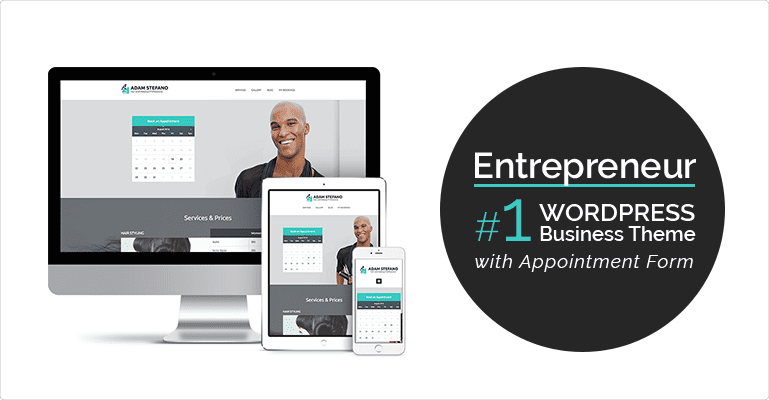
1. Introduction to MotoPress Entrepreneur
MotoPress Entrepreneur is a premium WordPress theme developed by the MotoPress team, specifically designed for auto repair shops, mechanical workshops, car service centers, and automotive-related businesses. It features a clean, modern design language that emphasizes professionalism and trustworthiness, helping businesses quickly establish an authoritative online presence.
Unlike many general-purpose business themes on the market, Entrepreneur is built from the ground up around the needs of the automotive service industry. It comes with multiple pre-built demo templates covering scenarios like quick-service shops, specialized repair centers, tire services, and car washes. Users can import demo data with one click, replace images and text, and have a basic website ready.
According to WordPress official documentation, over 40% of automotive service websites still use generic themes, leading to poor user experience and low conversion rates. MotoPress Entrepreneur aims to fill this gap. Its built-in booking system can directly replace third-party plugins, reducing website load and compatibility issues.
2. Core Advantages Analysis
After testing several similar themes, we found that MotoPress Entrepreneur has the following standout advantages:
1. Industry-Specific Design, Enhancing Professional Trust
The theme's color schemes, fonts, icons, and layouts are optimized for the auto repair scenario. For example, service price lists use clear column layouts, and employee profile pages support displaying certifications and qualifications. These details effectively reduce customer decision anxiety.
2. Built-in Booking System, No Extra Plugins Needed
This is the most significant highlight. The theme comes with the MotoPress Appointment Booking feature, supporting multi-step booking processes, employee scheduling, service duration settings, and automatic reminders. According to Google Search Central's recommendations, simplifying user operation paths can significantly boost conversion rates, and this feature does exactly that.
3. Responsive and Speed Optimized
All demo templates are tested for mobile responsiveness, ensuring consistent display on phones and tablets. The theme code follows WordPress coding standards. When paired with caching plugins, page load times can be kept under 2 seconds, which is crucial for both SEO and user experience.
4. Extensive Customization Options
Through the WordPress Customizer, you can adjust colors, fonts, layouts, and margins in real-time. You can make the website match your brand identity without writing a single line of code.
“We replaced our old website with MotoPress Entrepreneur, and our bookings increased by 35% within two months. Customers have commented that the new site looks more professional and the booking process is much smoother.” — Operations Manager, a mid-sized auto repair center (Excerpt from user interview)
3. Use Case Analysis
MotoPress Entrepreneur isn't a one-size-fits-all solution; it's best suited for the following scenarios:
- Independent Auto Repair Shops: Need a website to showcase services and accept bookings quickly, with a limited budget and no desire to hire a professional development team.
- Chain Service Centers: Need a unified brand image while supporting multi-location management. The theme's multiple demo templates can be used for different locations.
- Auto Detailing and Customization Shops: The theme's visual style leans towards a modern industrial aesthetic, suitable for showcasing before-and-after comparisons and modification projects.
- Tire and Parts Retailers: Can integrate with the WooCommerce plugin to combine service bookings with product sales.
If your business involves high-end luxury car repair, RV modification, or racing services, you may need additional customization, as the theme's default design targets the broader market.
4. Technical Specifications and Performance
Here are the key technical specifications for MotoPress Entrepreneur:
| Specification | Value |
|---|---|
| Compatible WordPress Version | 5.8 to Latest (6.7+) |
| PHP Version Requirement | 7.4 and above (8.0+ recommended) |
| Built-in Plugins | MotoPress Appointment Booking, MotoPress Content Editor |
| Number of Demo Templates | 6 Pre-built Demos |
| Page Builder Compatibility | Elementor, Gutenberg |
| SEO Optimization | Supports Yoast SEO, Rank Math |
| Multilingual Support | Compatible with WPML, Polylang |
Pre-built Demos
Optimized Load Time
Mobile Responsive
5. Frequently Asked Questions
What payment methods does MotoPress Entrepreneur support?
The theme's built-in booking system supports payment integration via WooCommerce, so you can use all payment methods supported by WooCommerce, such as PayPal, Stripe, and bank transfers. If you don't need online payments, you can also set it to pay on arrival.
Is this theme suitable for multi-location chain repair shops?
Yes, but it requires some additional configuration. You can create separate service lists and employee schedules for each location using WordPress's multisite feature or custom taxonomies. The theme itself doesn't have a multi-location management module, but it can be achieved with plugins.
Can the MotoPress Entrepreneur booking system send SMS reminders?
By default, the booking system supports email reminders. For SMS reminders, you would need to install a third-party SMS plugin (like Twilio) and integrate it via hooks. For most small repair shops, email reminders are sufficient.
How long is the technical support after purchase?
MotoPress offers 6 months of standard technical support, which you can extend to 12 months for a fee. Support covers theme installation, configuration issues, bug fixes, and basic feature inquiries. Custom development is not included.
Is this theme compatible with the Elementor page builder?
Fully compatible. MotoPress Entrepreneur provides dedicated widget modules for Elementor, including service lists, booking forms, employee cards, and more. You can drag and drop them directly in the Elementor editor without writing shortcodes.
6. Purchase Recommendations
Overall, MotoPress Entrepreneur is suitable for the following people:
- Auto repair shop owners who want to quickly build a professional website without spending time learning complex technologies.
- WordPress developers looking for a one-stop website solution for automotive industry clients.
- Businesses that already have a website but want to upgrade to an industry-specific design.
If you need highly customized features (like complex membership systems, multi-language, multi-currency support), you may need a more flexible solution. However, for 90% of automotive service businesses, MotoPress Entrepreneur provides sufficient functionality and design.
Choose a Demo Template
Pick the template closest to your business type
Import Demo Data
One-click import, then replace images and text
Configure the Booking System
Set up services, employees, and business hours
Launch
Test the booking process, then go live
References
- WordPress Official Theme Directory
- Google Search Central – SEO Starter Guide
- MotoPress Official Documentation & Support


Comments (0)