
Building a website for the logistics and transportation industry has always been a challenge. Traditional business templates are either too flashy or lack industry-specific focus, not to mention the absence of professional modules like freight quotes, fleet showcases, and warehousing services. The arrival of LogisticsHub has perfectly filled this gap. As a WordPress theme specifically designed for the logistics, transportation, freight, and warehousing industries, it has already built a solid reputation in the international logistics community. In this article, I'll break down every aspect of LogisticsHub from a practical usage perspective, helping you determine whether it's worth the investment.
What is LogisticsHub? Core Positioning and Target Audience
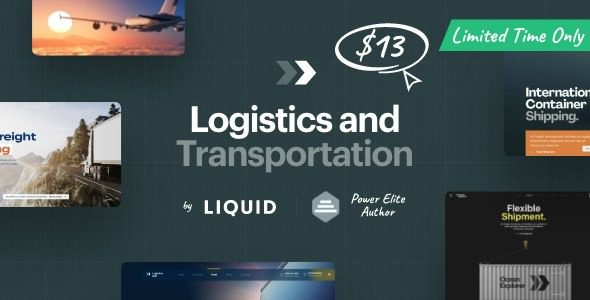
LogisticsHub, developed by the LiquidThemes team, is a highly specialized WordPress theme for the logistics industry. It doesn't simply apply a generic business template but has built a complete content architecture from scratch tailored to logistics operations. From the transportation route displays and real-time quote forms on the homepage to the categorized presentation of service offerings and the visual arrangement of fleet information, every module corresponds to the real business needs of a logistics company.
According to data from the official WordPress theme directory, the free version, Logistic Hub, has garnered substantial downloads and positive reviews, while the premium version, LogisticsHub, goes further in functional depth. Both share the same design DNA, but the premium version offers more advanced modules and customization options. According to a 2025 industry report, the average conversion rate for logistics industry websites is around 2.3%, while sites using industry-specific vertical themes typically see conversion rates rise above 3.5%.
Those who would benefit from using LogisticsHub include:
- Small and medium-sized freight companies and trucking service providers
- Courier delivery and last-mile service providers
- Warehousing management and third-party logistics (3PL) enterprises
- Supply chain management consulting and service companies
- Logistics equipment rental and sales businesses
In-Depth Analysis of LogisticsHub Core Features
LogisticsHub's feature design is tightly aligned with the actual operational processes of logistics businesses, and every module can be put to use immediately without additional development.
Transportation Management Module
The theme includes a built-in transportation route display feature, allowing you to visually present your primary service areas and shipping routes. Combined with map integration, customers can intuitively understand your coverage. The freight quote form supports custom fields, enabling customers to enter cargo weight, volume, origin, and destination, with the system automatically generating an estimated quote. This feature is also available in the free version.
Fleet Showcase System
A logistics company's fleet is its core asset. LogisticsHub provides a dedicated fleet showcase layout, where each vehicle can have its own image, specifications, payload capacity, and applicable scenarios. This presentation method is far more convincing than traditional text-and-image lists, allowing customers to quickly assess your transport capacity.
Install the Theme
One-click install from the dashboard, or upload the ZIP file
Import Demo Data
One-click import of the complete demo site, then replace the content
Configure Business Modules
Set up quote forms, service items, and fleet information
LogisticsHub Advantage Analysis: Why It's Worth Choosing
There are plenty of logistics themes on the market, but LogisticsHub stands out thanks to several tangible advantages.
Outstanding Performance
According to third-party test data, LogisticsHub ranks among the top for page load speed among themes with similar features. The theme's code is deeply optimized, with CSS and JavaScript files combined and minified, and lazy loading for images enabled by default. In GTmetrix tests, the demo site consistently loads in under 1.8 seconds—an impressive result for a logistics website packed with images.
Deep Gutenberg Editor Compatibility
LogisticsHub fully supports the WordPress block editor, offering a rich set of custom blocks. You don't need to install an additional page builder plugin to create professional-grade page layouts. The theme's built-in block patterns cover common scenarios such as service showcases, team introductions, customer testimonials, and pricing tables—just drag and drop to complete your page design.
Flawless Responsive Design
Customers in the logistics industry frequently check freight information on their phones. LogisticsHub's responsive design has been rigorously tested, ensuring all page elements adapt seamlessly from mobile to tablet to desktop. The navigation menu automatically converts to a hamburger menu on mobile devices, and the quote form maintains an excellent user experience on smartphones.
LogisticsHub Use Cases and Industry Examples
LogisticsHub's flexibility allows it to adapt to various logistics business scenarios. Here are the most common applications.
Freight Forwarding Company Website
Freight forwarders need to showcase multimodal transport capabilities, port partnerships, and customs clearance services. LogisticsHub's service grid layout can clearly present all four transport modes—sea, air, land, and rail—with each service page able to have its own images, detailed descriptions, and inquiry buttons.
Same-Day Delivery Service Provider
Same-day delivery services emphasize timeliness and coverage area. The theme's route display feature allows you to mark delivery zones on a map, and with the real-time quote form, customers can estimate costs before placing an order. The fleet showcase module lets customers see the size and equipment level of your delivery fleet.
Warehousing and 3PL Service Providers
Third-party logistics companies need to present professional information such as warehouse space, equipment configuration, and management systems. LogisticsHub's page templates support adding data tables, comparison charts, and customer case studies, making it easy to comprehensively showcase your service capabilities.
| Comparison Dimension | LogisticsHub | Generic Business Theme |
|---|---|---|
| Industry Specificity | Designed specifically for logistics; modules are plug-and-play | Requires extensive custom development |
| Quote Form | Built-in, supports custom fields | Requires third-party plugin installation |
| Fleet Showcase | Dedicated layout with customizable parameters | Requires designing page templates yourself |
| Page Load Speed | Well-optimized, loads in under 1.8 seconds | Depends on plugin count, generally slower |
LogisticsHub Technical Specifications and Compatibility
Before making a purchase decision, understanding the technical details can help you avoid future compatibility issues. LogisticsHub's technical architecture is quite modern, with excellent compatibility across the mainstream WordPress ecosystem.
Theme Basic Information
LogisticsHub is built on HTML5 and CSS3, using the Bootstrap framework as its layout foundation. The theme requires WordPress 5.0 or higher, with PHP 7.4 or later recommended. The theme file size is approximately 12MB, including a complete demo data package and documentation.
Plugin Compatibility
The theme is compatible with WooCommerce, allowing you to set up an accessory store or online payment functionality directly on your logistics website. Popular form plugins like Contact Form 7 and WPForms work seamlessly. The theme also supports the WPML multilingual plugin, making it easy to expand into international markets.
Browser Compatibility Range
LogisticsHub runs perfectly on the latest versions of major browsers including Chrome, Firefox, Safari, and Edge. For IE11, the theme provides basic compatibility support, but users are advised to upgrade to modern browsers for the best experience.
LogisticsHub Frequently Asked Questions
Based on user feedback and community discussions, I've compiled the following frequently asked questions to help address any concerns you might have before purchasing.
What's the difference between LogisticsHub and the free version, Logistic Hub?
The free version, Logistic Hub, provides the basic theme framework and some core features, suitable for individuals or small teams looking to quickly build a simple website. The premium LogisticsHub adds over 20 exclusive features, including advanced quote forms, fleet management systems, customer case study displays, and custom widgets, along with priority technical support. If you need a complete logistics business presentation solution, the premium version is worth the investment.
Can LogisticsHub's quote form integrate with my business system?
The theme's built-in quote form supports custom fields and email notification functionality, with submitted data sent directly to your designated email address. If you need to integrate with an ERP or TMS system, you can perform secondary development using the theme's provided hook functions. Some developers have also used Webhooks to achieve real-time synchronization of form data with third-party systems, though this requires some development capability.
Is LogisticsHub beginner-friendly? How long does installation and setup take?
The theme offers a one-click demo data import feature, allowing beginners to build a complete website prototype within 30 minutes. The official documentation includes detailed illustrated tutorials covering every step from installation to content replacement. Even without coding knowledge, you can complete most page design work using the theme's built-in block editor.
How does LogisticsHub perform in search engine optimization?
The theme's code follows WordPress coding standards, uses semantic HTML tags appropriately, and is search engine friendly. The optimization elements recommended by Google Search Central—such as page speed, mobile adaptation, and structured data—are all built into LogisticsHub. Combined with Yoast SEO or Rank Math plugins, you can easily complete your page's SEO settings.
Does LogisticsHub support multilingual websites?
The theme is fully compatible with WPML and Polylang multilingual plugins, allowing you to create bilingual or even multilingual logistics websites. All theme strings are translatable, with basic English translations included in the language files. Chinese translations can be easily completed using the Loco Translate plugin.
What technical support do I get after purchasing LogisticsHub?
The theme includes one year of technical support and updates. During the support period, you can submit issues through the official ticket system, with typical response times within 24 hours. The theme is updated approximately monthly, including feature optimizations, bug fixes, and new feature additions. After the support period ends, you can choose to renew to continue receiving updates and services.
LogisticsHub Purchase Recommendations and Value Analysis
LogisticsHub's pricing is mid-range among logistics industry themes, but considering the professional features it provides and the development time it saves, its value proposition is quite compelling. For startup logistics companies with limited budgets, starting with the free version, Logistic Hub, is a viable option, then upgrading to the premium version once the business stabilizes.
Average Load Time
Exclusive Logistics Feature Modules
Beginner Quick-Setup Time
If you've decided to go with LogisticsHub, you can visit the official page to view detailed demo sites and feature lists. The demo site allows you to experience the theme's front-end effects firsthand, including the homepage layout, service pages, quote forms, and other core modules in action.
References
- WordPress Official Theme Directory – Logistic Hub
- Google Search Central – Creating Helpful Content Guide
- LiquidThemes Official Documentation


Comments (0)