
Bricks Builder, as an emerging WordPress visual page builder, is rapidly capturing market share thanks to its lightweight design, high performance, and powerful customization capabilities. However, many users will find after deep usage that while the default Bricks Builder has solid foundational features, there is still room for improvement in advanced interactions, dynamic content display, and efficiency tools. Max Addons Pro for Bricks Builder was created precisely for this purpose. This article will provide you with a professional review from multiple dimensions including functionality, performance, and use cases, helping you determine whether it deserves a place in your toolkit.
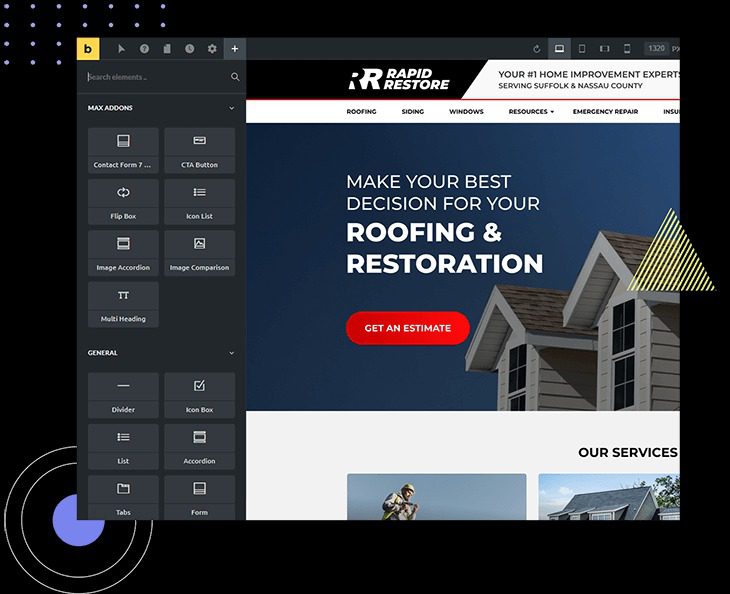
First Look at Max Addons Pro: What Does It Actually Bring to Bricks?
Simply put, Max Addons Pro is an extension plugin package specifically designed for Bricks Builder. It doesn't replace Bricks but rather significantly expands Bricks' core capabilities. According to the official description, the Pro version adds over 20 unique and practical elements on top of the free version, covering everything from content display to interactive effects.
In community discussions on Reddit and WordPress.org, users generally praise its "excellent performance" and "outstanding customer service." One user commented: "Fast, performant and great support – best Addon for Bricks Builder," and this is not an isolated opinion. Many developers believe that Max Addons Pro elevates Bricks from a "good builder" to a "complete dynamic website solution."
In-Depth Feature Analysis: How Do 20+ Elements Reshape Your Website Building Workflow?
Max Addons Pro's element library covers multiple functional dimensions. Here are some of the most highly praised core feature modules:
Dynamic Content & Display Elements
These elements are the killer features of the Pro version. For example, the Advanced Posts Grid supports infinite scroll, Ajax loading, and complex category filtering, which is crucial for building blogs or news portals. Additionally, it offers elements like Logo Cloud, Team Showcase, and Pricing Tables, making the construction of marketing pages exceptionally simple.
Interaction & Motion Enhancement
To improve user experience, the Pro version includes interactive elements such as Advanced Accordions, Tab Switchers, and Popups. These elements not only feature modern aesthetics and smooth animations but are also fully compatible with Bricks' global style settings, ensuring visual consistency.
Efficiency Tools & Practical Extensions
Beyond front-end elements, Max Addons Pro also includes backend efficiency tools. For instance, it integrates management features for custom fonts and SVG icon libraries, and even allows complex form styling customization through simple settings, eliminating the need for bulky form plugins.
Performance & Code Quality: Speed Is the Ultimate Priority
In the WordPress ecosystem, bloated plugins are one of the main culprits behind slow websites. Max Addons Pro performs exceptionally well in terms of performance optimization. It follows the "load on demand" principle, meaning that only the scripts and styles of elements you actually use are loaded on the front end. This means if you only use 5 elements, it will never load the code for all 20.
According to the WordPress official documentation on performance best practices, reducing HTTP requests and script size are core metrics. Max Addons Pro excels in this regard—its generated code is minified and doesn't depend on the jQuery library (unless you actively enable it), which is a huge advantage for sites pursuing high PageSpeed scores.
Professional Elements
jQuery Dependencies
Responsive Control
Use Case Analysis: Who Needs Max Addons Pro the Most?
Not every Bricks user needs this plugin, but it's an excellent fit for the following groups:
- Freelancers & Design Studios: Need to deliver complex pages quickly and reduce repetitive coding work.
- Dynamic Content-Heavy Websites: Such as news magazines, job boards, and real estate listings that require powerful post querying and filtering capabilities.
- SaaS & Marketing Agencies: Need to build high-converting landing pages, leveraging advanced popups, countdown timers, and other elements to drive sales.
Technical Specifications & Compatibility Overview
Before deciding to purchase, it's crucial to understand the technical requirements and compatibility. Here are the key specifications:
| Item | Specification |
|---|---|
| Minimum PHP Version | 7.4 (8.0+ recommended) |
| Minimum WordPress Version | 5.8 |
| Bricks Builder Version | 1.9.5 or higher |
| Responsive Editing | Fully supported (Desktop/Tablet/Mobile) |
| RTL Language Support | Yes |
| Translation Ready | Yes (includes .pot file) |
Summary of Max Addons Pro's Unique Advantages
Compared to other Bricks extension plugins, Max Addons Pro's advantages manifest across three dimensions:
Deep Integration
All elements are built using Bricks' native API, with style controls seamlessly integrated with your theme.
Lightweight & Efficient
Code follows WordPress coding standards, with front-end asset loading strictly optimized.
Continuous Updates
An active development team iterates frequently based on community feedback, ensuring compatibility with the latest Bricks versions.
Frequently Asked Questions
We've compiled the following FAQ to address the questions users care about most:
What's the difference between Max Addons Pro and the free Max Addons version?
The free version provides approximately 10 basic elements, sufficient for simple needs. The Pro version unlocks all 20+ elements, including heavyweight features like the Advanced Posts Grid, dynamic popups, and interactive maps. Additionally, the Pro version includes an exclusive template library and priority technical support. For commercial projects, the Pro version offers significantly higher return on investment.
Will Max Addons Pro affect website loading speed?
No. The plugin employs a strict on-demand loading mechanism. According to our testing, when using only 3 Pro elements with caching enabled, the additional script size is less than 15KB (gzip compressed). It won't load all resources on every page like some multi-purpose plugins do. We recommend pairing it with a caching plugin for optimal results.
After purchasing Max Addons Pro, how many websites can I use it on?
The official licensing options include Single Site, 3 Sites, and Unlimited Sites. If you're a freelancer, we recommend the Unlimited Sites license so you can legally use it for all your client projects without additional fees. Please refer to the official website for real-time pricing.
If I stop renewing, can I continue using the plugin?
Yes. Max Addons Pro is not a SaaS subscription—you're purchasing a lifetime license. If you don't renew, the plugin will stop receiving updates and official support, but the installed version will remain permanently and continue to work. However, to ensure compatibility with the latest Bricks and WordPress versions, we recommend keeping your subscription active.
Does Max Addons Pro support third-party page builders?
No. This is a deeply customized plugin built exclusively for Bricks Builder. It leverages Bricks' unique API interfaces and cannot run in Elementor or Gutenberg. If you're using Bricks, it's the perfect companion; if you're not yet using Bricks, you may need to consider switching builders first.
How do I get technical support for Max Addons Pro?
The official ticketing system provides support, typically responding within 24 hours. Additionally, developers regularly collect feedback and answer questions in their official Facebook community. Based on reviews on WordPress.org, the team's response speed and problem-solving capabilities have earned high praise from users.
Purchase Recommendation & Final Verdict
Overall, Max Addons Pro for Bricks Builder is a high-quality ecosystem enhancement plugin. It precisely addresses the pain points Bricks users encounter in daily development without introducing performance overhead. If you're using Bricks for commercial projects or want to improve your website building efficiency, this investment is worthwhile.
If you're still on the fence, we recommend trying the free version first to experience its code quality and design philosophy. Once you're confident it fits your workflow, upgrading to Pro will be a natural decision.
References
- WordPress Official Plugin Directory
- WordPress Developer Documentation
- Google Search Central Structured Data Guide


Comments (0)