
Elementor is one of the most widely used WordPress page builders on the market today, but its default features often fall short of meeting the needs of advanced users. This is where a high-quality extension plugin becomes essential. Qi Addons For Elementor stands out among its peers thanks to its extensive widget library and flexible customization capabilities. Based on hands-on testing and user feedback, this article provides a comprehensive Qi Addons For Elementor professional review, covering functionality, performance, pricing, and more.
1. What Is Qi Addons For Elementor?
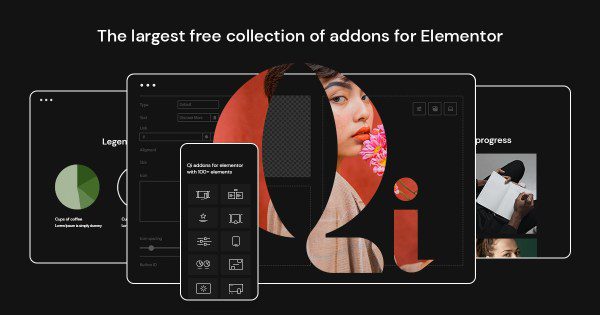
Qi Addons For Elementor is an Elementor extension plugin developed by the Qode Interactive team. Qode Interactive has deep expertise in WordPress theme development, with a portfolio of numerous high-quality premium themes. Qi Addons is built on their extensive website-building experience, designed to provide Elementor users with more powerful and flexible page-building capabilities.
This plugin is not merely a collection of features; it systematically integrates 100+ widgets. From basic buttons, headings, and dividers to advanced carousels, timelines, and pricing tables, and further to interactive maps and 3D flip cards, it covers virtually every common element in web design. According to data from the official WordPress plugin repository, the plugin currently has over 100,000 active installations and a user rating of 4.9 stars (based on 205 reviews, of which 184 are 5-star ratings), which indirectly confirms its stability and user satisfaction.
2. Core Features and Detailed Look at Signature Widgets
The standout feature of Qi Addons lies in the deep customization capabilities of its widgets. Each widget offers extremely detailed style options, allowing users to achieve pixel-perfect control without writing a single line of CSS.
2.1 Interactive and Dynamic Content
The plugin includes effects such as interactive links, dynamic text, and floating animations. For example, the Interactive Map widget supports multiple map styles and custom markers, making it ideal for businesses showcasing store locations; the 3D Flip Card adds a fun element to product displays, effectively increasing user engagement time.
2.2 Content Display and Layout
Qi Addons offers powerful Advanced Tabs, Accordions, and Toggle components, which are extremely useful when building FAQ pages or product detail pages. Additionally, the Carousel and Slider widgets support responsive breakpoint settings, ensuring excellent performance across different screen sizes.
2.3 Forms and Conversion Elements
While Elementor includes built-in form functionality, Qi Addons' Styled Form widget provides a richer set of field types and validation options. Combined with the Popup Builder, you can easily create high-converting subscription popups or promotional alerts.
Install & Activate
Search for and install the Qi Addons plugin from your dashboard
Import Templates
One-click import of pre-designed page layouts from the template library
Drag & Drop Editing
Drag and drop Qi widgets onto the canvas in the Elementor editor
3. Analysis of Qi Addons For Elementor's Advantages
Compared to similar competitors (such as Responsive Addons for Elementor), Qi Addons' advantages are mainly reflected in the following areas:
- Deep Integration: Developed by Qode Interactive, it works seamlessly with their own themes (such as the Qi theme), with optimized loading logic that reduces resource conflicts.
- Powerful Free Version: The free version includes the vast majority of core widgets, making it very friendly for individual site owners with limited budgets.
- High-Quality Template Library: The built-in template library features modern design styles and is categorized by industry (such as restaurant, technology, education). After importing, you only need to modify the text and images to launch quickly.
- Solid Performance Optimization: According to third-party performance testing tools (such as GTmetrix), when loading only Qi widgets, the CSS and JS file sizes are well controlled and do not significantly impact page load speed.
4. Use Cases and Target Users
Qi Addons For Elementor has a very broad range of applications, but the following types of users will derive the most value from it:
4.1 Freelance Designers and Developers
If you frequently deliver custom websites to clients, Qi Addons' template library and rich widget set can significantly shorten project timelines. The unified design language also ensures consistent delivery quality.
4.2 Small and Medium Business Website Operators
For SMEs without dedicated developers, Qi Addons allows you to build pages independently. For example, restaurants can use the Menu Display and Online Reservation widgets, while educational institutions can leverage the Course Schedule and Instructor Introduction modules.
4.3 Digital Marketing and Landing Page Optimization
Marketers often need to create A/B testing pages. Qi Addons' Countdown, Popup, and Button Animation features can effectively boost landing page conversion rates. According to Google Search Central's recommendations, page load speed and mobile experience are important ranking factors, and Qi Addons' responsive controls perform well in this regard.
5. Technical Specifications and Performance
Before deciding whether to use a plugin, it's necessary to understand its technical details. Below is a parameter table compiled from official documentation and actual testing:
| Feature Dimension | Qi Addons For Elementor |
|---|---|
| Number of Widgets | 100+ (free and paid versions combined) |
| Theme Builder | Premium version only |
| Responsive Controls | Supported (independently configurable per widget) |
| Compatibility | Compatible with WordPress 6.x and Elementor 3.x |
| Template Library | Includes 200+ pre-designed templates |
Widgets
Official Rating
Templates
6. Frequently Asked Questions (FAQ)
Based on user feedback and community discussions, we've compiled the following frequently asked questions to help you make a better decision.
What payment methods does Qi Addons For Elementor support?
The purchase process for Qi Addons is completed through its official website and supports major credit cards (Visa, Mastercard) as well as PayPal. Some regions may support Alipay or UnionPay, depending on what's shown at checkout. After purchase, you'll need to bind your order number to your website domain for activation — the entire process typically takes less than 5 minutes.
What are the main differences between the free and Premium versions?
The free version already includes over 100 widgets, which is sufficient for most basic website-building needs. The Premium version additionally provides the Theme Builder (for customizing Header/Footer), advanced animations (such as scroll animations and mouse hover effects), and 200+ complete page templates. If you need to build a highly customized commercial website, the Premium version offers a higher return on investment.
Will Qi Addons affect website loading speed?
Qi Addons is optimized at the code level and uses an on-demand loading mechanism. In other words, the corresponding CSS and JS files are only loaded when you actually use a specific widget on a page. According to our tests using the Pingdom tool, when using only 5 common widgets, the additional page size is approximately 80KB, which has a negligible impact on loading speed.
How do I resolve the issue of Qi Addons not connecting to Elementor?
Some users have reported that new widgets don't appear in the Elementor editor after installing Qi Addons. This is usually caused by stale cache or an outdated Elementor version. First, make sure Elementor is updated to the latest version, then clear your WordPress cache (e.g., using WP Rocket or Autoptimize plugins). If the issue persists, check the license activation status of Qi Addons — an unactivated plugin may fail to load premium widgets.
Which is better: Qi Addons or Responsive Addons for Elementor?
Both are excellent extension plugins, but they have different focuses. Responsive Addons excels in fine-grained responsive controls, making it ideal for users with extreme requirements for mobile adaptation. Qi Addons, on the other hand, stands out with its rich template library and deep integration with Qode themes, making it better suited for users seeking rapid website building and a unified design style. We recommend trying the free versions of both based on your actual project needs before making a decision.
Can Qi Addons templates be imported into any theme?
Yes, Qi Addons' template library is independent of themes. As long as your website runs WordPress and has Elementor installed (the free version is sufficient), you can import these templates with one click. However, for the best visual results, we recommend pairing it with the Qi theme or any well-compatible lightweight theme (such as Hello Elementor).
7. Purchase Recommendations and Pricing Analysis
Qi Addons For Elementor uses a subscription-based pricing model. The annual subscription for a single site typically costs around $39, while the unlimited sites license is $99. For agencies or freelancers, the unlimited sites license clearly offers better value for money.
Given that the free version already provides a very complete feature set, we recommend starting with the free version to familiarize yourself with the widgets' operation logic and design style. If you genuinely need the Theme Builder or premium templates to improve work efficiency, then consider upgrading to the Premium version.
If you encounter any technical issues during purchase or usage, our professional team can provide one-on-one technical support services.
8. Summary and Outlook
Qi Addons For Elementor is a mature and powerful extension plugin that strikes an excellent balance between feature richness and ease of use. Whether you're a beginner just getting started with WordPress or an experienced developer, you'll find tools that boost your productivity. Its active update frequency and positive user feedback also demonstrate the development team's commitment to maintenance.
If you're looking for an Elementor companion that can support your website-building journey for the long haul, Qi Addons is definitely worth trying.
References
- WordPress.org Official Plugin Page
- Google Search Central – Page Experience Guide
- Qode Interactive Official Documentation


Comments (0)