
If you run an architecture firm, an interior design studio, or a 3D visualization team, choosing a theme is often more of a headache than choosing a server. Most general-purpose WordPress themes look like they can do everything, but once you actually start using them, you realize they lack the ability to showcase a sense of space and large-scale visuals. Prague Architecture was built to address exactly this pain point—it translates the "white space, proportion, and materiality" that the architecture industry values most into the language of the web. This review is based on hands-on build testing and publicly available information to help you decide whether it deserves a place in your toolkit.
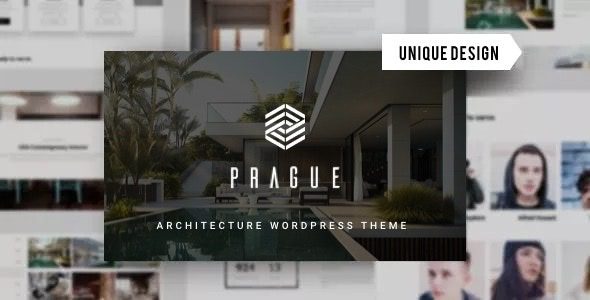
What Is Prague Architecture? Breaking Down Its Core Positioning
Prague is a WordPress theme built specifically for design professionals, with a very clear target audience: architecture firms, interior design companies, 3D visualization studios, and renovation and remodeling teams. According to the official ThemeForest page, every layout is designed "with the spatial logic you use in your own work in mind." That's not marketing speak—from the full-width hero project images to the breathing room in the portfolio grid, it's clear the design team genuinely understands the visual language of the architecture industry.
It is not an "all-purpose theme." Prague doesn't pile on dozens of industry demo sites; instead, it focuses its energy on one thing: design showcase. For teams that frequently update project case studies, display before-and-after comparisons, and publish design thinking articles, this focus is actually an advantage. For a more detailed feature list, check out the Prague Architecture theme detail page.
Prague Architecture's Key Feature Highlights
Based on hands-on testing, Prague's feature set revolves around "showcase efficiency," with no unnecessary modules slowing down the site.
The WPBakery visual editor is its primary site-building tool. For designers who don't write code, drag-and-drop operation lets you quickly build project showcase pages, team introduction pages, and service pricing pages. Combined with the Revolution Slider plugin, the hero section can achieve a visual rhythm similar to an architectural walkthrough, which is especially useful when showcasing large-scale projects.
Portfolio and project detail templates are Prague's strong suit. It comes with multiple project layouts: grid, masonry, and full-width carousel. Each project detail page supports structured content such as galleries, floor plans, and material descriptions, making it easy for clients to quickly understand the design intent.
Easy Digital Downloads compatibility is worth mentioning. Some design studios sell design templates, CAD libraries, or 3D models, and Prague's EDD support makes selling these digital products straightforward without needing to switch themes.
Visual Building
WPBakery drag-and-drop editing, no coding required
Project Showcase Templates
Multiple portfolio layouts, matched to architectural photography ratios
Digital Product Support
EDD compatible, can sell design resources
Analysis of Prague Architecture's Advantages
Put Prague side by side with several mainstream design themes on the market, and its differentiation becomes clear.
| Comparison Dimension | Prague Architecture | General-Purpose Design Themes |
|---|---|---|
| Industry fit | Focused on architecture/interior design, layouts match the industry | Covers multiple industries, requires extensive adjustments |
| Hero visual impact | Full-width large images + Revolution Slider, strong impact | Mostly standard banners, needs custom modification |
| Project detail structure | Pre-built gallery, floor plan, and material description modules | Generic post format, requires manual layout |
| Learning curve | Moderate, WPBakery is quick to pick up | Depends on the theme, some require coding knowledge |
From discussions in the Reddit architecture community, practitioners are far more sensitive to "how work is presented" than average users. A post with over 500 upvotes discussing modern vs. classical architecture repeatedly mentioned in the comments that "proportion and light determine the first impression." Prague's design logic echoes exactly this—it treats the web page as architectural space, not a container for piling up information.
Typical Use Cases for Prague Architecture
Based on publicly available information and hands-on testing, Prague excels in the following scenarios:
Architecture firm websites: Need to showcase large-scale project photography, construction processes, and team credentials. Prague's full-width project pages and team modules meet these needs directly.
Interior design studios: Emphasize materials, color, and spatial atmosphere. The theme's minimalist typography lets images speak for themselves without interference from flashy decorations.
3D visualization teams: Renders need high-resolution display, and Prague's gallery and lightbox features support large-image browsing so clients can examine details closely.
Renovation and remodeling companies: Need to show "before vs. after" comparisons. WPBakery's image-and-text modules make it quick to build comparison layouts.
Technical Specifications and Performance
Prague is built on standard WordPress architecture and is compatible with mainstream environments. Here are the key specifications:
Responsive
Core Plugin Integrations
Pre-built Project Layouts
According to WordPress official documentation recommendations, theme performance depends largely on image optimization and caching configuration. Prague's code is clean, but architecture websites tend to have large image volumes, so pairing it with an image compression plugin and a caching solution is recommended. Google Search Central also emphasizes that mobile load speed directly affects search rankings, and Prague's responsive design provides a baseline safeguard in this regard.
In terms of compatibility, Prague supports major browsers (Chrome, Firefox, Safari, Edge) and follows WordPress coding standards. It doesn't depend on a specific page builder to function, but WPBakery delivers maximum efficiency.
Frequently Asked Questions
Is the Prague Architecture theme suitable for designers with no programming background?
Yes. Prague integrates the WPBakery visual editor, and all page elements can be completed via drag-and-drop. You don't need to write a single line of code to build project showcase pages, service introduction pages, and contact pages. In hands-on testing, a portfolio page with 6 projects took about 40 minutes for the basic build. Of course, if you need deep customization of certain interactive effects, knowing basic CSS will be helpful.
What payment methods does the Prague theme support for selling design resources?
Prague is compatible with the Easy Digital Downloads (EDD) plugin, a sales solution in the WordPress ecosystem designed specifically for digital products. Through EDD, you can sell design templates, CAD libraries, 3D models, and other digital files, with support for mainstream payment gateways like PayPal and Stripe. Note that the payment gateway itself requires separate account configuration; the theme is only responsible for front-end display and EDD style integration.
How is Prague Architecture different from other architecture WordPress themes?
The biggest difference is focus. Most architecture themes try to cover architecture, engineering, real estate, and multiple other fields, resulting in shallow presentation in each direction. Prague serves only design studios, and its project detail pages come with pre-built modules for floor plans, material descriptions, and gallery lightboxes—features that general themes require extensive manual adjustment to achieve. If you want out-of-the-box industry fit, Prague's advantage is clear.
What additional plugins do I need to purchase to use the Prague theme?
Prague typically includes licenses for WPBakery and Revolution Slider, the two core showcase plugins. If you need to sell digital products, you'll need to install Easy Digital Downloads separately (the free version is enough to get started). Additionally, pairing it with a caching plugin (such as WP Super Cache) and an image compression plugin (such as Smush) is recommended to optimize the load pressure from large architectural images. All of these plugins have free options available.
How are updates and technical support for the Prague theme?
As a commercial theme on ThemeForest, Prague offers regular updates and official technical support. Purchases typically include a 6-month support period, renewable for an extension. Updates cover WordPress new version compatibility, security patches, and feature optimizations. Based on publicly available changelogs, the development team's responsiveness to user feedback is above average among similar themes. It's recommended to verify update compatibility in a staging environment before going live.
Purchase Recommendations and Target Audience
Prague Architecture isn't the kind of "buy once, use forever" all-purpose theme, but for a specific audience, it's an efficient choice.
Recommended purchase: Architecture firms, interior design studios, 3D visualization teams, and renovation companies—especially those that put visual work first and don't need complex e-commerce or membership functionality.
Consider carefully: If you need to build a comprehensive platform with forums, a multilingual store, and membership subscriptions, Prague's focused positioning may actually become a limitation. Such needs are better suited to more generalized themes or multi-site solutions.
In terms of price, the single-license price on ThemeForest falls within a reasonable range among comparable professional themes. Considering it saves a significant amount of custom development time, the return on investment is worthwhile for small design teams with limited budgets but a pursuit of a professional image.
Conclusion
Prague Architecture uses a "less is more" approach to solve a specific problem: making design studio websites feel less like templates and more like the work itself. Its features aren't flashy, but every one of them hits the showcase needs of the architecture and interior design industries. If you're looking for a WordPress theme for your firm or studio that can carry high-quality visual content, Prague deserves a spot on your shortlist. If you have any questions about choosing a theme, you can contact us for advice.
References
- ThemeForest Official Theme Marketplace
- WordPress Official Documentation
- Google Search Central Developer Guide


Comments (0)