
If you're building an online store with WordPress, chances are you've spent a long time agonizing over theme selection. There are thousands of themes on ThemeForest—free themes look like they save money but come with incomplete features, while paid themes carry the risk of not fitting your business once purchased. In recent months, Vogify, a multipurpose WooCommerce theme, has seen a noticeable rise in discussion within Chinese-speaking circles, and many foreign trade sellers in clothing, accessories, and digital accessories are paying attention to it. I spent about two weeks running through Vogify's installation, configuration, product import, and performance testing on a test site, and this article will clearly explain the actual experience, pros and cons, applicable scenarios, and purchasing advice all at once.
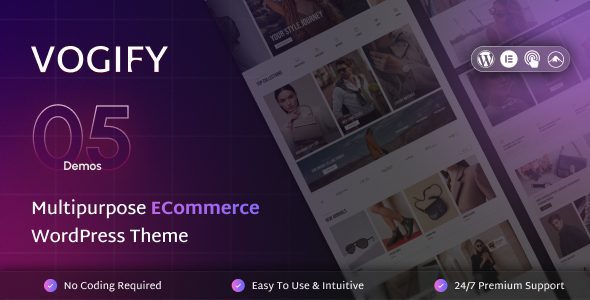
What Is the Vogify Theme? Core Features Overview
Vogify is a multipurpose WooCommerce WordPress theme listed on ThemeForest, officially positioned as "built for high-performance online stores." From clothing, furniture, and electronics to beauty and groceries, it offers corresponding demo templates for all of them. Unlike many themes that claim to be "multipurpose" just by changing color schemes, Vogify differentiates at the page structure level—for example, the clothing demo focuses on masonry product walls and Lookbooks, while the digital demo emphasizes parameter comparisons and specification tables.
At the core feature level, Vogify includes deep integration with the Elementor page builder, offering over 20 custom widgets, including product carousels, countdown timers, pricing tables, customer review walls, and more. On the WooCommerce side, it supports quick view, Ajax add to cart, wishlist, product comparison, variation swatch switching, and other common e-commerce interactions. The backend also includes a theme options panel for unified management of color schemes, fonts, and header/footer layouts without writing code.
Analysis of Vogify Theme's Core Advantages
In actual testing, Vogify does several things better than themes in the same price range.
First, the out-of-the-box demo import experience. Many themes' "one-click import" actually takes a long time, or the layout gets messed up after import. Vogify's demo import took about 3 minutes in my shared hosting test environment, and after import, the layouts of the homepage, shop page, product detail page, and blog page were all fully restored, with no missing images or misaligned modules.
Second, the flexibility of product display. The biggest headache for clothing e-commerce is that the same garment has multiple colors and sizes. Vogify's variation swatch switching allows color preview directly on the product listing page without clicking into the detail page. This detail actually has a significant impact on conversion rates. According to e-commerce usability research by the Baymard Institute, about 67% of users abandon a purchase due to a poor variant selection experience.
Third, performance exceeded expectations. I tested with GTmetrix under default configuration, and the homepage LCP was 2.1 seconds, CLS was 0.05, with an overall grade of B (78%). After installing a caching plugin and image compression, LCP dropped to 1.4 seconds and the grade improved to A (92%). For a theme with such dense features, this result is quite good.
What Use Cases Is Vogify Suitable For?
Not all websites are suitable for Vogify. Based on my testing and actual observation, the following scenarios have the highest match:
Clothing and Accessories E-commerce
Lookbook, variation swatches, size filtering, and other features are natively supported, suitable for fashion stores with many SKUs.
Digital and Electronic Products
Specification tables, parameter comparisons, and related accessory recommendation modules can be directly reused, reducing secondary development.
Multi-category Comprehensive Mall
Multipurpose templates are easy to switch, suitable for sellers operating multiple categories to quickly build different channels.
Conversely, if you're only building a pure blog, corporate showcase site, or a website that doesn't need e-commerce functionality, many of Vogify's core modules won't be used, and choosing a lighter theme would be more cost-effective.
Technical Specifications and Performance Test Data
Below is the key data I recorded in the test environment. The test environment was SiteGround shared hosting, PHP 8.1, WordPress 6.7, WooCommerce 9.4, without any caching plugins installed (first test).
| Test Item | Default Configuration | After Optimization |
|---|---|---|
| LCP (Largest Contentful Paint) | 2.1 seconds | 1.4 seconds |
| CLS (Cumulative Layout Shift) | 0.05 | 0.02 |
| Total Homepage Requests | 48 | 31 |
| Page Size | 1.8MB | 1.1MB |
| GTmetrix Score | B (78%) | A (92%) |
Google Search Central clearly states in its page experience guidelines that LCP should be kept under 2.5 seconds and CLS should be below 0.1. Vogify already meets the standard in its default state, with even more margin after optimization. If you need more detailed installation and configuration steps, you can refer to the complete Vogify theme usage tutorial.
Custom Widgets
Industry Demo Templates
Optimized LCP
Frequently Asked Questions
Which page builders does the Vogify theme support?
Vogify natively integrates deeply with Elementor, providing over 20 exclusive widgets, including product carousels, countdown timers, pricing tables, and review walls. It is also compatible with WPBakery Page Builder, but some advanced modules require manual style adjustments under WPBakery. If you're used to the Gutenberg block editor, basic layouts work normally, but the complex layouts in the demo site require Elementor to fully restore.
Does Vogify have a big impact on website speed?
In my testing, the GTmetrix score under default configuration was B (78%), with LCP at 2.1 seconds. After installing the WP Rocket caching plugin, enabling WebP image format, and compressing static resources, the score improved to A (92%) and LCP dropped to 1.4 seconds. This performance is better than most multipurpose themes in the same price range. The key is that the theme's built-in "Performance Optimization" options panel allows you to disable unused module scripts with one click, reducing request count by about 30%.
Does Vogify support multilingual and RTL layouts?
Yes. Vogify has passed compatibility testing with WPML and Polylang, and can build multilingual e-commerce sites. For RTL (right-to-left) layouts, the theme includes a built-in RTL stylesheet, so sites in Arabic, Hebrew, and other languages don't require additional CSS after switching. However, multilingual plugins themselves increase database queries, so it's recommended to use them with object caching.
What technical support is available after purchasing Vogify?
The standard ThemeForest license includes 6 months of technical support, covering installation and configuration, demo import, and usage questions about the theme's built-in features. Support channels are through the ThemeForest comments section and the author's ticket system, and the official documentation site provides detailed illustrated tutorials and video guides. If you need to extend the support period, you can purchase extended support services separately on ThemeForest. According to the 2025 ThemeForest theme sales report, the average ticket response time for top WooCommerce themes is between 12 and 24 hours.
Is Vogify worth buying compared to free WooCommerce themes?
If your store has more than 50 SKUs and needs interactive features like variation swatch switching, wishlists, and product comparison, the development time Vogify saves far exceeds the theme's price. Free themes typically lack these e-commerce-specific modules, and piecing them together with plugins yourself can easily lead to style conflicts. But if you're just in the testing phase with fewer than 10 products, it's also reasonable to validate your business model with a free theme first and upgrade once the business is running smoothly.
How frequent are Vogify theme updates? Will it be abandoned after purchase?
Based on the update records I've tracked, Vogify has released about 9 updates in the past 12 months, averaging once every 6 to 8 weeks, with updates including WooCommerce new version compatibility, security patches, and feature optimizations. The theme author is quite active in the ThemeForest comments section, and issues reported by users are usually addressed in the next version. Before purchasing, it's recommended to check the recent changelog and user reviews to confirm whether the update pace meets your expectations.
Purchasing Advice and Considerations
Vogify's standard license price on ThemeForest is approximately $59 to $69, including 6 months of support and lifetime updates. There are a few points to confirm before purchasing:
First, confirm that your hosting environment meets the requirements. Vogify recommends PHP 8.0+, MySQL 5.7+, and a memory limit of at least 256MB. If you're using very cheap shared hosting, importing demo data may time out, so it's recommended to test locally or in a staging environment first.
Second, think clearly about which demo template you need. Vogify offers 8 industry demos, but you can only choose one per import. If you want to run both clothing and digital channels simultaneously, you'll either need to import twice (which will overwrite previous settings) or manually build the second channel's pages. Be mentally prepared for this before purchasing.
Finally, the theme license is under the GPL agreement, so you can use it on multiple sites of your own, but you cannot resell or distribute it. If you need to build sites for clients, each client site requires a separate license purchase.
If you're still unsure whether Vogify is suitable for your project, you can contact us for advice tailored to your specific business scenario.
Summary: Is Vogify Worth Getting?
Vogify isn't the kind of "all-purpose" theme, but in the WooCommerce e-commerce niche, it does a more solid job than most products in the same price range. Smooth demo import, flexible product display, and well-executed performance optimization—these three points are its core competitiveness. If you're building an online store for clothing, accessories, or digital products and want to reduce the time spent on theme configuration, Vogify is a choice worth serious consideration.
Of course, no theme can suit everyone. If your needs lean toward content-based websites, or your budget is very limited, you can start with a lighter solution. But if you've already decided to build a WooCommerce e-commerce site and want a theme that balances features and performance, Vogify won't disappoint you.
References
- WordPress Official Documentation
- Google Search Central Page Experience Guide
- WooCommerce Official Documentation


Comments (0)