
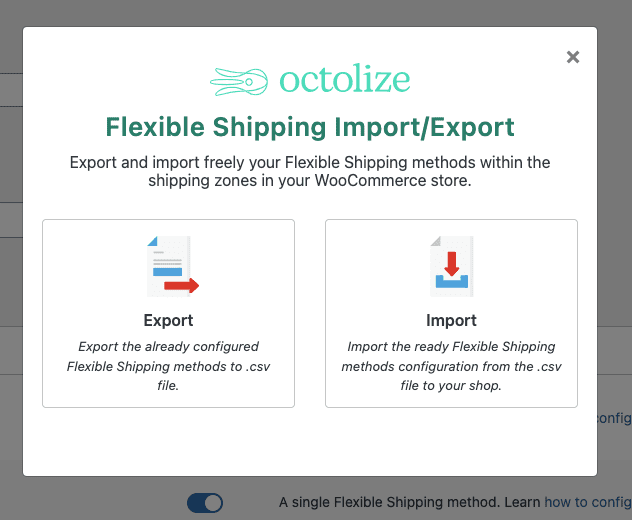
Flexible Shipping Import/Export v1.5.19 is a shipping template import/export plugin designed for WooCommerce stores, developed by Octolize and WpDesk. It allows you to easily move, replace, update, or back up multiple shipping methods, greatly extending the functionality of Flexible Shipping.
Key Features of the Flexible Shipping Import/Export Plugin
This plugin provides powerful import/export tools to help you efficiently manage shipping templates. You can export shipping settings from one site and import them into another, enabling quick migration or batch modifications.
Batch Import/Export of Shipping Rules
Supports batch import/export in CSV format, saving time on manual setup. Whether updating shipping rates or backing up existing rules, it can be done with one click.
Why Choose the Chinese Localized Version of Flexible Shipping Import/Export?
The localized version is fully translated, with the interface in Chinese, lowering the barrier to use. If you're looking for a professional WooCommerce shipping management tool, this plugin is a must-have. Related recommendation: WooCommerce Shipping Optimization Guide.
Compatibility and Updates
The plugin is compatible with the latest versions of WooCommerce and WordPress, and is regularly updated to maintain stability. For specific update frequency, please refer to the official documentation.
Frequently Asked Questions
How to Install the Flexible Shipping Import/Export Plugin?
The installation method is the same as for regular WordPress plugins: go to the Plugins page in the admin panel, click "Upload Plugin," select the plugin ZIP file, and activate it. The localized version requires no additional configuration.
What Shipping Types Does the Plugin Support?
It supports all shipping rules defined by the Flexible Shipping plugin, including conditional rules based on weight, price, and quantity. For details, please refer to the official documentation.
Is It Compatible with Multisite?
Yes, the plugin supports WordPress multisite networks, allowing import/export of shipping settings between subsites.
What Is the Difference Between the Localized Version and the Official Version?
The localized version only provides a Chinese language pack, with functionality identical to the official version, and does not include any cracks or modifications.
How Often Is It Updated?
The plugin follows official version updates, typically released once a month. It is recommended to keep it up to date for the best experience.


Comments (0)