
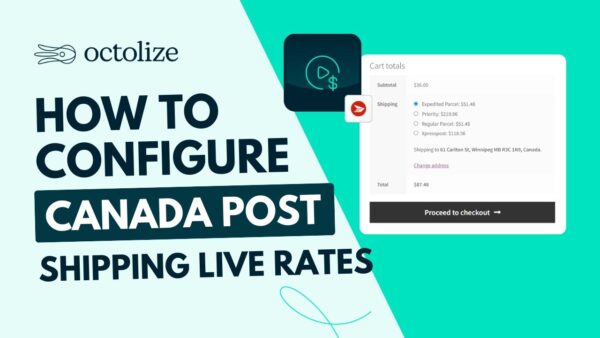
When running a WooCommerce store, providing accurate real-time shipping cost calculations is key to enhancing customer experience. This article introduces the Shipping Live Rates for Canada Post for WooCommerce PRO (Octolize) v2.1.11, a professional plugin that seamlessly integrates Canada Post services to display real-time shipping rates for your customers. Developed by Octolize, this Canada Post WooCommerce plugin supports adding handling fees, insurance fees, and more to meet various business needs.
Why Choose the Canada Post Live Rates Plugin?
Canada Post is the primary postal service provider in Canada, offering a reliable delivery network for e-commerce. With this plugin, you can automatically obtain real-time Canada Post rates at checkout, avoiding manual calculations or estimated shipping costs, improving efficiency, and reducing errors. Additionally, the plugin supports multiple package types and sizes, flexibly adapting to different products.
Core Features Explained
Real-Time Shipping Calculation and Canada Post Service Integration
The plugin directly connects to the Canada Post API to fetch the latest shipping rates, transit times, and available services (such as registered mail, parcels, express delivery, etc.). Customers can see accurate costs when placing an order, reducing cart abandonment rates.
Custom Fees and Additional Options
You can easily add handling fees, insurance fees, and even set extra charges based on weight, order amount, or destination. All settings are completed in the WooCommerce backend without any coding required.
Compatibility and Optimization
This plugin is compatible with the latest WooCommerce versions and supports multiple languages and currencies. It can also work in conjunction with other Octolize plugins, such as Table Rate Shipping, to provide more complex shipping rules.
To learn more about WooCommerce optimization tips, check out our related article.
Installation and Usage Guide
The installation process is simple: after purchasing and downloading the plugin, install and activate it via the WordPress backend plugin upload feature. Then, enable the Canada Post shipping method in WooCommerce settings, enter your Canada Post account API key, and configure service types and fees.
Frequently Asked Questions
How to Obtain a Canada Post API Key?
You need to register for a developer account on the Canada Post official website and apply for an API key. For specific steps, please refer to the official documentation.
Does This Plugin Support Addresses Outside Canada?
The plugin primarily targets Canada Post services within Canada and internationally, supporting shipping cost calculations from Canada to destinations worldwide.
What About Plugin Localization?
The plugin provides language files and supports Chinese translation. You can use plugins like Loco Translate to perform translations.
How Frequent Are Updates?
Octolize regularly updates the plugin to ensure compatibility with the latest WooCommerce versions and Canada Post API changes. It is recommended to keep the plugin updated.
Is There a Free Trial?
Please refer to the official store policy for details; typically, there is a refund guarantee period.


Comments (0)