
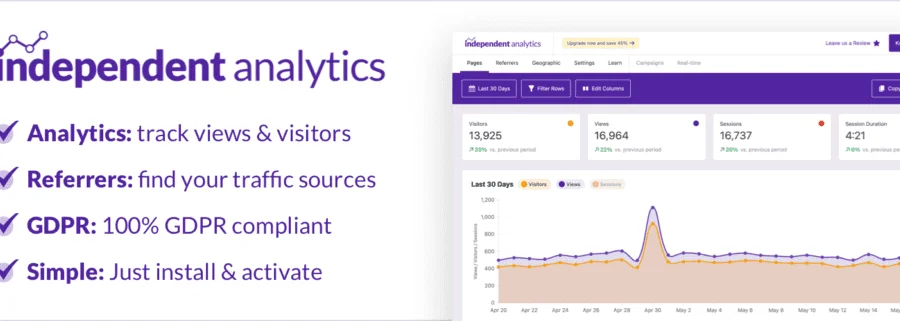
Independent Analytics PRO: A Google Analytics Alternative for WordPress
Independent Analytics PRO is a GDPR-friendly website analytics plugin designed specifically for WordPress, making it an ideal alternative to Google Analytics. It offers features such as real-time analytics, campaign URL tracking, WooCommerce integration, and email reports, helping you gain a comprehensive understanding of your website traffic while ensuring data privacy compliance. Whether you're a blogger, e-commerce seller, or business website administrator, Independent Analytics PRO provides you with clean and powerful data analysis tools.
If you're looking for a Google Analytics alternative for WordPress, Independent Analytics PRO is undoubtedly your top choice. It's easy to install, features an intuitive interface, and requires no complex configuration to get started. Compared to Google Analytics, it places greater emphasis on privacy protection and is fully GDPR-compliant, so you never have to worry about data compliance issues.
Additionally, Independent Analytics PRO is currently offering a limited-time 45% discount, delivering exceptional value for money. Experience it now and make your website data analysis easier and more efficient. For more related resources, visit Related Resources Site.
Core Features of Independent Analytics PRO
Independent Analytics PRO integrates a variety of advanced features to meet the needs of different users:
- Real-Time Analytics: Monitor website visits in real time to understand user behavior promptly.
- Campaign URLs: Easily track the performance of different marketing channels and optimize your promotional strategies.
- WooCommerce Integration: Provides key data such as orders and sales revenue for e-commerce websites.
- Email Reports: Regularly sends website data reports so you can stay updated without logging into the dashboard.
These features make Independent Analytics PRO a comprehensive solution for WordPress website analytics, helping you make data-driven decisions.
Installing and Configuring Independent Analytics PRO
Installing Independent Analytics PRO is very simple—just upload the plugin in your WordPress admin panel and activate it. According to official testing, version v2.14.9 has been verified for direct use, and the latest version v2.15.5 maintains the same one-click installation convenience. The configuration process is also quite intuitive; you can complete the basic setup by following the wizard and start collecting data within minutes.
If you need more detailed installation guidance, you can refer to the official documentation, which contains complete instructions.
Use Cases for Independent Analytics PRO
Independent Analytics PRO is suitable for a variety of scenarios, including personal blogs, corporate websites, and online stores. It's especially ideal for websites that prioritize user privacy, as well as users who want to move away from Google Analytics' complex interface. Whether you're a beginner or a professional, you can get up to speed quickly.
Frequently Asked Questions
How do I install Independent Analytics PRO?
The installation process is very simple: In your WordPress admin panel, go to the "Plugins" menu, click "Add New," upload the plugin zip file, and activate it. Once activated, the plugin will automatically create data tables and begin recording visit data.
Is Independent Analytics PRO compatible with all WordPress themes?
Yes, Independent Analytics PRO is designed to be compatible with any WordPress theme and won't affect your website's appearance or performance. It works through code injection, so there's no need to modify theme files.
How often is Independent Analytics PRO updated?
The development team regularly releases updates to fix bugs and add new features. We recommend keeping the plugin up to date for the best experience and security. For specific changelogs, please refer to the official documentation.
What advantages does Independent Analytics PRO have over Google Analytics?
Key advantages include: GDPR-friendly, clean interface, real-time data, no external connections required, and full control over your data. For privacy-conscious websites, this is a better choice.

