
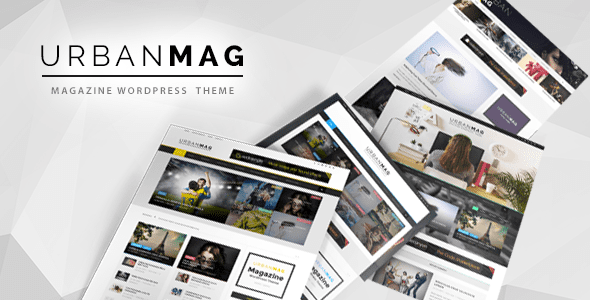
Urban Mag: A Comprehensive Analysis of a Professional News Magazine WordPress Theme
Urban Mag is an efficient WordPress theme designed specifically for magazines, news editorials, personal blogs, and newspaper websites. It offers a wealth of customization options, including a homepage layout builder, per-category layout changes, post and category breadcrumbs, social widgets, post widgets, and more, helping you quickly build a professional content platform. Whether you're running a small blog or a large news portal, Urban Mag can meet your needs.
Why Choose the Urban Mag Theme?
The Urban Mag theme focuses on flexibility in content presentation and readability. Its layout builder lets you create a unique homepage without coding, while independent layout settings for each category give different sections a personalized appearance. In addition, the theme includes a variety of built-in widgets for displaying social links and popular articles, enhancing the user experience. For news and magazine websites that pursue efficiency and professionalism, Urban Mag is a choice worth considering.
Core Features at a Glance
- Homepage layout builder: Create a personalized homepage with drag and drop
- Category layout customization: Set different post list styles for each category
- Breadcrumb navigation: Improve site structure and SEO
- Social widgets: Easily add social media icons
- Post widgets: Display the latest, most popular, or related articles
- Responsive design: Adapts to all kinds of devices
If you're looking for more high-quality WordPress themes, you can visit our resource site for more options.
Installation and Usage Guide for Urban Mag
Installing the Urban Mag theme is very simple: in the WordPress admin panel, go to "Appearance" -> "Themes" -> "Add New," upload the theme zip file, and activate it. Once activated, you can configure layout, colors, fonts, and other options in "Customize." The theme also provides detailed documentation to help you get started quickly. For advanced customization, it's recommended to refer to the official documentation or seek developer support.
Frequently Asked Questions
How do I install the Urban Mag theme?
In the WordPress admin panel, go to "Appearance" -> "Themes" -> "Add New," upload the theme zip file, and activate it. For detailed steps, please refer to the official documentation.
Which WordPress versions does Urban Mag support?
Urban Mag is compatible with the latest version of WordPress. For specific compatibility details, please refer to the official documentation.
Does Urban Mag support responsive design?
Yes, Urban Mag uses responsive design and displays well on phones, tablets, and computers.
How often is the Urban Mag theme updated?
The update frequency depends on the developer. It's recommended to follow the official changelog for the latest information.

