
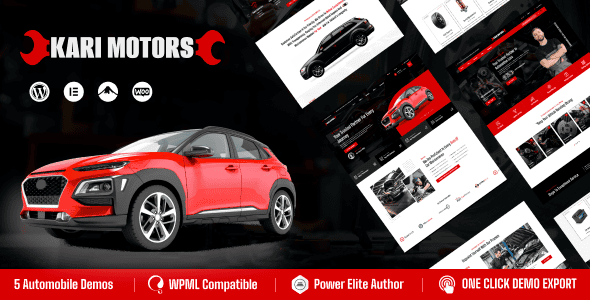
KariMotors v1.0.5 is a WordPress theme specifically designed for the auto repair and maintenance industry, suitable for auto service companies, repair shops, parts retailers, car wash services, car showrooms, rental companies, and various other businesses. The theme features a responsive design, ensuring perfect display on laptops, iPads, iPhones, and other devices. It comes with a built-in Elementor drag-and-drop page builder, supports WooCommerce, and offers lifetime free updates, helping you easily build a professional auto service website.
Core Features of the KariMotors WordPress Theme
The KariMotors theme is tailor-made for the automotive industry, powerful yet easy to use. No coding knowledge is required—you can quickly build your website with one-click demo content import. The theme is fully SEO-optimized and compatible with the Elementor page builder, offering 35+ shortcodes (continuously updated), unlimited header and footer options, real-time product search, popup subscription, cross-browser compatibility, and more. Additionally, it provides multiple blog styles (list, grid, masonry), a highly customized 404 page, product countdown timers, elegant animations, unlimited Google Font selections, "Load More" and infinite scroll for product listings, unlimited shop layouts, mega menus, sticky cart on product pages, WPML multilingual support, and more. With powerful theme options and detailed documentation, it's an essential tool for building auto service websites.
Use Cases and Advantages of the KariMotors Theme
The KariMotors theme is suitable for auto repair shops, car maintenance centers, auto parts sales, car rental services, car showrooms, and many other scenarios. Its advantages include: responsive design ensuring mobile user experience; Elementor integration for flexible page customization; WooCommerce support enabling online sales; and lifetime free updates reducing maintenance costs. By choosing KariMotors, you'll get a comprehensive, high-performance auto service website solution. For more resources, visit related resource site.
Localization and Multilingual Support of the KariMotors Theme
The KariMotors theme supports the WPML multilingual plugin, making it easy to create multilingual websites and expand into international markets. Additionally, the theme includes a Chinese language pack, so you can use it directly without additional translation—perfect for quick deployment by domestic users.
Installing and Customizing the KariMotors Theme
Installing the KariMotors theme is very simple: upload the theme package in the WordPress admin panel and activate it, then import demo content with one click to quickly build your website. For customization, you can use the Elementor page builder to drag and edit pages, and adjust colors, layouts, and more through the theme options panel—no coding required. The official detailed documentation helps you resolve common issues. For more information, please refer to the official product page.
Frequently Asked Questions
How do I install the KariMotors theme?
In the WordPress admin panel, go to "Appearance – Themes," click "Add New Theme," upload the theme's ZIP file, and activate it. Then install the required plugins (such as Elementor and WooCommerce) and import the demo content.
What scenarios is the KariMotors theme suitable for?
It's suitable for all automotive-related businesses, including auto repair shops, maintenance centers, parts sales, car wash services, car rentals, and showrooms.
Which plugins is the KariMotors theme compatible with?
The theme is compatible with the Elementor page builder, WooCommerce e-commerce plugin, WPML multilingual plugin, and more. For specific compatibility details, please refer to the official documentation.
How often is the KariMotors theme updated?
The theme offers lifetime free updates, and the official team regularly releases new versions to fix bugs and add new features. The update frequency depends on the official schedule, typically monthly or quarterly.
Is there a Chinese version of the KariMotors theme?
Yes, the theme includes Chinese language files. You can set the language to Chinese in the admin panel, or use the Loco Translate plugin to adjust translations.


Comments (0)