
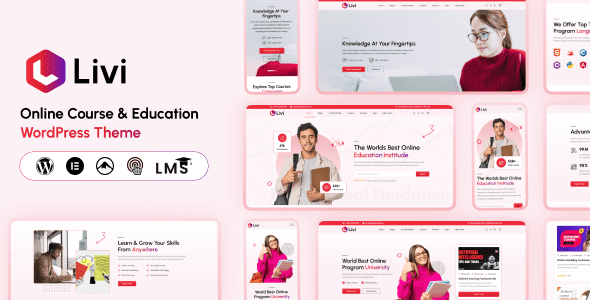
Livi v1.0.5 is a WordPress theme specifically designed for educational institutions, perfectly integrating Learning Management System (LMS) plugins, Elementor page builder, and WooCommerce support. Whether you operate an e-learning platform, online courses, training centers, or university education websites, Livi delivers a professional and responsive solution. This article provides an in-depth analysis of Livi theme's core features, applicable scenarios, and installation tips to help you quickly build a powerful educational website.
Core Features of the Livi Education WordPress Theme
The Livi theme is purpose-built for the education industry, with its built-in LMS plugin allowing you to effortlessly create and manage online courses. Through the intuitive course creator, you can add videos, quizzes, and assignments, as well as track student progress. Meanwhile, Elementor integration supports drag-and-drop page design, enabling you to customize layouts without writing code. WooCommerce compatibility allows you to sell courses, collect tuition fees, and even sell digital products, creating a complete monetization loop.
Applicable Scenarios for the Livi Theme
Livi's flexibility makes it suitable for a variety of educational contexts:
- E-learning platforms: Provide a complete online course experience with support for video streaming, forums, and certificate issuance.
- Online academies: Manage multiple courses and instructors with tiered permission support.
- Training centers: Publish course schedules with online registration and payment options.
- University education: Showcase departments, faculty, and research achievements, along with admissions information.
Livi Theme Installation and Configuration Guide
Installing the Livi theme is straightforward: In your WordPress admin panel, navigate to "Appearance" → "Themes" → "Add New Theme," then upload the Livi ZIP file. After installation, import the demo data (which can be done with one click via the theme options), then use Elementor to customize your pages. Livi also provides detailed documentation and video tutorials to help you get started quickly.
Compatibility of the Livi Theme with Major Plugins
Livi seamlessly integrates with several major plugins, including LearnPress (LMS), Elementor (page builder), and WooCommerce (e-commerce). It is also compatible with common tools such as Contact Form 7 and Yoast SEO, ensuring you can extend your website's functionality. Additionally, Livi supports multiple languages (such as WPML) and RTL languages, making it suitable for international educational websites.
If you're looking for more educational resources, you can visit related resource sites for more theme and plugin recommendations.
Frequently Asked Questions
How do I install the Livi theme?
In the WordPress admin panel, go to "Appearance" → "Themes" → "Add New Theme," upload the Livi ZIP file, and activate it. Then import the demo data according to the theme options to quickly set up your website.
What educational scenarios is the Livi theme suitable for?
Livi is suitable for e-learning platforms, online courses, training centers, online academies, online schools, university education, and various other educational institutions, offering flexible layouts and features.
Which plugins are compatible with the Livi theme?
Livi includes a built-in LMS plugin and supports Elementor and WooCommerce. It is also compatible with common plugins such as Contact Form 7 and Yoast SEO. Please refer to the official documentation for specific compatibility details.
How often is the Livi theme updated?
The Livi theme is regularly updated to fix bugs and add new features. We recommend enabling automatic updates or keeping an eye on the official changelog.


Comments (0)