
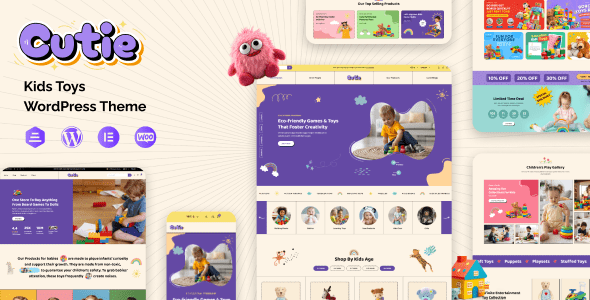
Cutie WordPress Theme: A Professional Choice for Building Children's Toy and Baby Products E-commerce
Cutie is a WooCommerce WordPress theme specifically designed for children's schools, toy stores, and baby products e-commerce. With its colorful and elegant design, it suits a variety of scenarios including online baby supply stores, children's clothing shops, baby boutiques, and toy malls. Whether you're running a baby gift shop, children's yoga classes, or a nanny service website, Cutie provides a complete e-commerce solution.
It's worth noting that according to testing feedback, Cutie v1.0.5 has an issue where demo templates cannot be imported, so it's recommended to evaluate with caution. The performance of subsequent versions should be based on actual testing. If you're looking for a WordPress theme that combines visual appeal with e-commerce functionality, Cutie is worth checking out. For more quality resources, visit WordPress Theme Resource Site.
Core Features and Use Cases of the Cutie WordPress Theme
Cutie is built on WooCommerce and comes with multiple e-commerce modules, including product displays, shopping cart, checkout process, coupon system, and more. Its design style leans toward soft and lively, making it ideal for brands targeting parents and children.
Overview of Use Cases
- Baby supply stores, baby clothing stores, baby boutiques
- Children's toy stores, children's clothing stores, children's fashion boutiques
- Nanny services, daycare centers, baby home care websites
- Children's yoga classes, pediatricians, baby gift shops
- Mobile stores and multi-purpose single-product shops
You can learn more details through the official page: Cutie Official Link.
Installation and Usage Tips for the Cutie WordPress Theme
The installation process for the Cutie theme is the same as other WordPress themes: upload the installation package in the admin panel under "Appearance - Themes - Upload Theme," activate it, and follow the prompts to install recommended plugins. Since some versions may have demo import issues, it's recommended to verify in a testing environment before going live.
During use, make sure to regularly update the theme and WooCommerce plugin to ensure compatibility and security. If you encounter any functional issues, consult the official documentation or contact the theme author for support.
Frequently Asked Questions
How do I install the Cutie theme?
In the WordPress admin panel, go to "Appearance - Themes - Add New Theme - Upload Theme," select the Cutie installation package, upload it, and activate it. Then follow the prompts to install the necessary plugins. For details, please refer to the official documentation.
What types of websites is the Cutie theme suitable for?
Cutie is suitable for children's toy stores, baby supply stores, children's clothing stores, daycare centers, nanny services, children's yoga classes, and other e-commerce or showcase websites.
Is the Cutie theme compatible with the latest version of WordPress?
The theme is typically adapted to work with WordPress updates, but it's recommended to back up your website and test compatibility before updating. For specific compatibility information, please refer to the official documentation.
How often is the Cutie theme updated?
The update frequency depends on the theme author, and changelogs are usually published on the ThemeForest page. It's recommended to follow the official page for the latest version information.


Comments (0)