
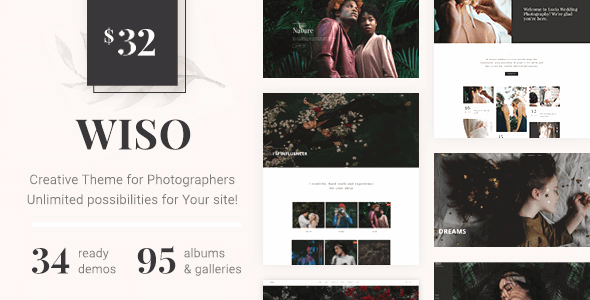
Wiso Photography is a WordPress theme designed specifically for photographers, combining albums, portfolios, galleries, event showcases, full-screen browsing, proofing, and blogging features all in one. Whether you're an independent photographer, a photography studio, or a creative agency, the Wiso Photography WordPress theme helps you quickly build a visually striking and well-structured portfolio website. Version 1.8.4 further optimizes compatibility and performance, making it suitable for wedding photography, fashion shoots, art blogs, and more.
Key Features of the Wiso Photography Theme
The Wiso Photography theme is designed around the real workflows of photographers, offering the following main feature modules:
- Album & Gallery Management: Supports multi-level album categorization and allows you to create various display layouts such as masonry, grid, and full-screen carousel.
- Portfolio Showcase: Each project can have its own cover, description, and shooting parameters, making it easy for clients to browse.
- Events & Proofing: Built-in client selection and proofing features reduce communication costs.
- Blog System: Ideal for publishing behind-the-scenes content, gear reviews, or industry insights.
- Full-Screen Display Mode: Provides an immersive browsing experience for visual works.
If you're looking for more high-quality WordPress themes, visit BoboHello Resource Site for more options.
Use Cases and Compatibility of the Wiso Photography Theme
Wiso Photography is not only suitable for photographers' personal websites but also for creative agencies, wedding planners, fashion magazines, and art blogs. The theme is compatible with mainstream page builders (such as Elementor and WPBakery) and supports the latest versions of WordPress. The responsive design ensures excellent performance on mobile phones, tablets, and desktops. For sites that need multilingual display, the theme also provides translation-ready template files.
Tips for Installing and Using the Wiso Photography Theme
Before installing the Wiso Photography theme, it's recommended to back up your existing website data first. After uploading the theme package, activate it through the WordPress dashboard and import the demo content to quickly restore the official layout. If you need to customize colors and fonts, you can adjust them in the theme options panel. For detailed instructions, please refer to the official documentation.
Official page: Wiso Photography Official Link
Frequently Asked Questions
How do I install the Wiso Photography theme?
Go to "Appearance > Themes > Add New Theme" in the WordPress dashboard, upload the theme ZIP package, and activate it. It's recommended to also install the recommended plugins to enable all features.
Who is the Wiso Photography theme suitable for?
It's primarily aimed at photographers, photography studios, creative agencies, wedding planners, and art bloggers. For specific feature compatibility, please refer to the official documentation.
Is the Wiso Photography theme compatible with the latest version of WordPress?
Version 1.8.4 has been tested for compatibility with the latest WordPress core, but it's recommended to check the official changelog before updating to confirm.
How often is the Wiso Photography theme updated?
The theme is regularly maintained by the official team, and updates typically include feature improvements, security fixes, and compatibility adjustments. For specific update frequency, please refer to the official documentation or purchase page.
Does the Wiso Photography theme support Chinese display?
The theme supports multiple languages and can be localized into Chinese through language files. For details, please refer to the translation guide in the official documentation.


Comments (0)