
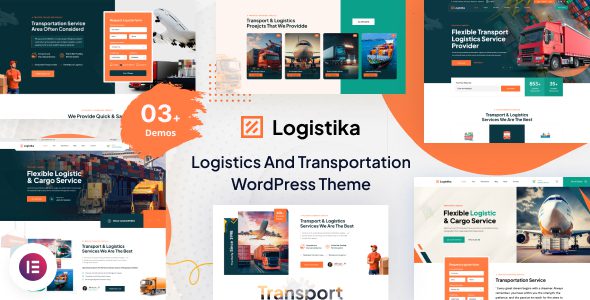
Logistika WordPress theme is a professional-grade website building solution designed specifically for transportation, logistics, and freight companies. The current version 1.0.2 further optimizes functionality and stability. With rich theme options and seamless integration with the Elementor page builder, Logistika lets you easily create a professional and vibrant corporate website. Its intuitive drag-and-drop interface allows you to customize every element, while the responsive design ensures a smooth browsing experience across all devices.
Key Feature Highlights of the Logistika WordPress Theme
Logistika is highly customizable, allowing you to easily adjust colors, fonts, and layouts to match your unique style. The theme uses a responsive design, delivering excellent visuals whether on a desktop or a smartphone. Additionally, thanks to its user-friendly interface, you can easily build a website even if you're not a tech expert. With Logistika, show the world what you're made of!
Deep Elementor Page Builder Integration
Logistika's integration with Elementor means you can preview your designs in real time without writing any code. By dragging and dropping modules, you can quickly build key pages such as the homepage, services page, about us, and contact forms. For logistics companies, this means quickly launching a professional site that showcases transportation networks, warehousing services, and freight tracking features. If you need more WordPress theme resources, you can visit WordPress Theme Resource Site to get them.
Responsive and Performance Optimization
The Logistika theme performs equally well on mobile. Its responsive layout automatically adapts to different screen sizes, ensuring visitors get a consistent browsing experience on phones or tablets. Meanwhile, the theme's code is optimized to help improve page loading speed, which is crucial for logistics companies' online customer acquisition.
Use Cases and Target Users
Logistika is particularly suitable for the following types of businesses: freight forwarding companies, logistics delivery services, warehouse management enterprises, supply chain solution providers, and transportation fleet management platforms. Whether you need to showcase your service scope, quote request forms, or customer case studies, the pre-built templates and modules offered by Logistika can meet your needs.
How to Install and Configure the Logistika Theme
Installing the Logistika theme is very simple. First, in the WordPress admin panel, go to "Appearance" -> "Themes" -> "Add New Theme," upload the theme zip file, and activate it. Then, follow the prompts to install the recommended plugins (such as Elementor). After activation, you can adjust color, font, and layout options in "Appearance" -> "Customize." For detailed steps, please refer to the official documentation.
For more WordPress theme installation tips, please see related tutorials. Additionally, you can visit the Logistika official page to get the latest version information.
Frequently Asked Questions
How do I install the Logistika theme?
In the WordPress admin panel, go to "Appearance" -> "Themes" -> "Add New Theme," upload the theme ZIP file, and activate it. It is recommended to also install the Elementor plugin to fully utilize the theme's features. For details, please refer to the official documentation.
Which page builders does the Logistika theme support?
Logistika deeply integrates with the Elementor page builder, supporting drag-and-drop editing and real-time preview. For compatibility with other builders, please refer to the official documentation.
Is the Logistika theme responsive?
Yes, Logistika uses a fully responsive design that automatically adapts to devices such as desktops, tablets, and phones, ensuring a cross-device browsing experience.
How often is the Logistika theme updated?
The theme update frequency depends on the developer's release schedule. It is recommended to follow the official page for the latest versions and security updates. For details, please refer to the official documentation.

