
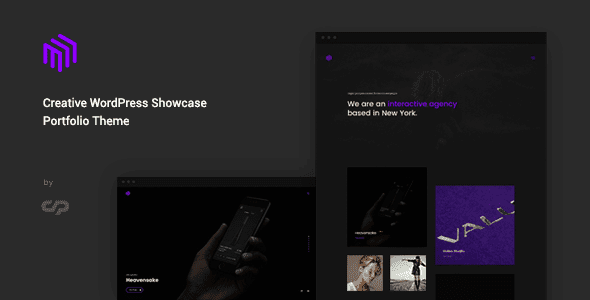
Introduction to the Cubez Creative Portfolio Showcase WordPress Theme
Cubez is a WordPress Portfolio theme built specifically for designers, illustrators, and visual studios. It uses a one-page gallery layout: visitors first see a grid of works upon entering the site, and only enter case details after clicking. It is not blog-centric, with post slots reserved for creative notes. The theme is not tied to WooCommerce, and portfolio entries are maintained through the theme's built-in content type, making it suitable for display needs centered on visual works.
Cubez's Work Grid Layout
The homepage is a full-screen three-column grid, with each cell containing a vertical featured image plus a line of title; on hover, the title floats up from the bottom. The number of grid columns can be changed to two or four in the theme settings. After modification, the image cropping ratio changes accordingly, so featured images need to be rechecked when switching column counts. When there are many works, they are displayed grouped by category, with no more than twelve items per group to keep the page tidy.
Cubez's Case Detail Structure
Each work detail page includes the following modules for systematic project presentation:
- Project Info: Four lines for client, year, role, and deliverables, clear at a glance.
- Process Images: A vertical sequence of sketches, process drafts, and final pieces, presenting the creative trajectory.
- Grouped Images: Two images side by side or a four-image grid, used for horizontal comparison.
- Video Slot: Can embed external videos or place animated images.
Detail pages have no sidebar, the body width is fixed, and long images adapt to the container width. It is recommended to unify the width of process images before uploading; mixed sizes will cause the page to jump up and down, affecting the browsing experience.
Cubez's Motion Effects and Playback Settings
The motion effects in the grid are displacement and fade-in, and the duration can be adjusted in the theme settings; set to zero to disable. Lazy loading can be enabled for process images on case pages; projects with many images will open slightly slower, so it is recommended not to lazy-load the first three images on the first screen and lazy-load the rest. More motion is not always better—having more than two entrance styles on the same page looks cluttered, and keeping it simple appears more professional.
Cubez's Categorization and Search Features
Works are categorized by medium: graphic, 3D, illustration, and video. Category pages reuse the homepage grid, with only an extra line of category description. Search by default only searches works, not posts; to search notes, enable it in the settings. Tags are best avoided when they are only useful for a single work; empty tag pages are of no benefit for indexing. For more resources, refer to the curated content on the WordPress Theme Resource Site.
Cubez's Editing and Customization
Work entries are added and removed in a dedicated list in the backend, fields are filled in the panel below the entry, and images are uploaded via the media library. The homepage grid is generated by a page template, requiring no manual layout. Changing the color scheme only affects links and buttons; the main body speaks through the images themselves, so the theme's color palette is deliberately kept very light to highlight the works.
Cubez's Scope of Application and Recommendations
It is suitable for individuals or small studios with works ranging from a dozen to hundreds, primarily image-based: with large image volumes and each piece needing to speak through images, a grid is the most direct presentation method. When there are only three to five works, a full-screen grid will look empty, so it is recommended to start with a single-page layout. Those who need to sell works online or use a members area for downloads will need to add store and membership plugins separately; the theme itself does not include these features.
If work images involve client materials, confirm the scope of authorization before uploading, and do not upload clients' unpublished drafts. Writing client names in cases also requires prior consent. For more portfolio themes, refer to related resources on ThemeForest.
Frequently Asked Questions
How to install the Cubez theme?
In the WordPress backend, go to Appearance - Themes - Add New Theme, upload the theme zip package, and activate it. For specific steps, please refer to the official documentation.
What usage scenarios is Cubez suitable for?
It is suitable for individuals or teams such as designers, illustrators, and visual studios who need to display a large number of visual works, presenting portfolios in grid form.
Is Cubez compatible with WooCommerce?
The theme is not tied to WooCommerce. If online sales are needed, the WooCommerce plugin must be installed and configured separately.
How often is the Cubez theme updated?
For update frequency, please refer to the official documentation or the theme page description. It is recommended to keep the theme at the latest version for best compatibility.


Comments (0)