
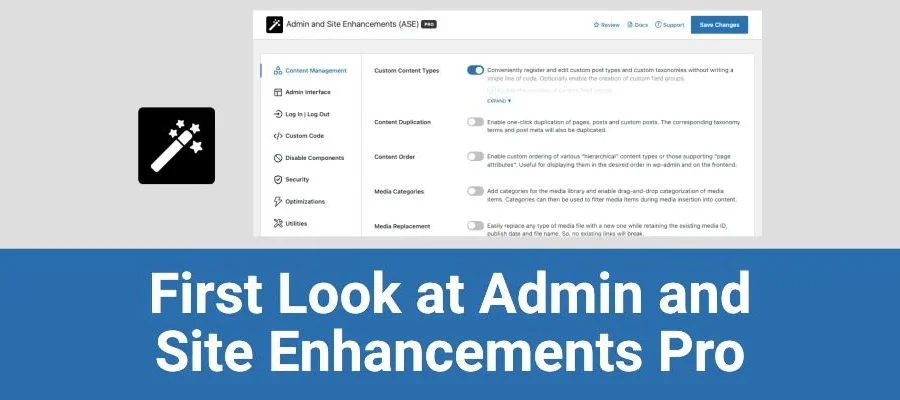
Admin and Site Enhancements (ASE) Pro WordPress Plugin: A One-Stop Website Optimization Solution
If you're looking for a lightweight tool that can replace multiple WordPress plugins, Admin and Site Enhancements (ASE) Pro is worth a closer look. This modular WordPress plugin integrates admin management optimization, security hardening, performance improvements, and SEO assistance into a single panel, so you no longer need to install a separate plugin for every small feature. It's suitable for personal blogs, business sites, and operations teams that need fine-grained control over the admin area. By enabling modules on demand, you can keep your website lightweight while gaining professional-grade management capabilities.
Overview of ASE Pro Plugin's Core Feature Modules
ASE Pro breaks its features into independent modules, so you can enable only the parts you need and avoid code bloat. Common modules include:
- Admin Interface Enhancements: Optimize WordPress admin menus, dashboard widgets, and list pages to make daily operations smoother.
- Custom Dashboard: Freely add or remove dashboard modules to create an admin homepage tailored to your workflow.
- Media Library Management: Improve the upload, sorting, and search experience for media files, with support for more efficient image filtering.
- Performance Optimization: Built-in caching and resource optimization options to help reduce page load times.
- Security Enhancements: Support for hiding the admin login URL, password-protecting pages, and other basic protective measures.
- SEO Tools: Provides basic SEO assistance such as meta information and sitemaps to facilitate search engine crawling.
- Social Sharing: Quickly add social sharing buttons to posts and pages without extra plugins.
- Automation Tasks: Set up simple automated workflows to reduce repetitive operations.
- User and Permission Management: More granular control over different roles' access and editing permissions for content.
- Custom Fields and Settings: Add custom fields to posts and pages to meet specific display requirements.
- Backup and Restore: Provides one-click backup and restore functionality to reduce the risk of data loss.
- Multilingual Support: Helps manage multilingual content, suitable for sites targeting international visitors.
- Shortcodes and Widgets: Enhance content display capabilities through shortcodes and widgets.
If you'd like to learn more about other useful tools in the WordPress ecosystem, visit bobohello.com for more resources and tutorials.
Installation and Use Cases for Admin and Site Enhancements (ASE) Pro
ASE Pro is installed the same way as any regular WordPress plugin: go to "Plugins" → "Add New" in the admin panel, upload the plugin zip file, activate it, and then go to the settings page to configure modules as needed. Based on actual user feedback, it can be used directly after uploading, installing, and activating—no additional activation steps required. It's suitable for the following scenarios:
1. Site owners who want to reduce the number of plugins
Use ASE Pro to replace multiple single-purpose small plugins, reducing the likelihood of plugin conflicts while making management more centralized.
2. Operations staff who need to quickly optimize the admin area
Through custom dashboards and menu management, make the admin interface better fit your team's habits and reduce misoperations.
3. Websites with basic security requirements
Features like hiding the login URL and password-protecting pages can improve your site's basic protection level. Please refer to the official documentation for specific configuration.
To view the product's official documentation, visit the ASE official website.
Why Choose ASE Pro Instead of Multiple Standalone Plugins
ASE Pro's modular architecture allows each feature to be toggled independently, which means you don't need to install an entire plugin just for a simple media library optimization. It centralizes common needs into a single interface, reducing the number of database options and admin pages. For WordPress users who pursue lightweight, efficient management, this design can significantly lower maintenance costs. At the same time, the plugin's update frequency is relatively stable and keeps up with WordPress core version iterations. Please refer to the official documentation for specific changelogs.
Frequently Asked Questions
How do I install ASE Pro?
In the WordPress admin, go to "Plugins" → "Add New" → "Upload Plugin," select the plugin zip file, and activate it. After activation, you can enable modules as needed on the settings page. Please refer to the official documentation for specific steps.
What use cases is ASE Pro suitable for?
It's suitable for WordPress sites that want to reduce the number of plugins, optimize the admin management experience, and enhance basic security and performance, including personal blogs, corporate websites, and content-based sites.
Is ASE Pro compatible with the current WordPress version?
The plugin is adapted to keep up with WordPress core version updates. It's recommended to confirm the compatibility between the plugin version and your current WordPress version before enabling it. Please refer to the official documentation for details.
How often is ASE Pro updated?
The plugin regularly releases maintenance updates to fix issues and add new features. Update frequency may vary with version iterations. Please refer to the official documentation or changelog for details.

