
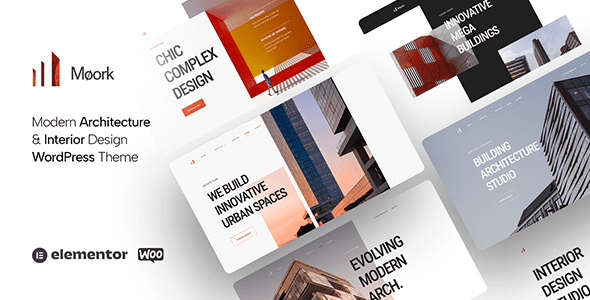
Moork is a professional WordPress theme for architecture and interior design, tailored for architecture firms, interior designers, architect portfolios, construction companies, industrial, factory, exterior design, landscape design, decoration, and similar scenarios. Whether you are showcasing high-end architectural projects or presenting exquisite interior design plans, Moork offers powerful features and elegant visual performance. This article will detail the core features, installation methods, use cases, and common questions about the Moork theme, helping you quickly get started with this essential tool.
Core Features of the Moork Theme
The Moork theme is renowned for its rich features and flexible customization options. It supports multiple homepage layouts, portfolio displays, team introductions, service pages, and more, with a fully responsive design ensuring perfect display on all devices. Additionally, Moork is compatible with popular page builders like Elementor, allowing you to create unique pages without writing code.
Key Feature Highlights
- Multiple Demo Templates: Offers several pre-designed demos that can be imported with one click for quick website setup.
- Portfolio Management: Supports categorization, filtering, and detailed display, ideal for architects and designers showcasing projects.
- SEO Optimization: Clean code structure, compatible with major SEO plugins to improve search engine rankings.
- High Performance: Lightweight design with fast loading speeds to enhance user experience.
- Compatibility: Works with common plugins like WooCommerce and Contact Form 7.
Installing and Activating the Moork Theme
Installing the Moork theme is straightforward. First, download the theme package from the official source, then log into your WordPress admin panel, navigate to "Appearance" -> "Themes", click "Add New", and upload the theme ZIP file. After activation, follow the prompts to install required plugins and demo data. It is recommended to check if your server environment meets the theme's requirements, such as PHP version and memory limits, before installation. For more installation details, refer to the WordPress Theme Installation Guide.
Use Cases for the Moork Theme
The Moork theme is suitable for various architecture and design-related industries. Whether an architecture firm is showcasing large projects or an interior designer is presenting home plans, Moork provides professional-grade solutions. Additionally, landscape design, urban planning, and decoration companies can leverage its flexible layouts and portfolio features. The theme's responsive design ensures clients have a great browsing experience on mobile devices.
Customization Tips for Different Industries
For architecture firms, it is recommended to use full-width pages to display project images; for interior designers, the gallery module can highlight details. Custom colors and fonts can match brand identity. By referring to the demos on the Moork official page, you can quickly find a suitable template.
Frequently Asked Questions
How to import demo data for the Moork theme?
After activating the theme, find the "Moork" menu in the WordPress admin panel, click "Import Demo", select your preferred demo template, and import it with one click. Ensure that the required plugins are installed and activated.
Is the Moork theme compatible with the Gutenberg editor?
Yes, the Moork theme is fully compatible with the WordPress Gutenberg editor and also supports page builders like Elementor, allowing flexible content editing.
How often is the Moork theme updated?
The theme is regularly updated to ensure compatibility with the latest WordPress version and to fix vulnerabilities. For specific update logs, refer to the official documentation. It is recommended to keep the theme up to date for optimal performance and security.
Does the Moork theme support multiple languages?
Yes, the Moork theme supports major multilingual plugins like WPML and Polylang, making it easy to create multilingual websites.


Comments (0)