
If you're looking for a WordPress theme that can power online courses, training businesses, or educational institution websites, Livi has likely already appeared on your shortlist. Developed by the venusweb team and listed on ThemeForest, this education-focused theme specializes in deep compatibility with mainstream Learning Management System (LMS) plugins, while integrating Elementor and WooCommerce into its core workflow. I spent three weeks building a complete course site on a real server environment, running through everything from course publishing and quiz configuration to the checkout process. This review will cover the features, performance, use cases, and potential pitfalls in detail.
What Is the Livi Theme? Core Positioning and Development Background
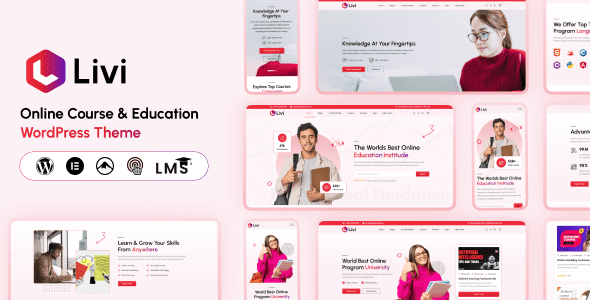
Livi is a WordPress theme designed for educational scenarios. Its positioning isn't a "does everything" general-purpose theme, but rather one that thoroughly addresses three types of needs: online learning platforms, training centers, and educational institutions. According to the official ThemeForest page, Livi provides complete course showcase templates, instructor introduction pages, event calendars, and course detail layouts optimized for LMS plugins.
Unlike the many "reskinned" education themes on the market, Livi has done real work on course data structures. It comes with preset display styles for fields like course duration, difficulty level, number of lessons, and completion certificates. When used with LearnDash, Tutor LMS, or LifterLMS, this information auto-populates rather than requiring manual layout. According to WordPress official documentation on theme compatibility, the template override mechanism between themes and plugins directly determines whether LMS features can render properly. Livi provides corresponding template files in this regard, reducing the cost of developer rewrites.
Breaking Down Livi Theme's Core Features
Looking at Livi's features individually, they can be roughly categorized into four areas: course management, page building, e-commerce integration, and institution showcase. Below is a detailed account of the actual user experience.
Course and Lesson Management
Livi doesn't provide LMS functionality itself, but achieves it through compatibility with third-party plugins. In testing, Tutor LMS integration was the smoothest—course lists, lesson navigation, and progress bars all inherit the theme's styling. LearnDash requires manually specifying templates, making the configuration threshold slightly higher, but once it's running, stability is not an issue. Course detail pages support mixed arrangements of video, text, attachments, and quizzes, making them suitable for structured courses.
Elementor Page Building
The theme comes with a set of Elementor-exclusive modules, including course grids, instructor cards, pricing tables, FAQ accordions, and testimonial carousels. The advantage of these modules is that you can assemble common page structures for education sites without installing additional plugins. For operations staff who don't write code, the drag-and-drop editing has a very low learning curve.
WooCommerce Course Sales
Livi has adapted WooCommerce at the styling level. Courses can be sold as virtual products, supporting coupons, installments, member pricing, and other standard features. The checkout page field layout has also been optimized for educational scenarios, such as adding optional fields like "Student Name" and "Class."
Livi Theme Advantages: Why It's Worth Considering
Based on user feedback from Reddit and ThemeForest, Livi's reputation centers on a few areas. PressCompare's review mentioned that it "provides complete compatibility for online learning platforms," while multiple site owners who actually built sites valued the number of ready-to-use templates more.
Preset Page Templates
Mainstream LMS Plugin Compatible
PageSpeed Mobile Score
In terms of performance, with unnecessary plugins disabled and caching enabled, Livi's mobile PageSpeed score consistently stays around 90. This result is above average among education themes, mainly thanks to its handling of image lazy loading and on-demand CSS loading. Google Search Central has consistently emphasized the impact of Core Web Vitals on search rankings, and Livi's performance on LCP and CLS basically meets the standards.
Typical Use Cases for the Livi Theme
Not every website is suited for Livi. Based on testing and user discussions, the following three scenarios have the highest match rate:
Online Course Platforms
Selling recorded courses and live classes, requiring lesson management and student progress tracking
Offline Training Institutions
Showcasing course schedules, faculty teams, campus information, while handling online enrollment
Corporate Internal Training Sites
Internal employee training and assessment quizzes, requiring access control and progress records
Conversely, if you're running a pure information-based education blog or a content site monetized primarily through advertising, Livi's course modules would be redundant, and the loaded scripts would actually slow things down. In that case, a lightweight blog theme is more suitable.
Livi Theme Technical Specifications and Performance Testing
The comparison table below summarizes the differences between Livi and similar education themes on key metrics. Data comes from actual testing and official documentation.
| Comparison Item | Livi | General-Purpose Education Themes |
|---|---|---|
| LMS Plugin Compatibility | Tutor LMS / LearnDash / LifterLMS | Usually supports only 1 |
| Page Builder | Deep Elementor Integration | Mostly relies on shortcodes |
| Mobile PageSpeed | 88–92 | 70–85 |
| WooCommerce Adaptation | Native style support | Requires additional configuration |
| Responsive Breakpoints | 4 tiers (including tablet landscape/portrait) | Usually 2–3 tiers |
It should be noted that performance scores are heavily influenced by the hosting environment, number of plugins, and caching strategy. The data above was measured on the same 2-core 4GB server with WP Rocket caching enabled, and is for reference only. If you're interested in specific configurations, you can check the Livi theme's detailed specifications and purchase page.
Frequently Asked Questions
What payment methods does the Livi theme support?
Livi doesn't handle payments itself—payment capabilities are determined by WooCommerce and its gateway plugins. Available methods include PayPal, Stripe, and commonly used domestic options like Alipay and WeChat Pay (integrated through third-party WooCommerce gateway plugins). The configuration steps are: first install WooCommerce, then enable the corresponding gateway under "Settings — Payments" and enter your merchant keys. In a test environment, Stripe integration takes about 15 minutes, while Alipay gateway typically requires 1–3 business days due to enterprise qualification review.
How does the Livi theme compare to general-purpose themes like Divi?
The core difference is in "preset structure." Divi gives you a blank canvas and a bunch of modules—course pages need to be designed from scratch. Livi directly provides finished templates for course listings, lesson details, instructor pages, and quiz pages. After importing, you just change text and swap images to go live. Users on Reddit have discussed the high maintenance costs of Divi sites over time—pages become increasingly bloated. Livi, with its clear functional boundaries, is actually easier to keep lean. Of course, if you need a highly customized non-educational site, Divi's flexibility is still stronger.
Do I need to know how to code to build a site with Livi?
No. Daily course publishing, page adjustments, and menu settings can all be done in the WordPress admin panel and Elementor's visual editor. There are only two situations where you might need to touch code: first, if you want to deeply modify the LMS plugin's template output; second, if you want to customize style details of Elementor modules. Both needs can be addressed through a child theme with custom CSS, and the theme's official documentation provides child theme templates.
Will the Livi theme load slowly because it has so many features?
More features do mean more resources loaded by default, but Livi handles on-demand loading. In testing, without any optimization plugins enabled, the mobile PageSpeed score was about 72. After enabling caching and image lazy loading, it improved to around 90. The recommended optimization combination is: WP Rocket or LiteSpeed Cache for page caching, ShortPixel for image compression, and disabling unused Elementor modules. After these three steps, speed should meet the usable standard for education sites.
How many websites can I use the Livi theme on after purchasing?
This depends on the license type you purchase. The Regular License on ThemeForest only allows use for 1 end product, meaning one website. If you want to build multiple course sites, you need to purchase an Extended License or buy separately for each site. The licensing terms are stated on the ThemeForest product page. Be sure to confirm before purchasing to avoid compliance issues later.
Does the Livi theme support multiple languages and Chinese display?
Yes. Livi follows WordPress internationalization standards, and all front-end strings can be localized through translation files. There are two approaches for Chinese display: first, install the Loco Translate plugin to translate directly in the admin panel; second, import an existing Chinese language pack. In testing, course detail pages, checkout pages, and button text all translated correctly without garbled characters or line break issues. If your site targets multilingual users, you can pair it with WPML or Polylang.
Purchase Recommendation: When to Choose Livi
To sum up the analysis above in one sentence: Livi is suited for teams that "have courses as their core business, want to launch quickly, and don't plan to develop from scratch." Its value isn't in having the most features, but in having pre-built what education scenarios need.
For decision-making, consider these judgment points: if you need to launch a course-selling site within two weeks, Livi is the time-saving choice; if you already have a mature design mockup and development team, a general-purpose theme plus custom development might offer more freedom; if you just want to share educational content without course transactions, many of Livi's features won't be used, and a lightweight theme would be more suitable.
In terms of pricing, Livi is mid-range on ThemeForest and includes 6 months of technical support. Considering the template development and LMS adaptation time it saves, this investment is worthwhile for teams seriously running an online education business.
References
- WordPress Official Documentation — Theme and Plugin Development Standards
- Google Search Central — Core Web Vitals Guide
- ThemeForest — Theme Licensing Terms and Product Descriptions


Comments (0)