
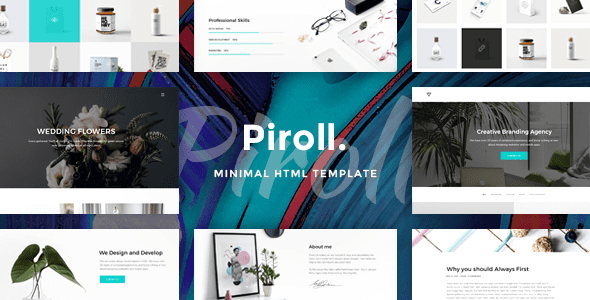
Piroll Portfolio WordPress Theme: From Gallery to Client-Winning Tool
Many designers turn their portfolios into galleries, solving only the "looks good" problem while ignoring the portfolio's true mission—getting potential clients to decide "should I hire you." The Piroll Portfolio WordPress Theme was built exactly for this, helping you convert work showcases into business opportunities. The core difference between the two lies in information density: a gallery only gives images, while a portfolio gives the basis for judgment—what you're good at, how you collaborate, how much it costs, how long it takes. The focus of portfolio themes like Piroll should be on the latter half, namely how to guide clients toward action through structured content.
The Four-Part Structure of a Project Page: Telling Each Case Well with the Piroll Portfolio WordPress Theme
When using the Piroll Portfolio WordPress Theme, it's recommended that each project page follow this four-part structure so clients can quickly understand your value:
- Explain the project in one sentence. Who the client is, the industry, and the problem you're solving—keep it within two lines and get straight to the point.
- Constraints. Budget, timeline, tech stack, or existing brand guidelines—writing these out makes it feel authentic and credible, and also demonstrates your professionalism.
- Your solution. Two or three key decisions, illustrated with images. Don't lay out all your process shots—focus on "why you did it this way" rather than "what you did."
- Results. The changes after launch. If you can disclose data, give data; if not, give the client's feedback in their own words. Let the facts speak.
This structure isn't only for the Piroll Portfolio WordPress Theme—it can be transferred to any portfolio website. If you want to learn more about choosing WordPress themes, you can refer to Bobo Hello's resource site, which has plenty of theme reviews and site-building guides.
The Boundaries of Motion Effects: The Restrained Aesthetics of the Piroll Portfolio WordPress Theme
Portfolios love scroll parallax and transitions. In moderation they add value; in excess they become showing off. When using the Piroll Portfolio WordPress Theme, keep these three bottom lines: don't disrupt reading order, don't drop frames on mobile, and don't obscure main content. Test on a low-end phone before you build—many effects fall apart there. Hero video is another pitfall: large autoplay files can drag first-screen load time past three seconds. Switching to a cover image with click-to-play makes an obvious difference in experience. The Piroll Portfolio WordPress Theme itself has a clean design with restrained motion effects, which actually helps content communication.
How to Place Contact Entry Points: Conversion Design of the Piroll Portfolio WordPress Theme
Don't hide your contact info behind a single icon. Have at least two spots on the page: a brief entry point below the hero section, and one at the end of project pages. Keep form fields to four or five: project type, budget range, timeline, and contact info—any more and nobody fills it out. If you're a freelancer, state your availability. "I can take on one more project this month" is far more effective than "Feel free to contact me anytime"—clients will use it to judge whether you're reliable. The Piroll Portfolio WordPress Theme usually provides a contact page template that you can customize based on these principles.
About the Piroll Portfolio WordPress Theme
Piroll is one of the earlier batches of portfolio themes, long available for sale, typically offering project grids, project details, about and contact pages, with clean motion effects and layouts. Whether it includes resume downloads, client testimonials, or blog modules is subject to the official demo and documentation; this site does not assert each item. Before installing, confirm it performs properly under your current WordPress version—common compatibility issues with older themes involve the editor and legacy shortcodes. If the theme ships with an old page builder, consider evaluating whether to switch to native block editing for easier long-term maintenance; back up first when redesigning, then migrate page by page. For more WordPress theme-related resources, visit Bobo Hello.
On the environment side: standard installation, with changes made via a child theme. Before launch, check image sizes and first-screen load time—portfolio sites carry far more image weight than text sites, and cutting corners here means rework later. One more thing worth doing: give each project a line on "what I'd change if I did it again." This line best demonstrates judgment and best distinguishes beginners from veterans—clients often ask directly about collaboration after reading it.
To get official information about the Piroll theme, please visit the Piroll page on ThemeForest (please refer to the official URL for the exact link).
Frequently Asked Questions
How do I install the Piroll Portfolio WordPress Theme?
Installation is the same as with regular WordPress themes: upload the theme zip package under "Appearance - Themes - Add" in the dashboard, activate it, and install the required plugins as prompted. It's recommended to make custom modifications in a child theme; refer to the official documentation for specific steps.
What use cases is the Piroll Portfolio WordPress Theme suitable for?
It's suitable for freelance designers, photographers, illustrators, creative studios, and other scenarios that need to showcase work and attract clients. The theme provides project grids and detail pages for structured case presentation.
Which WordPress versions is the Piroll Portfolio WordPress Theme compatible with?
As an earlier-released theme, it's recommended to confirm compatibility with your current WordPress version before installing, especially regarding the editor and shortcodes. Refer to the official documentation or theme page for specific compatible versions.
How often is the Piroll Portfolio WordPress Theme updated?
Update frequency depends on the theme author; follow official channels for the latest version information. Actively maintained projects usually update more frequently—refer to the official documentation for details.


Comments (0)