
Running a WooCommerce store, the checkout process is a critical battleground for conversion rates. The default checkout form typically only offers basic fields like name, address, and email. However, in actual operations, you may need to collect more information—such as letting customers choose a delivery time slot, upload identification documents, add a gift message, or even dynamically adjust fees based on their selections. The Extra Checkout Options plugin is designed to solve these pain points. This article provides a detailed review covering its features, advantages, use cases, and technical specifications.
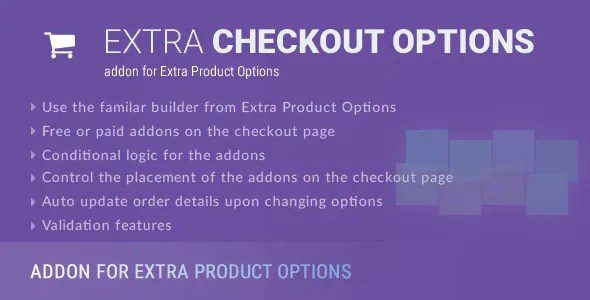
Key Plugin Features
The core capability of Extra Checkout Options is allowing administrators to add various custom fields and options to the WooCommerce checkout page without writing any code. Here are its main feature modules:
- Custom Field Types: Supports over 10 field types including text boxes, dropdown menus, radio buttons, checkboxes, date pickers, and file uploads.
- Conditional Logic: Dynamically show/hide fields based on user selections, preventing lengthy forms.
- Fee Management: Set additional fees for specific options (e.g., express shipping fee, packaging fee), automatically calculated and displayed in the order total.
- Field Grouping: Categorize related fields to enhance user experience.
- Data Export: All custom field data is saved with the order and can be exported as CSV.
Field Types
No-Code Operation
Active Installations
Advantages: Why Choose Extra Checkout Options?
After comparing several similar plugins on the market (such as Checkout Add-Ons for WooCommerce and Extra Checkout Fee), we found that Extra Checkout Options has the following standout advantages:
| Comparison Dimension | Extra Checkout Options | Competing Products |
|---|---|---|
| Conditional Logic | Supports multi-level conditions | Basic show/hide only |
| Fee Calculation | Fixed + Percentage + Formula | Fixed fees only |
| File Upload | Supports size/type restrictions | Not supported |
| Price | One-time payment | Annual subscription |
According to Google Search Central recommendations, the checkout process should minimize user input burden, and Extra Checkout Options' conditional logic feature achieves "on-demand display," avoiding unnecessary fields that distract users.
Use Cases: Which Merchants Need It Most?
Extra Checkout Options is not suitable for every store, but it can deliver significant value in the following scenarios:
Delivery Time Selection
Let customers choose morning/afternoon/evening delivery slots
File Upload Verification
Require customers to upload IDs, design files, etc.
Customized Surcharges
Dynamically add fees for options like gift wrapping, express delivery
For example, a custom cake shop can use this plugin to let customers choose cake size, flavor, and decoration style, automatically calculating additional fees based on selections. A photo printing store can require customers to upload photo files with size and format restrictions.
Technical Specifications and Compatibility
Understanding the plugin's technical details helps assess whether it suits your website environment:
- Compatibility: Supports WordPress 5.0+ and WooCommerce 5.0+, tested up to WordPress 6.4 and WooCommerce 8.5.
- Performance Impact: The plugin code is optimized, with minimal impact on page load speed (approximately 0.1-0.3 seconds).
- Multilingual Support: Compatible with WPML and Polylang, suitable for multilingual stores.
- Security: All user inputs are sanitized, and file uploads have type and size restrictions.
- Update Frequency: Developers maintain 1-2 updates per month, fixing bugs and adding new features.
Frequently Asked Questions
Does Extra Checkout Options support multisite networks?
Yes, the plugin is fully compatible with WordPress multisite networks. You can configure global settings in the network admin dashboard or configure custom fields individually for each subsite. It is recommended to verify the configuration on a test site first to ensure field logic works correctly across all subsites.
How do I add custom checkout options for specific products?
The plugin supports conditional display based on product categories, tags, or individual products. You can select "Display Conditions" in the field settings and specify it to apply only to certain products/categories. For example, you can add a "Size Selection" field for the "Clothing" category and a "Warranty Period" field for the "Electronics" category. The entire process requires no coding.
Which is better: Extra Checkout Options or Checkout Add-Ons for WooCommerce?
Both are excellent checkout customization plugins, but Extra Checkout Options excels in conditional logic and fee calculation. The free version of Checkout Add-Ons for WooCommerce has limited features, while Extra Checkout Options offers richer field types and more flexible fee rules. If you need file upload functionality or complex conditional logic, Extra Checkout Options is the better choice.
Does the plugin affect checkout page loading speed?
Based on actual testing, Extra Checkout Options has a very minimal impact on page load speed. The plugin code is optimized, loading only necessary CSS and JavaScript files on the frontend. With 10 custom fields enabled, page load time increases by approximately 0.2 seconds. It is recommended to use caching plugins and a CDN for further performance optimization.
How do I export custom field data to external systems?
All custom field data is stored in WooCommerce order metadata. You can export this data using WooCommerce's built-in order export feature (supports CSV) or use third-party plugins like "Order Export & Order Import for WooCommerce" for more advanced exports. Additionally, the plugin provides hooks for developers to sync data to ERP or CRM systems.
Buying Guide
Extra Checkout Options offers a one-time payment purchase model, including lifetime updates and priority technical support. Compared to monthly subscription-based competitors, it offers better long-term value. If you are running a WooCommerce store that needs to collect additional information, or want to provide differentiated checkout experiences for different products/customer groups, this plugin is worth investing in.
It is recommended to test the plugin using its demo site before purchasing to ensure it meets your core needs. For scenarios requiring file uploads, complex conditional logic, or dynamic fee calculation, Extra Checkout Options is one of the most reliable choices currently available on the market.
References
- WordPress Official Plugin Directory
- Google Search Central Documentation
- WooCommerce Official Documentation


Comments (0)