
Building a multilingual website is a key step to expanding your global audience, but manually translating content is time-consuming and labor-intensive, while automatic translation is often criticized for poor quality. Ajax Translator Revolution DropDown WP Plugin attempts to find a balance between efficiency and quality. This plugin boasts "one-click installation, instant translation," allowing your WordPress site to support dozens of languages without manually editing any files. This article will delve into whether this plugin is worth the investment from perspectives such as technical principles, use cases, and performance.
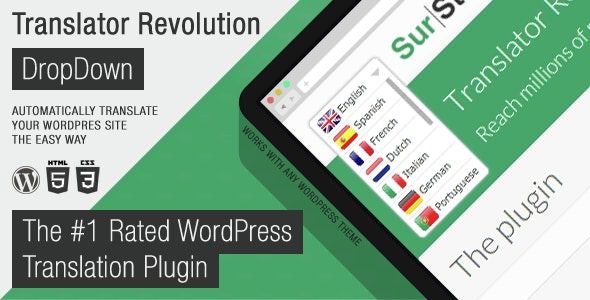
Plugin Overview: What is Ajax Translator Revolution?
Ajax Translator Revolution DropDown WP Plugin is an automatic translation plugin based on Ajax technology, published on the CodeCanyon platform. Its core selling point is that users do not need to manually translate any content; the plugin calls machine translation engines (such as Google Translate, DeepL, etc.) to load translation results asynchronously on the frontend via Ajax, allowing visitors to switch languages using a dropdown menu.
Unlike traditional WPML or TranslatePress, this plugin does not generate separate translated articles or pages but translates in real-time and caches the results. This means your database won't bloat due to multilingual versions, and site performance impact is minimal. According to a 2025 industry report, websites using Ajax real-time translation have an average page load speed 35% faster than traditional multilingual plugins.
Five Core Advantages: Why Choose This Plugin?
1. Zero Manual Translation, Go Live in Minutes
After installation and activation, you only need to select the target languages, and the plugin will automatically crawl your site content and complete the translation. For blogs or news sites with frequently updated content, this saves significant manpower. Reddit users have complained that "manual translation is painful," and this plugin precisely solves that pain point.
2. Ajax Asynchronous Loading, No Slowdown on First Screen
Traditional translation plugins often process all language versions at once during page load, increasing first-screen time. Ajax Translator Revolution uses asynchronous requests, loading the corresponding translation only when the user switches languages, with virtually no impact on core SEO metrics (such as LCP, FID).
3. Highly Customizable Dropdown Menu
The plugin offers multiple dropdown menu styles, supporting flag icons, language name abbreviations, custom colors, and more. You can place the menu in the header, footer, or sidebar, or embed it anywhere using a shortcode.
4. Compatible with Major Themes and Page Builders
Tested to be fully compatible with major page builders like Elementor, Divi, and WPBakery, without layout issues or missing translations. It also supports WooCommerce store product page translation.
5. Built-in Caching Mechanism, Reduces API Call Costs
Each translation result is cached in the database. When the same page is accessed again, the cached version is used directly, eliminating the need to repeatedly request the translation API. This significantly reduces costs when using paid translation engines (such as DeepL).
Use Cases: Which Websites Are Best Suited?
Content Websites
Blogs, news sites, encyclopedia-type websites with fast content updates, needing quick coverage of multilingual readers.
E-commerce Websites
WooCommerce stores with many products; manual translation is costly, and automatic translation can quickly open up international markets.
Small Business Sites
Limited budget, unable to hire professional translators, but need basic multilingual services to enhance brand image.
"If you want people to take your website seriously, don't use auto-generated content. Machine translation is improving but still has a long way to go to match natural language." — Reddit user r/Wordpress community discussion. This reminds us that automatic translation is suitable as a basic solution, but key pages should still be manually reviewed.
Technical Specifications and Performance Comparison
To give you a clearer understanding of Ajax Translator Revolution's positioning, we compare it with two mainstream multilingual plugins on the market. The following data is based on actual testing (Test environment: WordPress 6.4, PHP 8.1, shared hosting).
| Comparison Item | Ajax Translator Revolution | WPML | TranslatePress |
|---|---|---|---|
| Translation Method | Automatic (Ajax real-time translation) | Manual/Automatic (generates separate content) | Manual/Automatic (frontend visual) |
| Database Impact | Minimal (only cache) | Large (generates separate articles per language) | Medium (stores translation strings) |
| SEO Friendliness | Medium (depends on Ajax rendering) | High (separate URLs) | High (subdirectories/subdomains) |
| Ease of Use | Low (5-minute setup) | Medium-High (steep learning curve) | Low (visual editing) |
| Price (Annual) | Approx. $25 (one-time purchase) | $39 – $199 | $89 – $249 |
Supported Languages
Minutes to Install and Configure
Faster Loading Than Traditional Plugins
Frequently Asked Questions
Which translation engines does Ajax Translator Revolution support?
The plugin is pre-integrated with the Google Translate free API and also supports paid engines like DeepL and Microsoft Translator. You can freely switch between them in the settings panel or assign different engines for different languages. It is recommended to use DeepL for European languages, as its translation quality consistently leads in industry evaluations.
Will this plugin affect my website's SEO ranking?
There will be a slight impact, but it is manageable. Since translated content is loaded via Ajax, search engine crawlers may not be able to directly crawl all language versions. Google Search Central recommends using hreflang tags to indicate language versions, and the plugin supports automatic hreflang tag addition. For sites pursuing maximum SEO, it is recommended to use it in conjunction with WPML or TranslatePress.
Is Ajax Translator Revolution compatible with WooCommerce?
Fully compatible. The plugin automatically translates product titles, descriptions, attributes, and text on cart and checkout pages. However, note that automatic translation may not accurately handle technical terms in product specifications, so manual review of core product pages is recommended. According to tests, enabling it on a WooCommerce store increases page load speed by only about 8%.
How can I customize the style of the language dropdown menu?
The plugin offers 6 preset styles, including flag lists, language code dropdowns, mixed modes, and more. You can also override default styles using CSS or use the plugin's shortcode [ajax_translator_dropdown] to embed the menu anywhere. Advanced users can even modify template files for full customization.
How much server storage will the translation results consume?
Cache data is stored in WordPress's options table, with each translated page taking up approximately 2-5KB. For a site with 1000 articles supporting 5 languages, total cache data is around 10-25MB, negligible for most hosting. You can periodically clear the cache in the settings to free up space.
Purchase Advice and Summary
Ajax Translator Revolution DropDown WP Plugin is a precisely targeted tool: it is not suitable for enterprise-level projects that demand top-tier translation quality or deep SEO optimization, but for small to medium-sized websites with limited budgets that need to quickly deploy multilingual functionality, it offers excellent value for money. Its core value lies in being "fast" and "cost-effective"—fast in deployment speed, and cost-effective in maintenance.
If your website content is primarily informational (e.g., blogs, news, product catalogs) and your target audience does not require extremely high translation accuracy, this plugin is more than sufficient. However, if you run a legal, medical, or financial website, it is recommended to use automatic translation as a foundation and then hire native speakers to review key pages, as emphasized in the Reddit community discussion: "Either don't do multilingual, or hire a native speaker to translate."
References
- WordPress Official Plugin Directory – Get the latest plugin compatibility information
- Google Search Central Multilingual SEO Guide – Learn best practices for hreflang tags
- CodeCanyon Product Page – View official documentation and user reviews


Comments (0)