
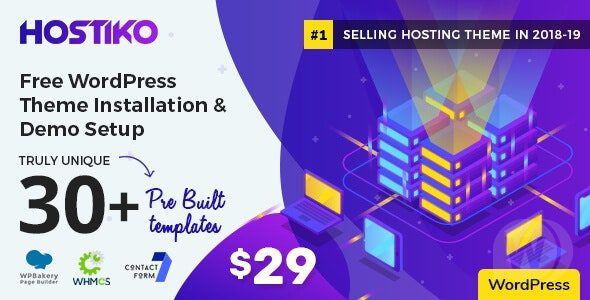
Hostiko v9.4.56 is a WordPress theme specifically designed for web hosting companies, crafted by a professional team and built on WPBakery Page Builder and Revolution Slider, incorporating the latest web technologies such as Bootstrap, WHMCS, and FontAwesome. This WordPress theme provides a perfect solution for virtual hosting, business, corporate, and multi-purpose domain sales websites, featuring built-in layouts for VPS hosting, shared hosting, and dedicated hosting to help you quickly build a professional and powerful hosting service platform.
Key Highlights of the Hostiko WordPress Theme
As a professional WordPress hosting theme, Hostiko's core advantage lies in its deep integration with WHMCS, making server management, customer service, and billing processing simple and efficient. Additionally, the theme features a responsive design, ensuring an excellent user experience across all devices. Whether you are a startup or a large hosting provider, Hostiko can meet your needs, enhancing brand image and conversion rates.
Layout and Customization Options of the Hostiko Theme
Hostiko offers a rich variety of page layouts and customization options, including homepage, about, services, pricing, blog, and more. You can easily adjust page elements through the drag-and-drop editor to create a unique website style. The theme also supports multiple color schemes and font choices, making your website stand out.
Compatibility and Performance of the Hostiko Theme
Hostiko is built on the latest Bootstrap framework, ensuring perfect compatibility with mainstream browsers. At the same time, the theme features streamlined code and fast loading speeds, which help improve search engine rankings. Furthermore, Hostiko supports SEO optimization with built-in rich meta tags and structured data, helping your website gain better visibility on search engines like Google. For more related resources, please visit the resource site.
Updates and Support for the Hostiko Theme
The Hostiko theme is continuously updated to adapt to the latest WordPress versions and industry standards. The developers provide detailed documentation and online customer support to ensure you can get timely assistance when encountering issues during use. By purchasing through official channels, you will receive lifetime updates and priority technical support.
Frequently Asked Questions
How do I install the Hostiko theme?
Installing the Hostiko theme is the same as installing any other WordPress theme: go to "Appearance" -> "Themes" in the admin panel, click "Add New," upload the theme zip file, and activate it. For detailed installation steps, please refer to the official documentation.
What scenarios is the Hostiko theme suitable for?
Hostiko is specifically designed for web hosting companies and is suitable for business websites involving shared hosting, VPS, dedicated servers, domain registration, and more. It can also be used for commercial companies and multi-purpose corporate websites.
Which plugins are compatible with the Hostiko theme?
Hostiko comes with WPBakery Page Builder and Revolution Slider built in, and supports WHMCS integration. Additionally, it is compatible with mainstream WordPress plugins such as Contact Form 7, Yoast SEO, and more. Please refer to the official documentation for specific compatibility details.
How often is the Hostiko theme updated?
The Hostiko theme is updated regularly to ensure compatibility with the latest WordPress versions and to fix vulnerabilities. The update frequency depends on the development team's release schedule. It is recommended to enable automatic updates or keep an eye on official announcements.

