
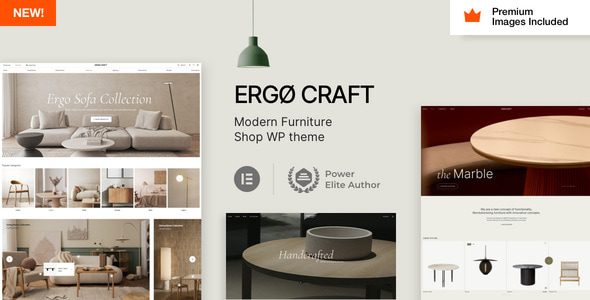
ErgoCraft Furniture Store WordPress Theme: A Professional Solution Built for Furniture E-Commerce
ErgoCraft is a WordPress theme designed specifically for modern furniture stores and furniture manufacturers. With full compatibility with WooCommerce and Elementor Pro, it helps you quickly build a fully functional, visually stunning online furniture store. Whether you sell finished furniture, custom furniture, or home decor items, ErgoCraft delivers a smooth e-commerce experience and flexible page design capabilities.
The theme comes with multiple carefully designed demo templates covering core pages such as the homepage, product listings, product details, blog, and about us. With one-click import, you get a complete website framework. For site owners who value efficiency, ErgoCraft significantly lowers the barrier to building a site, allowing you to focus your energy on product operations and brand building.
Core Features and Advantages of the ErgoCraft Theme
Deep WooCommerce Integration with Out-of-the-Box E-Commerce Features
ErgoCraft integrates seamlessly with WooCommerce, supporting product variations, inventory management, coupons, shopping cart, checkout process, and other complete e-commerce features. The theme is specially optimized for product display, including high-definition product galleries, quick preview, related product recommendations, and more, helping to improve conversion rates.
Elementor Pro Page Builder Support for High Design Freedom
With Elementor Pro's visual drag-and-drop editing, you can freely adjust every section of a page and achieve personalized layouts and styles without writing any code. The theme provides a rich set of custom widgets and modules, making it easy and efficient to build homepages and landing pages.
Responsive Design and Performance Optimization
ErgoCraft uses a responsive design and delivers a good browsing experience on desktop, tablet, and mobile devices. The theme code is optimized for fast loading speeds, which benefits SEO and user experience. At the same time, the theme is compatible with mainstream browsers, ensuring visitors can browse smoothly regardless of the device they use.
If you are looking for more high-quality WordPress resources, you can visit BoboHello Resource Site to get a rich collection of themes and plugins.
Use Cases and Target Users of the ErgoCraft Theme
ErgoCraft is ideal for the following types of websites:
- Official online stores for furniture brands
- Product display and sales platforms for furniture manufacturers
- Online stores for home decor items
- Case display and consultation for interior design companies
- Websites for furniture rental or customization services
For entrepreneurs and businesses looking to quickly launch a professional furniture e-commerce website, ErgoCraft provides a cost-effective starting point. Its intuitive backend settings and rich demo content make it easy to get started even for users without a technical background.
How to Install and Use the ErgoCraft Theme
The steps to install the ErgoCraft theme are as follows:
- In the WordPress dashboard, go to "Appearance" > "Themes" > "Add New Theme," upload the theme package, and activate it.
- Install and activate the plugins required by the theme as prompted, including WooCommerce, Elementor Pro, and others.
- Import demo templates: Find the demo import feature in the theme settings panel and choose your preferred template for one-click import.
- Customize the logo, colors, fonts, and page layout according to your brand needs.
- Add products, set up payment and shipping methods, and you are ready to start operating.
The official documentation provides detailed configuration guides. For specifics, please refer to the official documentation. If you encounter problems during installation, you can also check community forums or contact the theme author for support.
Frequently Asked Questions
What plugins are required to support the ErgoCraft theme?
ErgoCraft mainly relies on WooCommerce for e-commerce functionality and recommends using Elementor Pro for page design. The theme may also require some additional plugins to implement specific features. For details, please refer to the official documentation.
Is the ErgoCraft theme compatible with the latest version of WordPress?
ErgoCraft is updated regularly to remain compatible with the latest version of WordPress. It is recommended that you check the theme's changelog before use to ensure compatibility with your current WordPress version. For specific compatibility information, please refer to the official documentation.
How do I import ErgoCraft demo templates?
There is usually a "Demo Import" feature in the theme settings panel. Click it to import demo content with one click. If the import fails, it may be due to server environment limitations. It is recommended to check the PHP memory limit and execution time, or contact your hosting provider for assistance.
Does the ErgoCraft theme support multiple languages?
ErgoCraft supports multiple languages and is compatible with mainstream translation plugins such as WPML. You can use translation plugins to convert your website content into multiple languages. For specific configuration, please refer to the official documentation.
How often is the ErgoCraft theme updated?
The theme author releases updates regularly based on WordPress and plugin updates as well as user feedback, fixing vulnerabilities and adding new features. It is recommended that you keep the theme updated to the latest version for the best experience.

