
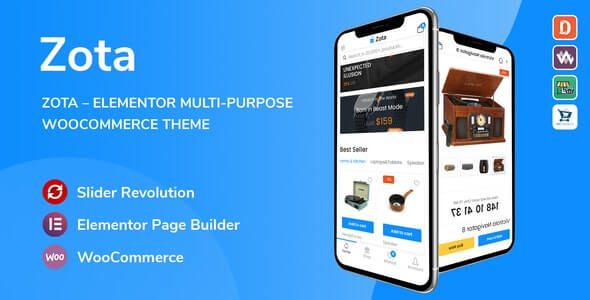
Zota v1.3.20: A Comprehensive Review of the Elementor Multipurpose WooCommerce WordPress Theme
Zota is a multipurpose WooCommerce WordPress theme built specifically for the Elementor page builder, suitable for a wide range of scenarios including e-commerce, corporate showcases, and creative studios. The Zota WordPress theme comes with a powerful built-in theme options panel, allowing you to complete website installation and personalized adjustments within minutes without writing any code. Whether you're building a brand-new online store or rebuilding an existing site, Zota provides flexible layouts and rich functional modules to greatly boost your site-building efficiency.
The theme deeply integrates Elementor's header and footer builder, allowing you to freely adjust the content and styles of headers and footers just like editing a regular page—this is a major highlight that sets Zota apart from similar products. For more WordPress themes and plugin resources, visit Bobohollo Resource Site.
Core Features and Advantages of the Zota Theme
Built on Elementor, Zota offers a large number of preset page templates and blocks, covering common page types such as homepage, product pages, blog, about us, and contact us. Through drag-and-drop editing, you can quickly assemble page structures that match your brand identity. The theme is also deeply optimized for WooCommerce, with core e-commerce elements like shopping cart, checkout process, and product filtering all refined for user experience.
Elementor Header and Footer Builder
With Elementor's header and footer builder, Zota allows you to set different header and footer styles for different pages. For example, you can set a header with a promotional banner for product category pages, and a clean navigation bar for blog posts. This level of granular control makes your website's visual hierarchy richer.
WooCommerce E-commerce Feature Integration
Zota performs excellently in WooCommerce compatibility, supporting extended features such as product quick view, wishlist, mini cart, and product comparison. The theme options panel also provides global style settings for colors, fonts, spacing, and more—changes take effect site-wide, saving you the hassle of adjusting page by page.
Installation and Use Cases of the Zota Theme
Zota is suitable for various types of websites:
- Online Store: Quickly build a product showcase and sales platform with WooCommerce and Elementor.
- Corporate Website: Use preset corporate templates to display services, case studies, and team information.
- Creative Portfolio: Present design, photography, and other works through flexible grid and gallery modules.
- Blog and Content Site: Multiple article layouts available, supporting custom typography and ad placements.
After installing the Zota theme, you can import demo content to restore the official example site with one click, then make modifications based on it. The theme options panel consolidates settings for Logo, color scheme, typography, social links, and more, making it easy for beginners to get started. For more Chinese-language resources for WordPress themes and plugins, refer to the related content on Bobohollo Resource Site.
Official page: Zota Theme Official Introduction
Frequently Asked Questions
How do I install the Zota theme?
In the WordPress admin panel, go to "Appearance > Themes > Add New Theme," upload the Zota theme installation package, and activate it. Then follow the prompts to install recommended plugins (such as Elementor and WooCommerce), and import the demo content. For detailed steps, please refer to the official documentation.
Is the Zota theme compatible with the latest version of WordPress?
Zota v1.3.20 has been tested against current mainstream WordPress versions and offers good compatibility. However, it's recommended to back up your website before updating and confirm that the theme version matches the WordPress core version. For specific compatibility information, please refer to the official documentation.
Which page builders does the Zota theme support?
Zota is primarily built on Elementor and deeply integrates Elementor's header and footer builder and widgets. If you use other builders, you may not get full template support. For details, please refer to the official documentation.
How often is the Zota theme updated?
The theme update frequency depends on the development team's release schedule, typically following major WordPress or WooCommerce updates with compatibility adaptations. It's recommended to follow official channels for the latest version information. For details, please refer to the official documentation.

