
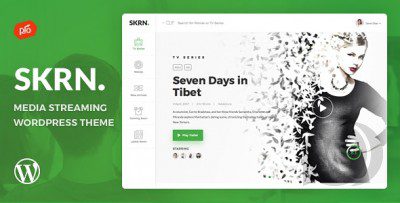
What Is the SKRN v5.9 WordPress Theme
SKRN is a WordPress theme built specifically for video streaming and paid membership subscription scenarios, ideal for film and television distributors, independent production teams, online course platforms, and video content creators looking to build an immersive on-demand portal similar to Netflix. The theme deeply integrates the ARMember and WooCommerce membership subscription engines, and comes with a high-fidelity player, episode catalog management, and multi-tier VIP access control, helping operators quickly build a complete loop from content display to paid membership. For users searching for the SKRN WordPress theme, version 5.9 brings notable improvements in playback experience, mobile adaptation, and performance.
Breaking Down the Core Features of the SKRN Theme
Video Management and Membership Permission Workbench
SKRN provides a complete content matrix for streaming businesses, covering movies, series, variety shows, documentaries, trailers, my favorites, and continue watching sections. The backend supports a dynamic data dashboard displaying key metrics such as the number of videos cataloged, active subscribers, and auto-renewal rates, making it easy for operators to monitor platform status in real time. On the membership side, the theme supports multi-tier membership plans, free preview limits, and content access shortcodes, enabling flexible control over viewing scope for different user groups.
Cinema-Grade Visual Layout and Micro-Animations
The theme includes two visual presets—deep cinema black and tech white—paired with high-contrast bold typography, giving the overall style a feel close to top-tier streaming platforms. Video poster cards feature smooth zoom and muted trailer preview micro-animations on hover, and a jade-green confirmation card pops up upon successful subscription. The touch feedback is refined, making it suitable for commercial sites pursuing brand quality.
Full-Device Responsiveness and Mobile Gesture Optimization
Whether on a desktop 4K widescreen, tablet, or portrait phone, SKRN's streaming lobby and playback interface adapt automatically, avoiding horizontal overflow issues. On mobile, touch hotspot optimization is tailored for one-handed operation, supporting swipe up/down to browse episodes and double-tap to fast-forward or rewind in fullscreen, reducing accidental touches and enhancing the mobile viewing experience.
Lightweight Execution and Core Web Vitals Performance
The theme's underlying code has been streamlined and optimized, with a clear DOM structure and minimal first-screen rendering blockage. It follows WordPress official coding standards and is friendly to Core Web Vitals (CWV), making it suitable for video sites that need to handle large amounts of high-definition cover images and long pages. If you're also concerned about overall site performance, you can refer to WordPress performance optimization resources for supplementary configuration.
Why Video Creators Choose the SKRN WordPress Theme
For technical teams looking to quickly validate a streaming business model, SKRN provides deeply customizable PHP template controllers, allowing developers to freely adjust video encryption and hotlink protection logic and multilingual translation solutions under the GPL license. Before going live, it's recommended to first import the official demo data in the backend, prepare standardized technical outlines and ultra-HD still images, and ensure pages maintain millisecond-level response even when carrying large amounts of animated images. Evaluating similar designs combined with professional membership community operation experience helps streaming platforms build a stable paid membership pool and brand credibility. For more product details, visit the official ThemeForest page.
Applicable Scenarios and Configuration Tips for the SKRN Theme
SKRN is suitable for the following operational scenarios: independent filmmakers selling paid on-demand releases of web series, film and television training institutions building monthly subscription masterclass course sections, documentary teams setting up fan sponsorship subscription clubs, and video content creators establishing platform-independent private domain monetization sites. During configuration, it's recommended to prioritize membership plan tier design, payment gateway integration (Stripe/PayPal), and player parameter tuning, then import demo content for full-process testing.
Frequently Asked Questions
How do I install the SKRN theme?
In the WordPress backend, go to Appearance > Themes > Upload Theme, select the SKRN theme zip file, install, and activate. After activation, follow the prompts to install the recommended ARMember or WooCommerce plugins, then import the official demo data to quickly set up the basic framework. For detailed steps, please refer to the official documentation.
What membership subscriptions and payment methods does SKRN support?
SKRN relies on the ARMember or WooCommerce membership subscription core engine, supporting multi-tier membership plans, free preview limits, and content access shortcodes. For payments, WooCommerce can integrate with mainstream gateways like Stripe and PayPal for automatic recurring billing. For specific supported ranges, please refer to the official documentation.
What are the WordPress and PHP version requirements for the SKRN theme?
According to the theme description, SKRN is compatible with WordPress 5.8+ and PHP 7.4~8.2 environments. It's recommended to use a relatively new stable version for better performance and security. For specific compatibility details, please refer to the official documentation.
Does the SKRN theme support mobile playback and gesture controls?
Yes. The theme has been interaction-optimized for mobile touchscreens. The playback interface adapts to portrait phone screens and supports double-tap to fast-forward/rewind in fullscreen and swipe up/down to browse episodes. Touch hotspots have been optimized to reduce accidental touches.
How often is the SKRN theme updated?
The theme update frequency depends on the official release schedule, typically pushing new versions for compatibility fixes and feature enhancements. It's recommended to follow the official changelog. For details, please refer to the official documentation.


Comments (0)