
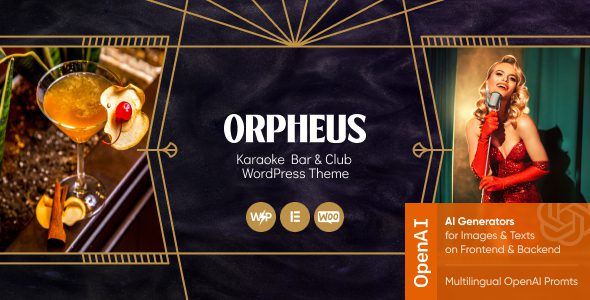
Orpheus Karaoke Bar and Club WordPress Theme In-Depth Review
Orpheus is a WordPress theme built specifically for karaoke venues, bars, nightclubs, comedy clubs, live music cafes, and event organizers. If you're looking for a solution that efficiently showcases event schedules, artist lineups, venue photos, and business information, Orpheus is worth considering. Its design logic revolves around being "event-driven," allowing visitors to quickly access performance information and complete interactions.
Core Feature Highlights of the Orpheus WordPress Theme
Orpheus provides a set of feature modules designed for the operational needs of entertainment venues, helping site owners easily build a professional website:
- Event and Show Management: Clearly display upcoming performances, parties, open mics, and themed events, with support for filtering by date and category.
- Artist and Team Directory: Organize detailed profiles of resident staff, DJs, performers, or partner teams to enhance the venue's professional image.
- Image Gallery: Showcase the venue environment, event scenes, and highlights from past performances through high-quality images.
- Contact Form: Make it easy for visitors to inquire about private bookings, partnerships, event planning, or venue rental.
- WooCommerce Compatible: Extend to sell merchandise, branded goods, or related services, with wishlist support, facilitating commercial operations.
The official page also lists compatible plugins such as Revolution Slider, The Events Calendar, QuickCall, WooCommerce, Mailchimp for WP, and Elementor. The specific management of event pages needs to be checked in conjunction with components like The Events Calendar; the theme itself should not be equated with a standalone ticketing SaaS.
Which Business Scenarios Suit Orpheus
Orpheus's applicability is not limited to karaoke venues. It is equally suitable for bar and nightclub websites, comedy performance spaces, live music cafes, open mic event organizers, and small music festival organizers. Website content can be organized following the logic of "venue introduction—event calendar—artist profiles—photo album—contact and booking" to form a complete user experience path. If the primary goal is ticket sales, it is recommended to place ticketing entry points and payment flows prominently on the page to reduce user steps.
For users who need to build more complex page layouts, you can refer to Elementor page builder related resources to extend design flexibility. Meanwhile, if e-commerce functionality is involved, you can draw on the store-building approaches of WooCommerce themes such as Flatsome.
Installation and Page Building Steps for the Orpheus Theme
Follow the process below to quickly complete the deployment and basic configuration of the Orpheus theme:
- Install the theme and activate the core plugins required by the documentation to ensure all dependencies are in place.
- Choose a demo homepage that suits the venue's style, and replace basic information such as event photos, business hours, and address.
- Configure event categories, dates, locations, and event detail pages to ensure event information is clearly structured.
- Set up contact forms and Mailchimp subscription entry points to facilitate collecting potential customer information.
- If selling tickets or products, install and configure the corresponding e-commerce or ticketing components.
- Test the mobile menu, event lists, maps, and booking buttons to ensure a smooth mobile experience.
If the website also needs online table reservations or private booking time slots, you can plan the workflow in conjunction with dedicated booking plugins. The site's tips on using Slider Revolution can serve as a reference for event key visual displays, helping to enhance the page's visual impact. For official product information, visit the Orpheus ThemeForest page to check the latest version and licensing details.
Content Maintenance Recommendations for Operations
The timeliness of event information is crucial. Performances that have ended should be archived to past events in a timely manner to avoid outdated dates appearing on the homepage for extended periods and affecting user experience. Artist profiles, event photos, and live videos should be properly licensed for use to ensure content compliance. If the venue serves tourists from different cities or countries, be sure to clearly state the address, business hours, and contact information to reduce communication costs.
Frequently Asked Questions
Is Orpheus only suitable for karaoke venues?
No. Its official positioning also includes nightclubs, bars, comedy clubs, open mics, live music, and party event websites, giving it broad applicability.
Does Orpheus come with built-in event ticketing and payment functionality?
The theme provides event management and WooCommerce compatibility, but the specific ticketing, payment, and ticket validation processes depend on the installed ticketing/payment plugins and the current resource package. Please refer to the official documentation for details.
How do I install the Orpheus theme?
In the WordPress admin panel, go to "Appearance - Themes - Add New Theme," upload the theme zip file and activate it, then follow the documentation prompts to install and activate the required core plugins.
How often is the Orpheus theme updated?
The ThemeForest page will display subsequent updated versions. It is recommended to check the official page regularly for the latest version information to ensure compatibility and security.
Which page builders does Orpheus support?
The officially listed compatible plugins include Elementor, and it also supports tools such as Revolution Slider, making it easy to design page layouts flexibly. For specific compatibility, please refer to the official documentation.


Comments (0)