
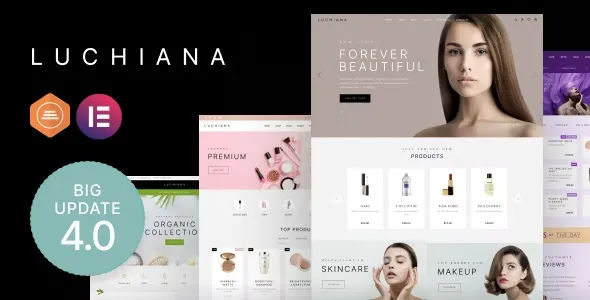
Luchiana v5.11 is a WooCommerce WordPress theme specifically designed for cosmetics stores and beauty shops, combining beauty, elegance, simplicity, and fast loading. As an officially released WooCommerce theme, Luchiana is extremely SEO-friendly and user-friendly, making it an essential choice for building a professional online beauty store. You can use preset modules and easily edit them with the Elementor page builder to quickly create an impressive e-commerce website.
Core Features of the Luchiana WooCommerce Theme
The Luchiana theme is deeply optimized for the beauty industry, offering a rich set of features to meet various e-commerce needs such as cosmetics stores, beauty shops, fashion stores, clothing stores, and perfume boutiques. Its responsive design ensures excellent performance on mobile devices, and built-in SEO tools help improve search rankings. With pre-built demo content, you can import it with one click and quickly launch your website, significantly saving development time.
Perfect Compatibility with Elementor Page Builder
The Luchiana theme deeply integrates with the Elementor page builder, allowing you to drag and drop to create stunning pages without writing any code. Whether it's homepage layouts, product displays, or promotional campaigns, everything can be easily achieved through an intuitive interface. The theme also offers multiple custom widgets and modules, further expanding design possibilities.
Why Choose the Luchiana Cosmetics Store Theme?
Among many WordPress themes, Luchiana stands out with its design tailored specifically for the beauty industry. It not only provides an elegant visual style but also focuses on loading speed and performance optimization, ensuring a smooth shopping experience for users. Additionally, the theme supports all core WooCommerce features, including shopping cart, checkout, product variations, etc., making it easy to manage your online store. If you are looking for a professional and easy-to-use cosmetics store theme, related theme recommendations may also provide you with references.
Installation and Usage Guide
Installing the Luchiana theme is very simple: In the WordPress backend, navigate to "Appearance" -> "Themes" -> "Add New Theme," upload the theme file, and activate it. After activation, you can quickly obtain the same layout as the demo site by clicking "Import Demo Data," and then use Elementor for personalized adjustments. The theme is pre-configured for WooCommerce; you just need to install the WooCommerce plugin and add products to start selling.
Frequently Asked Questions
Which browsers does the Luchiana theme support?
The Luchiana theme is compatible with all modern browsers, including Chrome, Firefox, Safari, and Edge, ensuring your website performs consistently across different platforms.
Does the theme include a Chinese language pack?
The Luchiana theme interface is in English, but you can achieve Chinese localization by installing the Loco Translate plugin and importing a Chinese language file. Please refer to the official documentation for details.
How often is the Luchiana theme updated?
The developer releases regular updates to fix bugs, improve performance, and ensure compatibility with the latest versions of WordPress and WooCommerce. It is recommended to keep the theme updated to the latest version.
Can I get technical support after purchasing?
Yes, after purchasing the theme, you can get official technical support through the Themeforest contact form, with a typical response time of 24-48 hours.


Comments (0)