
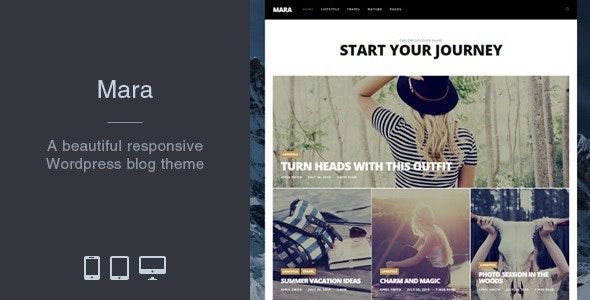
Mara v2.5.6 Photo Blog WordPress Theme: Let Layout Serve the Photos
For image-centric content sites, the most common mistake is letting design sensibilities override reading needs: excessive whitespace, decorative dividers, floating buttons everywhere—and ultimately the photos get squeezed into the corners. The core value of the Mara WordPress theme lies in how it treats the imagery as the protagonist by default, pushing all other interface elements to the edges and giving photographic work ample breathing room. This article focuses on Mara v2.5.6, offering a complete practical reference covering layout arrangement, reading experience, copyright management, and performance tuning.
The Gallery Layout Logic of the Mara WordPress Theme
A photo blog's layout isn't about being as fancy as possible—it's about matching the narrative style of the content. Mara offers three basic layout modes, each suited to different use cases:
- Single-column large images. Suited to narrative photo series, read one after another going down, with browsing rhythm controlled by the creator and reader attention focused.
- Two-column staggered. Suited to loosely themed portfolios, with higher information density, but it easily disrupts viewing order—recommended for use with brief captions.
- Grid thumbnails. Suited to archival content, letting viewers see the whole picture first before clicking into individual images, with fast image-finding—ideal for sites with large numbers of works.
The three layout modes can be mixed within the same site, but rules must be established: use single-column for narrative content, grid for work archives. Confused rules will cause readers to lose their sense of position and reduce their willingness to return.
Fine Control of the Reading Experience
Keep body text width within a comfortable range, and allow images to be clicked open for viewing at original size; captions should not be overlaid on images—light-colored text on light-colored images becomes completely unreadable. On mobile, make tap targets larger, and ensure swipe gestures cover half the screen, otherwise fingers can't reach. For page transition animations, it's recommended to keep only fade-in effects—effects like thumbnail flips tend to drop frames on low-end devices, actually worsening the viewing experience.
If you're building a photography site, you can refer to more layout examples in the WordPress theme and plugin resource library, comparing how different themes handle image loading and layout.
Copyright Notices and Watermark Strategy
For your own photographic work, state copyright ownership and reproduction rules in the footer; for commercial shoot content, first confirm whether the contract permits public display. Don't place watermarks over the main subject—a small one in the bottom-right corner is sufficient; its anti-theft effect is limited but it indicates ownership. If you enable comments, be sure to configure a moderation mechanism—photo sites being flooded with spam links is common. Also fill in image filenames and alt text as a matter of course—this is both an accessibility requirement and can bring extra traffic from image searches.
Mara Theme Parameters and Deployment Notes
Mara is a WordPress theme oriented toward photo and blog scenarios, typically offering layouts for galleries, long-form articles, archives, and about pages. Whether it includes extended features like memberships or download sales should be based on the official demo and documentation—please refer to the official documentation for specifics. Before deployment, configure image compression and caching plugins properly—photo sites consume an order of magnitude more bandwidth than text sites. Loading dozens of large images at once on a gallery page easily causes lag; pagination is more suitable than infinite scroll for such sites, and readers also find it easier to remember where they left off.
There's also one often-overlooked page: the About page. Readers of photo sites are willing to learn about the photographer—writing clearly about why you shoot this type of subject, what methods you commonly use, and where you shoot long-term is more engaging than a list of credentials. Include a work photo, not a selfie. Update frequency should also be realistic—gallery-type content has long production cycles, so rather than promising weekly updates, set it at one set per month and do it thoroughly. A steady rhythm will help regular readers form expectations and make search engines more willing to return.
Frequently Asked Questions
How do I install the Mara theme?
In the WordPress admin, go to "Appearance - Themes - Add New Theme," upload the theme zip file, and activate it. After activation, it's recommended to first import the official demo content, then configure the gallery and archive page templates according to the documentation.
What use cases is Mara suitable for?
It's suitable for photography portfolios, travel galleries, personal blogs, and visual content sites. The theme uses images as the visual focus by default, while long-form and archive layouts also accommodate text content.
Which plugins is the Mara theme compatible with?
As a standard WordPress theme, it's typically compatible with mainstream caching, image compression, and SEO plugins. For the specific compatibility list, please refer to the official documentation, and it's recommended to verify in a test environment before deployment.
How frequent are Mara theme updates?
The theme update cadence is subject to official releases; it's recommended to enable update notifications and back up before upgrading. For specific version logs, please refer to the official documentation.


Comments (0)