

1. Purchase a VPS:
- 👉CloudCone Official Website: www.cloudcone.com👈 (High cost-performance, supports Alipay, uses Intel E5 processor, SSD hard drive, fully sufficient for running a website.)
Note: If you have a Visa credit card or PayPal, you can also choose Hostinger or Contabo. They offer better value for money. First, the processor is newer, using the recently launched AMD EPYC processor with strong computing power. Second, the hard drive uses NVMe SSD for faster read/write speeds. Third, customer support is responsive. The downside is that payment requires a Visa credit card or PayPal, or you can pay someone on Taobao to handle it for a small fee.

- 👉Hostinger Official Website: www.hostinger.com (Enter through this link to get an additional 20% discount) 👈
♥️ Advantages: One of the top 3 cloud server providers globally, its strength speaks for itself. It's astonishing that at such a price, you can still get high-performance AMD EPYC processors and faster NVMe SSD storage, making web pages load faster. In terms of overall performance, it's definitely the king in its price range!
♥️ Disadvantages: Only supports Visa credit card and PayPal payments
♥️ For website building process, refer to this article: Hostinger Website Building Tutorial.
2. Register a domain name, Namesilo Official Website
3. Resolve the domain name, Cloudflare Official Website
4. Download an SSH and SFTP/FTP client to connect to our VPS, Xshell Official Download Link
- Update the VPS system (Ubuntu):
apt-get updateCommand to upgrade packages, refresh the list of installable software (but does not perform any actual installation)apt-get upgradeUpdate installed packages (software version upgrades)
- Install the Baota Panel, Official Website
Ubuntu/Debian Installation Script
wget -O install.sh https://download.bt.cn/install/install-ubuntu_6.0.sh && sudo bash install.sh ed8484bec
5. Install WordPress, Official Download Link
★If you have website building needs, you can privately message the site owner on Douyin (search: BOBO梦想家). We support any form of website customization (not just template-based).
Template link: Choose from 1100+ Licensed Templates
If you are not satisfied with the templates or have personalized needs, custom website development is also available.


Comments (44)
What to do if the request times out when pinging
Contact customer service to change IP or refund
I emailed them but never got a reply.
Where can I contact the customer service to change the ip of VPS?
Have you solved it yet? Do you have to turn off the ladder when CMD pings?
What's the solution?
Can I consult with you if I have problems with building a website?
What's the problem?
Why is there no ipv4 address at the bottom of cloudflare homepage after I bought it? Why is there no ipv4 address at the bottom of cloudflare homepage after I bought it?
Take a closer look...
No, there's no such thing as that column.
Home, cloud servers underneath deploy windows linux and nothing else.
The VPS status page above says this: Your server is under a build queue, once it is accepted, this page will automatically reload. meaning no server has been scheduled yet?
Got it, just bought it and the vps hasn't been deployed yet.
xshell is wrong, can you help?
What mistake?
How can I send you a screenshot?
Pagoda, the database where you plug in the site is not an option, and php only has a pure static option.
Your server is running PHP version 5.6.40 but WordPress 6.4.2 requires at least 7.0.0.
The version of php is too low.
Hello blogger do you have contact info? I purchased a CC server through your video, but when building a web page and editing it with Elementor it fails to load?
Try modifying the fixed connection
Hi, to update the vps system, inside the plugin, enter the first update normally, enter the second apt-get upgrade for the update of the installation package (software version upgrade), and it does not go on because of what? Pagoda won't install either.
I'm just like you.
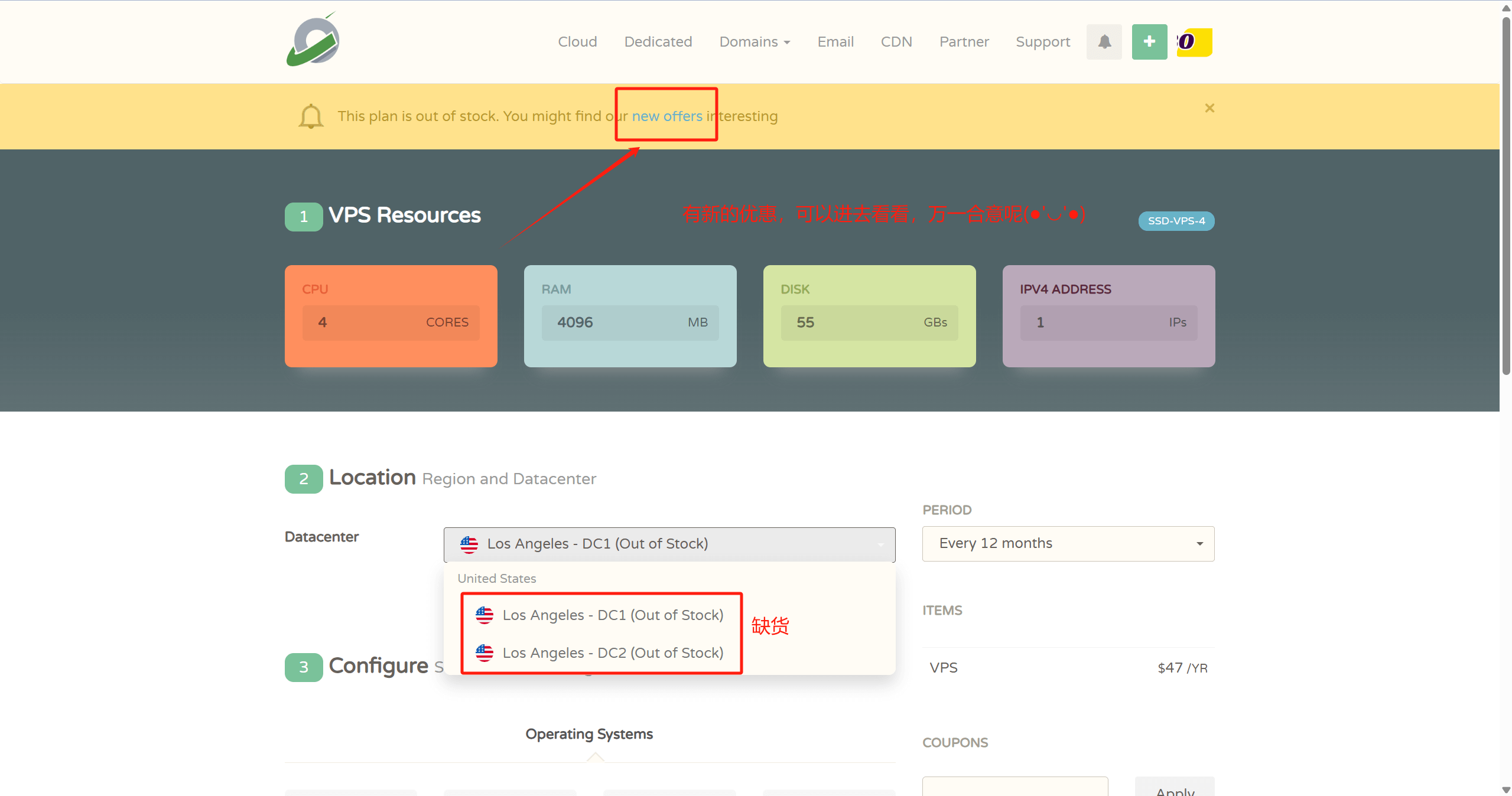
DC-1, Los Angeles, USA. How do you get it to show out of stock?
Get its customer service.
After loading the template to modify the content prompts: update failed. This response is not a legitimate JSON response.
Fixed those are checked, site health where suggests that testing the REST API returned unanticipated results:
REST API endpoint: https://ggfbads.mom/wp-json/wp/v2/types/post?context=edit
REST API response: (404) Not Found
Can't even edit the content now, please
Why is there an error in selecting y after selecting to install ubantu scripts! Is there any big guy
Service Unavailable
The server is temporarily unable to service your request due to maintenance downtime or capacity problems. Please try again later.Why does wordpress show up like this after I install it? Why does wordpress show up like this after I install it?
ping request timeout, how to contact customer service to change the IP
When logging into the VPS in Xshell I was asked for a password after typing in root, I used the password given by the vps but SHH denied my login What does that mean?
Request timeout when pinging 。。。。
Hello, the first site everything went well, tested the second site, when pinging the request supermarket, why?
How do I contact you, big guy please reply, Elementor won't load and the one that comes with the system is hard to use
bobohellocom,micro-signal
Hello bobo! Have you downloaded this instructional video on Shakeology yet?
I remember there was a corresponding video for this one, I forget where it is, can you tell me, please, please, please!!!!
Shake Shack is back on the shelves
Have your Shakeology tutorial videos gone down?
It's back on the shelves.
What's wrong with a domain name that keeps failing to resolve?
Do you have any WeChat?
You can find me on Jitterbug by searching for "BOBO Dreamer."