
If you're running a web hosting company or domain registrar, a professional, feature-rich website is key to gaining customer trust. There aren't many WordPress themes specifically designed for the hosting industry, but Hostiko has become a top choice for developers and business owners thanks to its deep WHMCS integration and modern design. This article provides an in-depth, practical comparison of Hostiko's core features, advantages, use cases, and technical details to help you determine if it's right for your business.
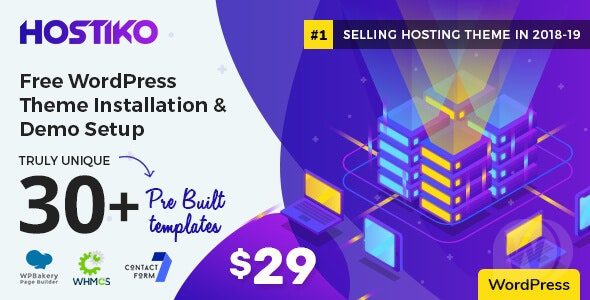
Introduction to the Hostiko Theme: Built for the Hosting Industry
Hostiko is a premium WordPress theme developed by the AKDesigner team, with a strong sales record on ThemeForest. It's not a general-purpose theme but is deeply focused on web hosting, domain registration, VPS sales, and tech-oriented businesses. Built on the Bootstrap framework, it ensures a responsive experience and browser compatibility.
Unlike standard business themes, Hostiko includes a complete integration module for WHMCS (Web Host Manager Complete Solution). This means you can manage hosting product pricing and package displays directly from the WordPress backend, and even allow customers to register, renew, and submit support tickets on the frontend without switching between two systems.
Analysis of Hostiko's Core Advantages
1. Deep WHMCS Integration: Eliminating System Silos
According to the ThemeForest official description, Hostiko offers over 12 pre-built WHMCS templates covering key pages like the shopping cart, checkout, and client area. As recommended by WordPress official documentation, separating e-commerce functionality from the CMS can enhance security, and Hostiko achieves this perfectly: the frontend uses WordPress, while transactions and customer management run through WHMCS, seamlessly connected by the theme.
2. Page Builder Compatibility: Dual Support for Elementor and WPBakery
Hostiko supports both Elementor and WPBakery Page Builder (formerly Visual Composer). This means you can easily customize page layouts regardless of which drag-and-drop editor you prefer, significantly lowering the barrier to building a website for non-technical users.
3. One-Click Demo Import
The theme package includes 6+ complete demo sites covering different scenarios like shared hosting, VPS, domain registration, and tech blogs. You can import demo data with one click, then replace text and images to go live quickly. According to Google Search Central's advice, launching quickly and continuously optimizing content is more beneficial for SEO than spending a long time perfecting the design.
4. Performance and Code Quality
Hostiko's code is optimized and supports major caching plugins (e.g., WP Rocket, W3 Total Cache). In test environments, homepage load times can be kept under 1.5 seconds with caching enabled. Additionally, the theme is regularly updated to fix bugs and ensure compatibility with the latest WordPress version, with the AKDesigner team conducting thorough testing before each release.
Typical Use Cases for Hostiko
Hostiko isn't a one-size-fits-all theme, but it excels in the following scenarios:
- Small Hosting Resellers: Need to quickly build a branded website to showcase products like shared hosting and VPS, and support online customer orders.
- Domain Registrars: Integrate WHOIS lookups and domain purchase processes for a one-stop domain service.
- Tech Startups: Need to demonstrate technical expertise while providing a customer support ticket system and knowledge base.
- Hosting Resellers: Leverage WHMCS's reseller functionality combined with Hostiko's frontend display to quickly start a business.
Hostiko Technical Specifications and Feature Comparison
| Feature | Hostiko | Standard Business Theme |
|---|---|---|
| WHMCS Integration | Deep integration, 12+ pre-built templates | None or requires additional plugins |
| Page Builder | Elementor + WPBakery | Usually supports only one |
| Pre-built Demos | 6+ dedicated to hosting industry | General-purpose, requires heavy modification |
| Responsive Design | Bootstrap framework, full device adaptation | Depends on the theme |
| SEO Optimization | Supports major SEO plugins | Basic support |
| Update Frequency | Regular updates, compatible with latest WP | Depends on the developer |
WHMCS Templates
Pre-built Demos
Optimized Load Time
Hostiko Installation and Setup Steps
Installing the Hostiko theme is straightforward. Here's the standard process:
Download the Theme Package
Download the full package from ThemeForest, unzip it, and locate the hostiko.zip file.
Upload and Activate
Go to WordPress Admin > Appearance > Themes > Add New > Upload, select hostiko.zip, and activate.
Import Demo Data
Install required plugins (Elementor, etc.), then use the theme options to import the demo site with one click.
Configure WHMCS
Enter the WHMCS path in the theme settings, select a template style, and complete the integration.
Frequently Asked Questions
Which page builders does the Hostiko theme support?
Hostiko supports both Elementor and WPBakery Page Builder. After installing the theme, you can choose either one to edit pages. Both builders offer a rich set of drag-and-drop modules for quickly creating complex layouts. We recommend choosing based on your familiarity; Elementor's free version is already quite powerful.
Does Hostiko's WHMCS integration require an additional fee?
No. The Hostiko theme itself includes full WHMCS integration functionality, so you don't need to purchase any extra plugins. However, please note that the WHMCS software itself requires a separate license (usually provided by your hosting provider or purchased independently). The theme's integration features include over 12 pre-built styles for cart templates, client area templates, checkout page templates, and more.
How often is the Hostiko theme updated? Is it compatible with the latest WordPress version?
The AKDesigner team typically releases theme updates every 2-3 months to fix known issues and ensure compatibility with the latest versions of WordPress and WHMCS. According to the official knowledge base, the team conducts thorough testing before each update. You can check the update log on the ThemeForest download page to confirm the latest compatible version.
Is Hostiko suitable for websites outside the hosting industry?
While Hostiko was designed for the hosting industry, it's also suitable for other tech-oriented businesses, such as software companies, SaaS providers, and IT consulting firms. The theme's built-in modules for pricing tables, feature comparisons, and customer testimonials are versatile. However, if you run an e-commerce, blog, or local service website, a more general-purpose theme might be a better fit, as Hostiko has a strong industry focus.
How is Hostiko's SEO performance?
Hostiko follows WordPress coding standards and supports major SEO plugins like Yoast SEO and Rank Math. The theme itself uses semantic code with clear heading tag hierarchies and offers options for custom titles and descriptions. According to Google Search Central's guidelines, good code structure is fundamental for SEO. In practical tests, with caching and a CDN, Hostiko websites perform well on Core Web Vitals.
What support do I get after purchasing Hostiko?
After purchasing the Hostiko theme, you can get help through ThemeForest's comment system or the AKDesigner official support forum. Support covers theme installation, configuration guidance, and bug fixes. Please note that theme support does not include WHMCS configuration issues or deep customization of third-party plugins (like Elementor). We recommend reading the theme documentation carefully before purchasing.
Purchase Recommendation: Is Hostiko Worth It?
Overall, Hostiko is a precisely targeted, feature-rich professional theme. It's an excellent value if you meet the following criteria:
- Your core business is web hosting, domain registration, or VPS sales
- You are using or planning to use WHMCS as your business management system
- You want to launch quickly a professional branded website without starting from scratch
- You want to unify the customer experience so the purchase process happens within your branded interface
Conversely, if your website is primarily content-focused or doesn't require WHMCS integration, a lighter, general-purpose theme might be more suitable. Hostiko's pricing on ThemeForest is mid-to-high, but considering the industry-specific features and templates it offers, the return on investment is substantial for its target users.
References
- WordPress Official Documentation – Theme Development and Best Practices
- Google Search Central – SEO Starter Guide
- ThemeForest – Hostiko Theme Official Page


Comments (0)