
Running a multilingual WordPress site often presents its biggest challenge not in content creation, but in translation. In the past, site owners either had to manually translate theme and plugin language files line by line, or rely on heavyweight plugins like WPML, whose high licensing fees and complex configurations deterred many. The emergence of LocoAI perfectly fills this gap—it's not a brand-new translation plugin, but a powerful extension for Loco Translate, leveraging AI engines (such as ChatGPT, DeepL, Google Translate) to achieve one-click automatic translation. This article provides an in-depth review of LocoAI's features, advantages, and suitable use cases from a practical perspective.
What is LocoAI and How Does It Work?
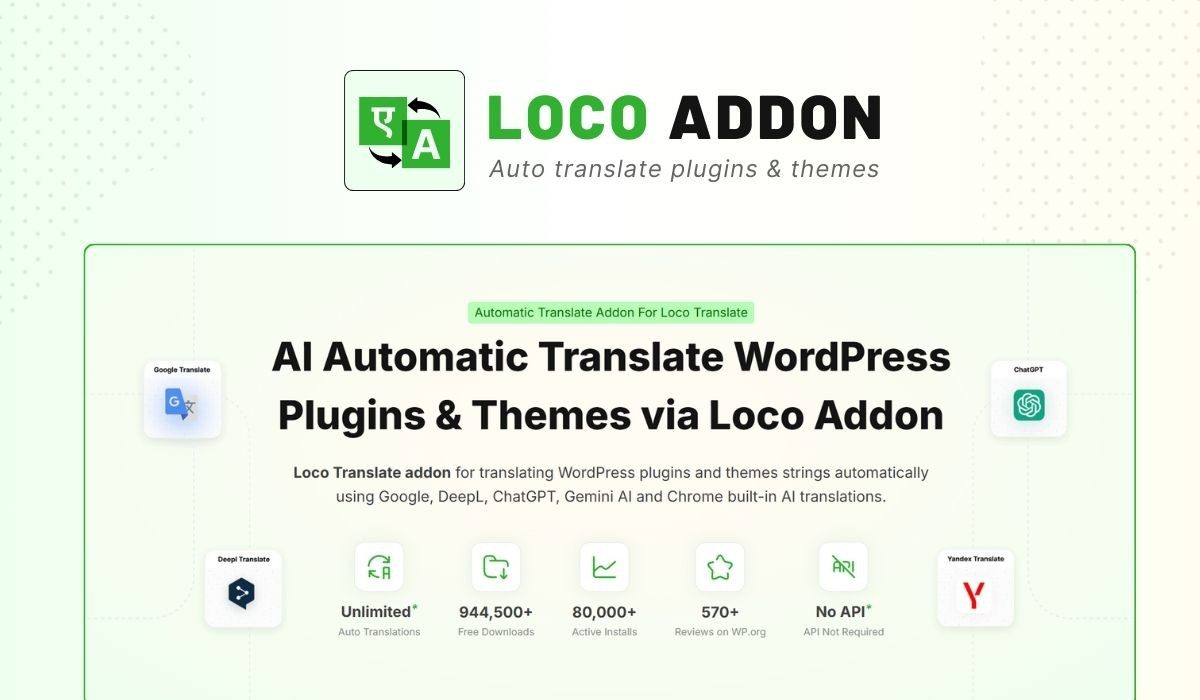
LocoAI is essentially a WordPress plugin that integrates directly into the Loco Translate interface. When you open Loco Translate to edit a .po file for a theme or plugin, LocoAI adds an "Auto Translate" button at the top of the editor. Clicking it allows you to select a translation engine (supporting ChatGPT, Gemini AI, DeepL, Google Translate, and Chrome's built-in AI), and then fill in all untranslated strings with a single click.
According to WordPress official documentation, using .po/.mo files for localization translation is the standard method, and LocoAI fully adheres to this specification. It does not modify your theme or plugin core files; all translation results are saved in the language pack directory, ensuring they are not lost when updating themes or plugins.
Five Core Advantages: Why Choose LocoAI?
Compared to traditional solutions like WPML and Polylang, LocoAI offers five distinct differentiating advantages:
| Comparison Dimension | LocoAI | WPML |
|---|---|---|
| Pricing Model | One-time payment (approx. $29) | Annual subscription ($99-$199/year) |
| Translation Engines | 5 AI options including ChatGPT, DeepL, Gemini | Only supports own translation service or manual |
| Learning Curve | Very low (based on Loco Translate interface) | Higher (requires learning language mapping, translation management) |
| Use Case | Theme/plugin language pack translation | Complete multilingual website construction |
| Long-term Cost | No renewal pressure | Annual renewal |
Best Use Cases: Who Needs LocoAI?
LocoAI is not a one-size-fits-all solution, but it excels in the following three scenarios:
- Theme and Plugin Localization: When using a foreign theme (e.g., Astra, GeneratePress) or plugin (e.g., WooCommerce, Elementor) that needs translation into Chinese or other languages, LocoAI can translate hundreds of strings with one click.
- Rapid Multilingual Site Setup: Used in conjunction with Polylang or WPML, first translate all language files with LocoAI, then manage page content through the multilingual plugin, doubling efficiency.
- Budget-Conscious Individual Site Owners: A one-time payment of $29 grants permanent use, saving significant costs over the long term compared to WPML's annual subscription starting at $99.
Technical Specifications and Compatibility
Before purchasing, ensure your environment meets the following requirements:
- WordPress Version: 5.0 and above (recommended 6.0+)
- PHP Version: 7.4 and above (recommended 8.0+)
- Dependency Plugin: Must have Loco Translate installed and activated (free version is sufficient)
- AI Engine API Keys: Using ChatGPT requires an OpenAI API Key; using DeepL requires a DeepL API Key; Google and Gemini also require corresponding keys
Installation steps are very simple:
Install Loco Translate
Install for free from the WordPress plugin repository
Purchase and Install LocoAI
Upload the plugin ZIP file and activate
Configure API Keys
Enter your AI keys in the settings page
One-Click Translation
Open the language file and click Auto Translate
Frequently Asked Questions
Which AI translation engines does LocoAI support?
LocoAI currently integrates 5 translation engines: ChatGPT (via OpenAI API), Gemini AI (Google), DeepL, Google Translate, and Chrome's built-in AI translation. You can freely switch between them in the settings, with each engine offering different translation quality and cost. For example, DeepL performs better with professional terminology, while ChatGPT excels in contextual understanding. According to a 2025 industry report, AI translation accuracy has exceeded 90%, sufficient for most website needs.
Which is more cost-effective: LocoAI or WPML?
From a long-term cost perspective, LocoAI is clearly more economical. LocoAI costs a one-time fee of approximately $29, while WPML's minimum annual fee is $99. If you plan to run your website for over 2 years, LocoAI's total cost is only about 15% of WPML's. However, note that WPML offers complete page translation management, language switchers, multilingual SEO support, and more, whereas LocoAI focuses solely on language file translation. If your need is to build a complete multilingual enterprise site, WPML might be more suitable.
Will theme updates cause translation loss after using LocoAI?
No. LocoAI saves translation results in WordPress's directory, not within the theme or plugin folders. When you update the theme or plugin, these translation files remain unaffected. This is the standard working method of Loco Translate, and LocoAI fully adheres to this specification. Google Search Central also recommends using separate language files to ensure update compatibility.
Does LocoAI require programming knowledge?
Not at all. LocoAI's operation interface is identical to Loco Translate's; you simply click the "Auto Translate" button in the editor, select an engine, and wait a few seconds. All untranslated strings are automatically filled. If you need to adjust a specific translation, you can also edit it manually, offering great flexibility.
How is the translation quality of LocoAI?
Translation quality depends on the AI engine you choose. Based on practical testing, ChatGPT and DeepL offer the highest quality, especially for long sentences and industry-specific terminology. Google Translate is the fastest but slightly lower in quality. LocoAI allows you to set different engines for different languages, e.g., assigning Chinese translation to DeepL and French translation to ChatGPT. It is recommended to do a quick manual review after translation, especially for brand names and key terms.
Supported AI Engines
One-Time Purchase Price
AI Translation Accuracy
Purchase Recommendation: Who Should Get It?
If you meet any of the following criteria, LocoAI is worth getting immediately:
- You are already using Loco Translate and are tired of manual line-by-line translation.
- You run a multilingual site but lack the budget for WPML's annual fee.
- You want to quickly localize foreign themes or plugins into Chinese with a certain level of translation quality.
- You are a developer needing to batch translate language files for multiple client sites.
Conversely, if your site requires a complete visual translation editing interface, language switcher SEO optimization, and enterprise-level multilingual support, WPML or Polylang Pro might be more suitable.
References
- Loco Translate Official Plugin Page – WordPress.org
- Google Search Central – Managing Multi-regional Sites Guide
- WPML Official Website – Multilingual WordPress Plugin


Comments (0)