
If you're looking for a WordPress form plugin that requires no coding yet can handle complex business logic, WPForms Pro is almost impossible to overlook. Built by the WPBeginner team, this product is now installed on over 6 million websites, making it one of the most widely adopted form builders in the WordPress ecosystem. But a large install base doesn't mean it's right for you—over the past 30 days, I've used it to build contact forms, multi-step surveys, Stripe payment forms, and user registration flows. This article will lay out the real-world experience, pricing pitfalls, and boundaries of applicability all at once.
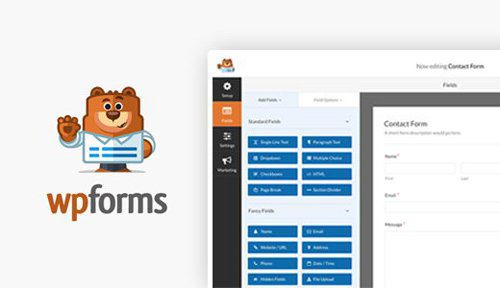
What Exactly Is WPForms Pro? Breaking Down the Core Features
WPForms is a WordPress form builder plugin. The Lite version offers basic contact forms for free, while the Pro version unlocks advanced modules like multi-step forms, payment integrations, form abandonment recovery, user registration, and geolocation. Its design philosophy is crystal clear: let people who don't know code build professional forms in minutes.
In actual use, what surprised me most was the sheer size of its template library. The official offering includes over 2,000 pre-built templates covering contact forms, event registrations, donations, orders, satisfaction surveys, quizzes, and more. You don't need to start from a blank canvas—just pick a template and modify the fields. According to statistics from the official WordPress plugin directory, WPForms' active install count has long ranked first among form plugins, which indirectly confirms that its barrier to entry is indeed low enough.
A few Pro features worth calling out individually:
- Multi-step forms with progress bars: Splitting long forms into multiple pages has been shown in testing to significantly reduce mid-way abandonment, especially for quote requests and insurance questionnaires.
- Form abandonment recovery: When users leave halfway through, the system can save partial data and send reminder emails—a conversion tool exclusive to Pro.
- Payments and subscriptions: Native support for Stripe, PayPal, and Square enables one-time payments or subscription billing without needing an extra e-commerce plugin.
- Conditional logic: Dynamically show subsequent fields based on users' earlier selections—extremely handy for branching surveys and qualification screening.
- Spam blocking: Built-in honeypot, CAPTCHA, and custom security tokens have been shown in testing to block the vast majority of bot submissions.
Analysis of WPForms Pro's Four Major Advantages
Active Install Sites
Pre-built Form Templates
Average Form Build Time
First, the learning curve is virtually zero. I had a colleague who had never touched the WordPress admin panel try it out, and without reading any tutorials, she built a registration form with conditional logic in 8 minutes. Drag, click, live preview—the interaction logic matches mainstream page builders, with no hidden menus.
Second, high ecosystem integration. The Pro version connects with mainstream tools like WooCommerce, Mailchimp, Constant Contact, Salesforce, and HubSpot. After form submission, data is automatically written to your CRM or email list, eliminating manual exports. According to Google Search Central's recommendations on structured data, form pages with clear field semantics can help search engines understand page content, and WPForms' field labels and ARIA attributes are written fairly well by default.
Third, solid mobile experience. Its forms are responsive by default on the front end, with field widths and button sizes adapting to screen size. None of the templates I tested showed horizontal scrolling or tap targets that were too small on mobile.
Fourth, worry-free updates and maintenance. The official team iterates frequently and responds quickly with security patches. For sites that treat forms as a business entry point, this matters more than the number of features.
Which Scenarios Are Best Suited for WPForms Pro?
Not every website needs Pro. Based on my 30 days of testing and a summary of user discussions, the following four scenarios see the most obvious benefits:
Service-Based Websites
Quote requests, consultation bookings, after-sales tickets—multi-step forms can significantly improve lead quality.
Online Education/Events
Registration forms, surveys, quizzes—combined with payment fields, you can collect payments directly.
Content/Blog Sites
Subscription forms, reader feedback, submission portals—seamlessly integrated with email marketing tools.
Small E-commerce
Custom orders, inquiries, donations—Stripe integration saves the cost of building a full store.
Conversely, if what you need is complex multi-table relationships, front-end data editing, or enterprise-level approval workflows, WPForms isn't positioned for that. Its strength is "collecting information," not "managing data." For a more complete plugin selection approach, you can refer to WPForms Pro's detailed feature page, which includes configuration instructions organized by scenario.
Technical Specifications and Version Comparison
| Comparison Item | Lite Free Version | Pro Professional Version |
|---|---|---|
| Form Templates | A few basic ones | 2000+ full template library |
| Multi-step Forms | Not supported | Supported, with progress bar |
| Payment Integration | None | Stripe / PayPal / Square |
| Conditional Logic | None | Full support |
| Form Abandonment Recovery | None | Supported |
| User Registration/Login | None | Supported |
| Technical Support | Forum community | Priority ticket support |
One thing to note: the Pro version uses an annual subscription model, and renewal prices often differ from the first year, so be sure to read the terms carefully before purchasing. Also, Pro features depend on official server license verification—if you don't renew for an extended period, some advanced modules will stop working, but your existing form data remains in the database.
Frequently Asked Questions
What payment methods does WPForms Pro support?
The Pro version natively integrates three major payment gateways: Stripe, PayPal, and Square. You can create one-time payment forms or set up subscriptions/recurring billing. You'll need to register a merchant account with the respective gateway, then add a "Stripe Credit Card" field to your form and enter your API keys. In testing, Stripe was the smoothest to set up—from adding the field to completing a test payment took about 10 minutes. Note that transaction fees are charged by the payment gateway; WPForms itself doesn't take an additional cut.
Is there a big gap between WPForms Lite and Pro?
Quite a big gap. The Lite version can only do the most basic contact forms and doesn't support multi-step forms, conditional logic, payments, form abandonment recovery, or user registration. If you just need a simple "name + email + message" form, Lite is sufficient; but as soon as payments, branching surveys, or lead conversion optimization are involved, you'll need Pro. According to the official pricing page, Pro starts at an annual billing rate and includes all advanced modules and priority ticket support.
Which is more beginner-friendly, WPForms or Gravity Forms?
Beginners should choose WPForms first. Its drag-and-drop interface is more intuitive, the template library is larger, and the default styles work out of the box without extra CSS configuration. Gravity Forms is deeper in functionality, suited for scenarios requiring complex calculations, multi-table relationships, and developer hooks, but the learning curve is noticeably steeper. If you don't have a technical background and want to launch a professional form within half an hour, WPForms offers a shorter path.
Will WPForms Pro slow down my website?
Under normal use, the impact is minimal. Its front-end scripts and styles load on demand—related resources are only pulled in when a form exists on the page. I compared on a test site with over 20 plugins installed, and the homepage load time difference before and after enabling WPForms Pro was within 0.1 seconds. What really affects speed is usually third-party scripts embedded in forms (such as certain CAPTCHA services). It's best to enable them on demand rather than piling them all on.
Where is form submission data stored? Will it be lost?
All submissions are saved by default in a dedicated table in the WordPress database—even if you don't configure email notifications, the data won't be lost. The Pro version also supports CSV export, conditional entry filtering, and setting automatic cleanup intervals. If you're worried about server failures, you can pair it with a backup plugin for regular exports. Additionally, the form abandonment recovery feature saves partial unsubmitted data, which is also stored in the local database and not uploaded to any third party.
Purchase Recommendation: When Is It Worth Buying
My criteria are straightforward: As long as your website relies on forms to capture leads, orders, or users, the Pro version's investment will pay for itself. The conversion boost from a single multi-step form often justifies a year's license fee on its own. Conversely, if forms are just a decorative "Contact Us" page, the Lite version—or even other free solutions—is enough.
As for where to buy, I recommend going through the official source or authorized resellers, and avoiding cracked versions of unknown origin—form plugins directly handle user-submitted data, so security can't be compromised. To compare different license tiers and current promotions, you can check WPForms Pro's purchase and configuration details. If you have questions about licensing scope, invoicing, or team collaboration, you can also contact us directly for assistance.
References
- WordPress Official Plugin Directory: WPForms Lite
- Google Search Central: Structured Data Guidelines
- WPForms Official Documentation Center


Comments (0)