
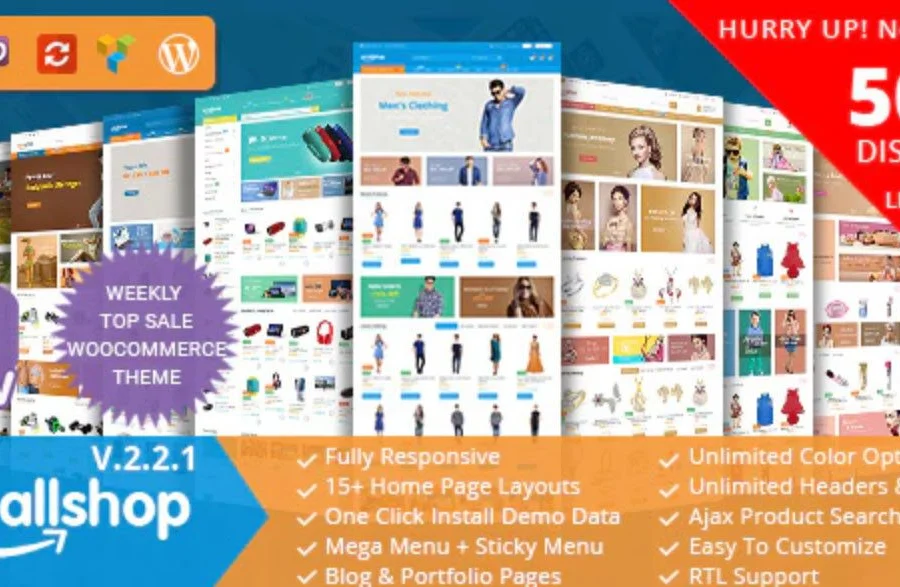
Introduction to EmallShop Responsive Multipurpose WooCommerce Theme
The EmallShop WordPress theme is a responsive multipurpose WooCommerce theme built on Bootstrap and powered by Visual Composer. Designed specifically for online stores, it is compatible with WordPress 5.4.x and WooCommerce 4.2.x, and offers full GDPR compliance to ensure your website meets data protection standards. With a modern design focused on product display, EmallShop significantly enhances the visual appeal of your online store, helping boost conversion rates and enabling customers to make purchasing decisions faster.
The core strength of the EmallShop theme lies in its versatility and flexibility, delivering excellent solutions whether you run a single-product store or a multi-vendor marketplace. The theme includes over 15 pre-built homepages, and you can quickly set up a professional, visually appealing e-commerce website with one-click demo import.
Key Features of the EmallShop Theme
The EmallShop theme offers a rich set of features to meet various e-commerce needs. Here are some of the key highlights:
- Fully responsive design, compatible with all devices
- 100% retina-ready for high-definition display
- Unlimited color options to customize your brand style
- Child theme support for safe customization
- Fully integrated with WooCommerce
- Compatible with multi-vendor plugins such as Dokan, WC Vendors, and WC Marketplace
- Multiple header and footer styles
- Real-time product search for an enhanced user experience
- Powerful admin settings for easy site control
- SEO-ready to support search engine rankings
- RTL support for languages like Arabic
- WPML compatible for multilingual websites
- Unlimited portfolio and blog pages
- Mega menu with sticky menu option
- Boxed and full-width layout modes
- One-click demo data installation
- Robust page, post, and portfolio options
EmallShop Theme Installation and Usage Guide
Installing the EmallShop theme is straightforward. You can upload the theme file and activate it from your WordPress admin panel. After activation, install the bundled plugins, then install other required plugins (such as WooCommerce, Visual Composer, etc.) via the admin dashboard. Finally, import your preferred demo template to complete your website setup quickly. It is recommended to back up your website data before starting to ensure safety.
If you need more detailed installation steps, you can refer to the relevant installation guide. Additionally, you can visit the theme's official product page for more information.
Use Cases and Advantages of the EmallShop Theme
The EmallShop theme is suitable for various types of online stores, including fashion, electronics, home goods, and more. Its responsive design ensures customers enjoy a smooth shopping experience on mobile phones, tablets, and desktops. The theme's SEO-friendly structure helps improve your website's ranking on Google, attracting more organic traffic. Furthermore, EmallShop's compatibility with multi-vendor plugins makes it an ideal choice for building e-commerce platforms.
Frequently Asked Questions
How do I install the EmallShop theme?
To install the EmallShop theme, log in to your WordPress admin panel, go to "Appearance" -> "Themes," click "Add New," upload the theme's ZIP file, and then activate it. After activation, follow the prompts to install the necessary plugins and import the demo data.
Does the EmallShop theme support multiple languages?
Yes, the EmallShop theme is compatible with the WPML plugin, but the WPML plugin itself needs to be purchased and installed separately. The theme's file structure is prepared for translation.
Is the EmallShop theme compatible with the latest WordPress and WooCommerce versions?
The EmallShop theme officially states compatibility with WordPress 5.4.x and WooCommerce 4.2.x, but it is recommended to always update to the latest versions for optimal performance and security. Please refer to the official documentation for specific compatibility details.
How often is the EmallShop theme updated?
The update frequency of the theme depends on the developer, typically releasing new versions after major WordPress or WooCommerce updates. You can check the official changelog for the latest information.

