
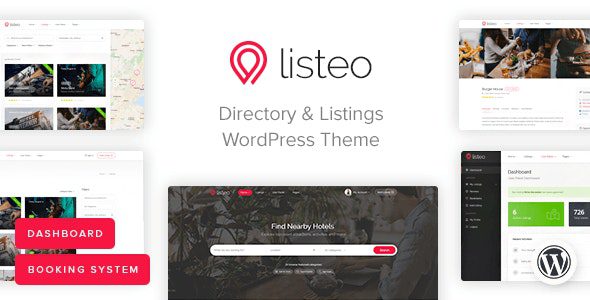
Listeo WordPress Theme: One-Stop Directory and Booking Solution
Listeo is a comprehensive WordPress directory theme designed for building professional classified ads and booking platforms similar to TripAdvisor, Yelp, Airbnb, or Booking.com. It comes with a built-in front-end user dashboard, a complete booking system, and a private messaging module, allowing you to launch quickly without additional paid extensions or coding. Listeo WordPress Theme integrates directory listings, booking management, multi-vendor marketplace, and more into one solution, making it suitable for various business scenarios such as rentals, service appointments, and event ticketing.
Powerful Booking System: Rentals, Services, and Events
Listeo's booking engine supports three core modes:
- Rentals: Users can select check-in/check-out dates and the number of guests, then send a booking request to the host. Once the host accepts, the user can pay in full. Hosts can manage calendar availability and set different prices for specific dates.
- Services: Suitable for restaurants, car washes, barbershops, etc. Users can select a date and time slot, or the provider can set a specific time. Service providers can charge a booking fee.
- Events: An online ticketing system for any venue or event. Users can add event listings and sell tickets directly.
Diversified Monetization Models and Map Integration
With Listeo, you can charge customers through listing submissions, promotional packages, or monthly subscriptions, and you can also charge a commission on each booking service. For example, if a host sets an apartment's daily rate at $50 and you set a 10% booking service fee, you earn $5 and the vendor receives $45. A "Wallet" page is displayed in the vendor dashboard, where they can view income summaries, payment history, and payment method settings.
Regarding maps, Listeo does not force reliance on the Google Maps API. You can choose alternatives such as OpenStreetMap, MapBox, Bing Maps, Thunderforest, or HERE Maps. Additionally, Listeo supports location autocomplete powered by OpenStreetMap, delivering a user experience comparable to Google Autocomplete without requiring a Google API—a unique advantage of this theme.
If you need more WordPress resources, you can visit bobohello.com to find related themes and plugins.
User Experience and Extended Features
Listeo offers a dark mode, suitable for use in low-light environments. A built-in smart private messaging system makes it easy for users to communicate directly with listing owners. The multi-criteria review feature allows users to rate from multiple dimensions, with conditions freely configurable. You can also embed Google Reviews on listing pages to add social proof without being forced to use the Google Business API. Automated notifications can be set for booking, payment, listing expiration, and other email reminders, with message content easily editable in the options.
Other features include: one-click demo installation, iCal synchronization (sync with Booking.com or Airbnb calendars to prevent overbooking), guest and owner user roles, Google reCAPTCHA, AJAX search results, Revolution Slider, Elementor page builder, Contact Form 7 integration, and multiple listing styles.
Official purchase link: Listeo on ThemeForest
Installation and Usage Tutorial
Listeo v1.9.01 has been tested. After installation and activation, enter the setup wizard, confirm the theme is activated, then install the required plugins online and import the demo template content to complete the setup. For detailed steps, please refer to the official documentation.
Frequently Asked Questions
How do I install the Listeo theme?
Upload the theme package in the WordPress admin panel and activate it, follow the setup wizard prompts to install the required plugins, then import the demo content. The entire process requires no coding.
What use cases does Listeo support?
It is suitable for rental bookings (such as apartments and homestays), service appointments (such as restaurants, car washes, and barbershops), and event ticket sales. It can also be used for general directory listing websites.
Is Listeo compatible with third-party maps?
Yes, in addition to Google Maps, it supports OpenStreetMap, MapBox, Bing Maps, Thunderforest, and HERE Maps, and provides location autocomplete based on OpenStreetMap.
How often is Listeo updated?
The theme is updated regularly to fix issues and add new features. For specific changelogs, please refer to the official documentation or the ThemeForest page.

