
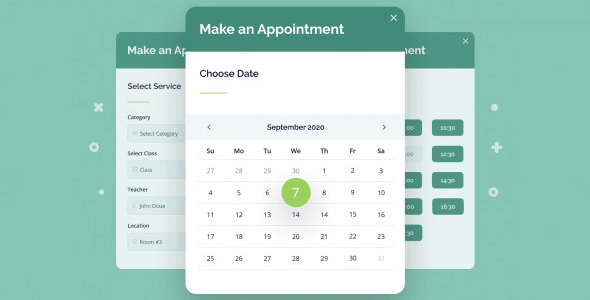
Appointment Booking WordPress Plugin: Make Online Booking More Efficient
In today's digital business environment, offering online booking functionality has become key to enhancing customer experience in the service industry. The Appointment Booking WordPress plugin was created precisely for this purpose. Developed by MotoPress, it is designed for time-based and service-based businesses such as beauty salons, sports clubs, educational institutions, and more. This plugin helps businesses easily accept online reservations and appointments while optimizing staff scheduling and calendar management.
The Appointment Booking WordPress plugin supports staff scheduling, allowing customers to make real-time bookings during any custom time slot. Whether for individual appointments or team services, everything can be completed quickly through an intuitive interface. While this version is a scarce resource that has not been fully tested, its features are still worth anticipating. For businesses seeking efficient management, this plugin is undoubtedly a powerful assistant for improving operational efficiency.
If you are looking for a reliable booking solution, take a closer look at this plugin's features and refer to the official product page for more information. You can also visit our related resource site to explore more WordPress tools.
Core Features: Tailored for the Service Industry
Flexible Appointment Slot Management
The Appointment Booking WordPress plugin allows administrators to customize appointment slots flexibly, whether by hour, day, or week. This ensures that scheduling arrangements can adapt to the specific needs of different industries, from short beauty services to longer educational courses.
Staff Scheduling and Resource Allocation
The plugin supports multi-staff management, allowing different staff members to be assigned to different services. Customers can clearly see available staff and time slots when booking. This significantly reduces scheduling conflicts and improves resource utilization.
Real-Time Booking and Automatic Confirmation
Customers can view available time slots in real time and complete bookings, with the system automatically sending confirmation notifications to reduce manual intervention. This enhances customer satisfaction while also lightening the workload for front desk staff.
Use Cases: From Beauty to Education
This Appointment Booking WordPress plugin is particularly suitable for the following industries:
– Beauty and Hair Salons: Offer online booking to prevent customers from waiting in line.
– Sports and Fitness: Manage personal training sessions and facility reservations.
– Education and Training: Schedule one-on-one tutoring or group classes.
– Healthcare: Support clinic appointments and optimize doctor scheduling.
Installation and Usage Guide
Installing the Appointment Booking WordPress plugin is similar to most WordPress plugins: upload the plugin file in the admin panel and activate it, then configure the booking rules through the settings page. For detailed steps, please refer to the official documentation to ensure proper usage.
Frequently Asked Questions
How do I install the Appointment Booking WordPress plugin?
In the WordPress admin panel, go to "Plugins" > "Add New" to upload the plugin zip file, activate it, and then navigate to the settings page for configuration. Specific steps may vary by version, so it is recommended to refer to the official documentation.
Which industries is this plugin suitable for?
It is primarily designed for time-based and service-based businesses such as beauty, sports, education, and healthcare, with flexible customization of appointment slots.
How compatible is the plugin?
It is generally compatible with most modern WordPress themes, but it is recommended to verify in a test environment. For specific compatibility requirements, please refer to the official documentation.
How often is the plugin updated?
The update frequency depends on MotoPress's development roadmap. It is recommended to follow official channels for the latest version information.

