
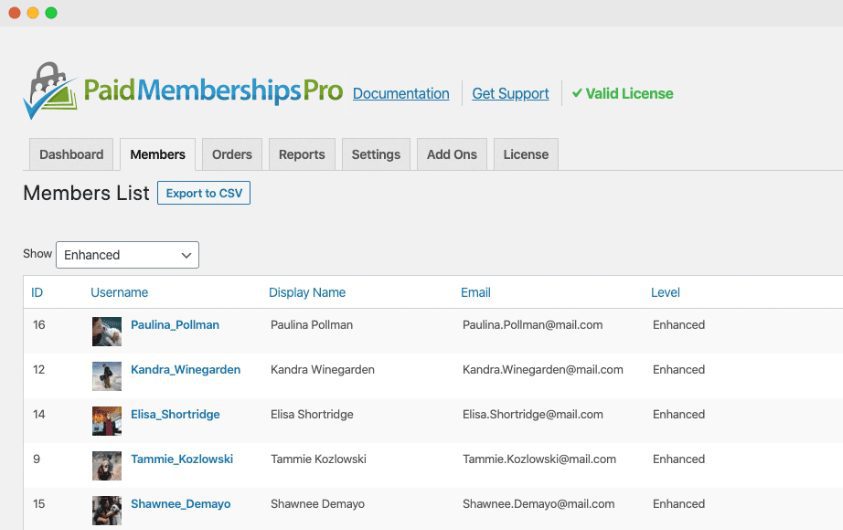
Paid Memberships Pro WordPress Plugin: A Professional Membership Management and Subscription Solution
Paid Memberships Pro WordPress plugin is a comprehensive membership management and subscription system building tool, designed for operators who need to build paid content websites, online course platforms, LMS learning systems, club and association portals, membership-based discount stores, and paid newsletters. With this plugin, you can let users choose their own membership levels, complete the checkout process, and instantly gain membership status on your site, while you maintain full control over what content is accessible at each membership level. Members can log in directly from the frontend, view payment records, update billing information, or cancel their accounts—all without ever needing to touch the WordPress admin panel.
Key Features of Paid Memberships Pro
Complete Frontend Membership Experience
The plugin provides a full suite of self-service frontend interfaces for members, including frontend login, frontend user registration, frontend password recovery, frontend profile editing, member account dashboard, invoice and billing information pages, custom user profile and registration form fields, custom member emails, as well as management options for restricting WordPress dashboard access and hiding the WP toolbar. These features allow members to complete all account operations without entering the backend, significantly improving the user experience.
Flexible Pricing and Expiration Management
Paid Memberships Pro supports multiple pricing models, covering one-time payments, recurring subscriptions, custom trial periods, custom renewal dates, variable pricing and donations, discount codes, and prorated payments. Expiration cycles can be set to yearly, monthly, daily, or even hourly, meeting the granular operational needs of different business scenarios. Whether it's a simple monthly subscription or complex tiered pricing, this plugin provides reliable support.
Installation and Configuration Guide for Paid Memberships Pro
After installing the Paid Memberships Pro plugin, follow the built-in setup wizard step by step to complete the basic configuration. During the wizard, the license key input step can be left blank and skipped, and the plugin will function normally after completing the wizard. It's recommended to plan your membership level structure, pricing strategy, and content access rules before configuration so you can complete the setup efficiently in one pass through the wizard. For users who need more detailed configuration instructions, you can refer to relevant tutorial articles on WordPress resource sites.
For official documentation and the latest version information about the plugin, you can visit the Paid Memberships Pro official page. The plugin is continuously updated and iterated, and it's recommended to keep up with versions for optimal compatibility and security.
Use Cases for Paid Memberships Pro
This plugin is suitable for various business models: premium content websites can control article access through membership levels; online courses and LMS platforms can set membership permissions by course or learning stage; clubs and associations can manage member rosters and dues collection; members-only product discount sites can implement differentiated pricing; subscription box products can manage recurring deliveries; and paid newsletters can build a stable reader subscription system. The flexibility of Paid Memberships Pro makes it an important tool in the membership management space within the WordPress ecosystem.
Frequently Asked Questions
How do I install Paid Memberships Pro?
Install Paid Memberships Pro through the plugin upload function in the WordPress admin panel. After activation, follow the setup wizard to configure it step by step. The license key input step can be left blank and skipped, and the plugin will function normally after completing the wizard. For details, please refer to the official documentation.
What payment methods does Paid Memberships Pro support?
The plugin supports one-time payments, recurring subscriptions, custom trials, custom renewal dates, variable pricing and donations, discount codes, and prorated payments, among other models. The specific payment gateways available depend on your configuration. For details, please refer to the official documentation.
Is Paid Memberships Pro compatible with other WordPress plugins?
Paid Memberships Pro maintains good compatibility with mainstream WordPress plugins and themes, and is especially suitable for use with LMS learning management systems and e-commerce plugins. It's recommended to verify compatibility on a staging site before deploying to a production environment. For details, please refer to the official documentation.
How often is Paid Memberships Pro updated?
The plugin is continuously maintained by the official team, with regular feature updates and security patches. It's recommended to keep the plugin at the latest version to ensure security and feature completeness. For specific changelogs, please refer to the official documentation.

