
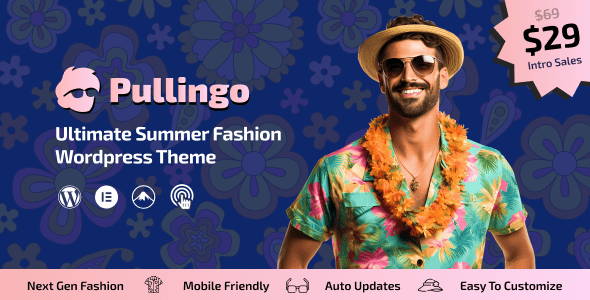
Pullingo is a powerful WooCommerce theme for fashion stores, designed for clothing, accessories, and e-commerce businesses. Whether you run a boutique, apparel brand, or online fashion store, Pullingo offers flexible layouts and rich features to help you create a professional and engaging online shop.
Key Features of the Pullingo WooCommerce Theme
Pullingo is a versatile theme suitable for fashion, clothing accessories, apparel, garments, boutiques, attire, clothing stores, apparel brands, e-commerce, print-on-demand, pajamas, evening gowns, party wear, traditional shops, fashion luxury stores, luxury goods, luxury fashion brands, online stores, bikini shops, swimwear, beachwear, lingerie, intimate apparel, streetwear, sportswear, women's fashion, women's stores, women's shops, urban clothing, minimalist fashion, bridal fashion stores, wedding attire, dropshipping, and more creative clothing stores. The theme includes multiple homepage styles and templates to quickly launch your website.
Installing and Setting Up the Pullingo Theme
Installing the Pullingo theme is straightforward: first upload the theme file in the WordPress backend and activate it, then import demo data, and finally customize colors, fonts, and layouts as needed. For further assistance, you can visit related resources for detailed tutorials.
Why Choose the Pullingo Fashion Theme?
Pullingo is optimized for the fashion industry, offering a seamless experience for product display, shopping cart, and checkout. It supports responsive design, ensuring excellent performance on mobile devices. Additionally, the theme integrates perfectly with the WooCommerce plugin, making it easy to manage inventory, orders, and payments.
Pullingo Theme Compatibility and Updates
This theme is compatible with major browsers and WordPress versions, with regular updates to fix vulnerabilities and add new features. You can obtain the latest version through official channels; please refer to the official documentation for details.
Learn more about Pullingo by visiting the official product page.
Frequently Asked Questions
How to Install the Pullingo Theme?
In the WordPress backend, go to "Appearance" -> "Themes", click "Add", upload the theme ZIP file, and activate it. Then import demo data to quickly achieve the same look as the demo site.
What Types of Stores is Pullingo Suitable For?
Pullingo is suitable for various online stores, including fashion apparel, accessories, footwear, hats, lingerie, swimwear, wedding dresses, sportswear, as well as blogs and brand showcases.
Which Plugins is Pullingo Compatible With?
This theme is specifically optimized for WooCommerce and is compatible with major page builders like Elementor and WPBakery, as well as various WordPress plugins. For a specific compatibility list, please refer to the official documentation.
How Often is Pullingo Updated?
The developer releases regular updates based on WordPress and WooCommerce updates, as well as user feedback. It is recommended to keep the theme up to date for optimal performance and security.


Comments (0)